Merchandise QR codes are blank QR codes that merchants can print or engrave onto their products, allowing buyers to personalize them after purchase. You can generate a batch of these QR codes and apply them directly to your products for post-sale customization.
Our clients offer a wide range of products featuring merchandise QR codes, either printed or engraved, including NFC business cards, pet ID tags for dogs and cats, Google Review cards, PDF QR codes, URLs, and medical alert bracelets. After purchase, customers can claim and personalize these QR codes by filling in their information.
Follow this tutorial to create, customize, and print merchandise QR codes.
Part 1: Creating Merchandise QR Codes
Follow these steps to create merchandise QR code tags:
Step 1
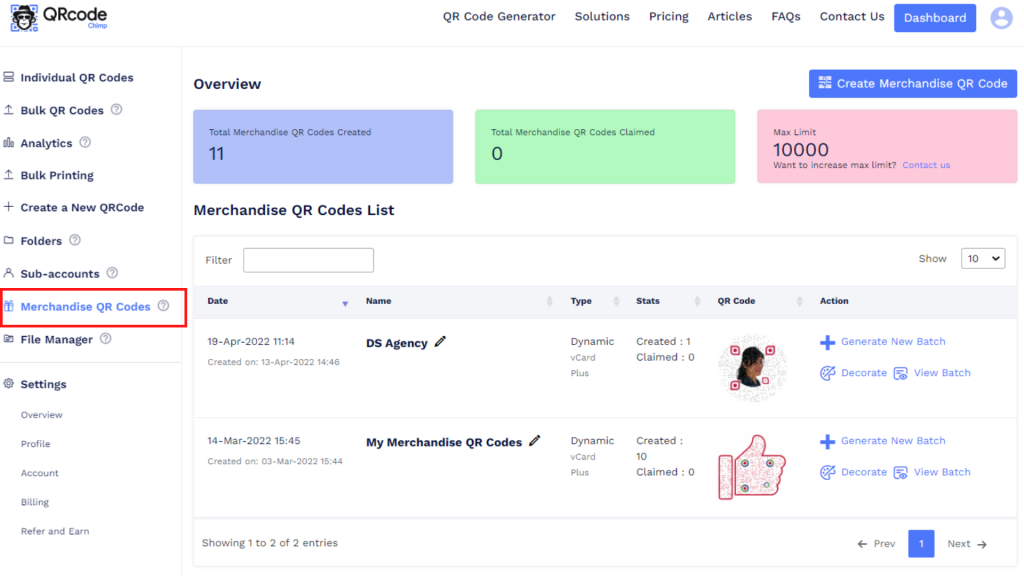
Go to your QRCodeChimp dashboard and click on ‘Merchandise QR Codes.’
Step 2
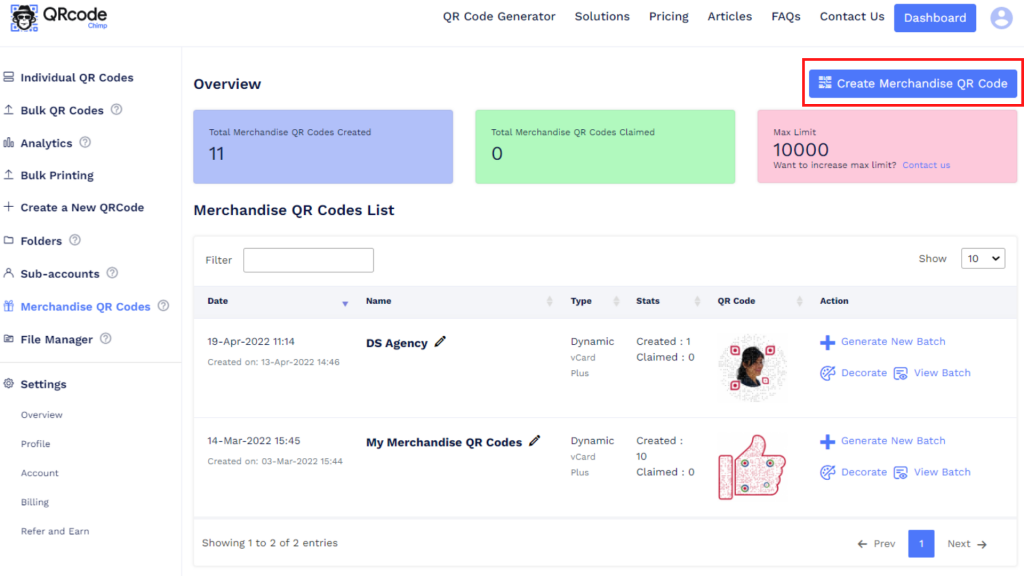
Click on ‘Create Merchandise QR Code.’
Step 3
Give a name to your merchandise QR code, select the QR code type, and click on ‘Create.’
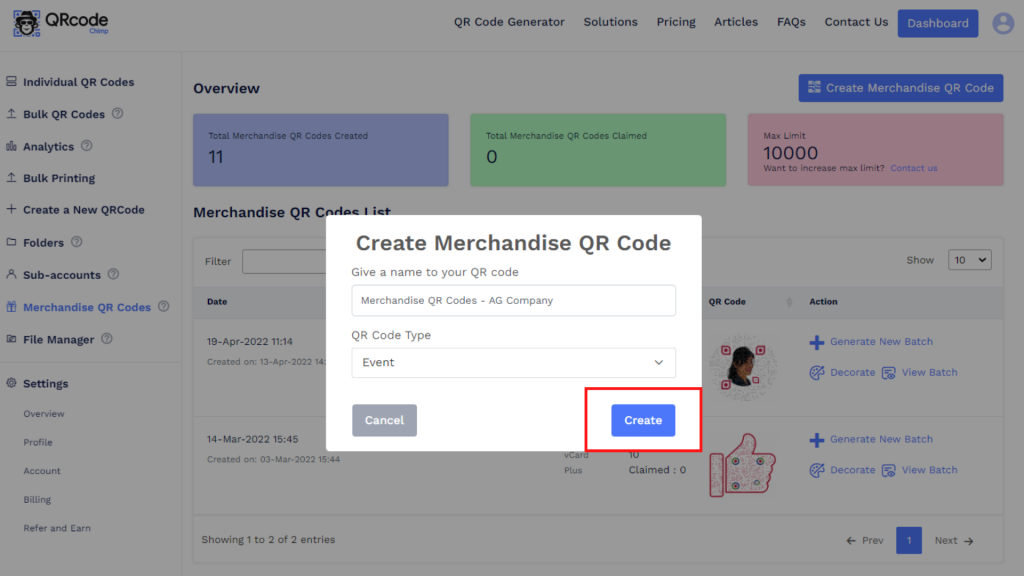
A new entry will be added to the Merchandise QR Codes list.
Part 2: Customizing Merchandise QR Codes
Follow these steps to customize your merchandise QR codes:
Step 1
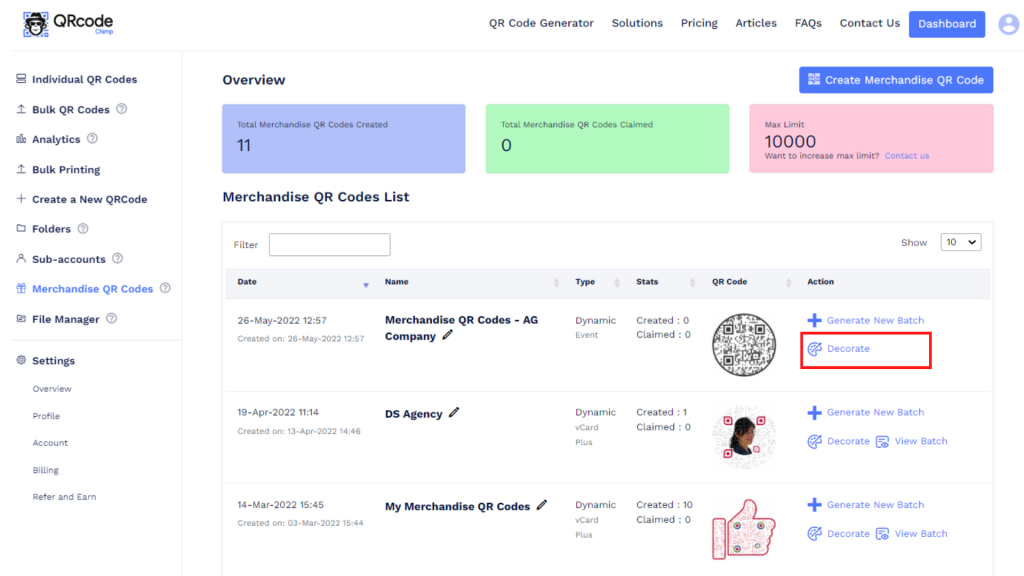
Click on ‘Decorate’ in the Action column.
Step 2
Customize your QR code using QR shapes, stickers, colors, and logos. After decorating, click on ‘x’ and then on ‘Save QR Code’ to save the design.
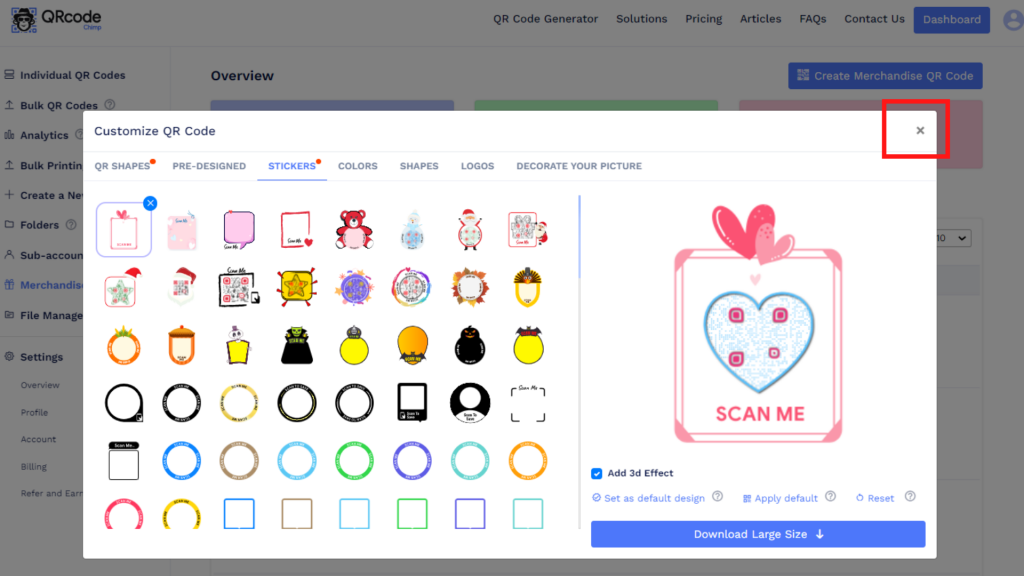
Your QR design will be updated.
Part 3: Generating a New Batch
Follow these steps to generate a new batch:
Step 1
Click on ‘Generate New Batch’ in the Action column.
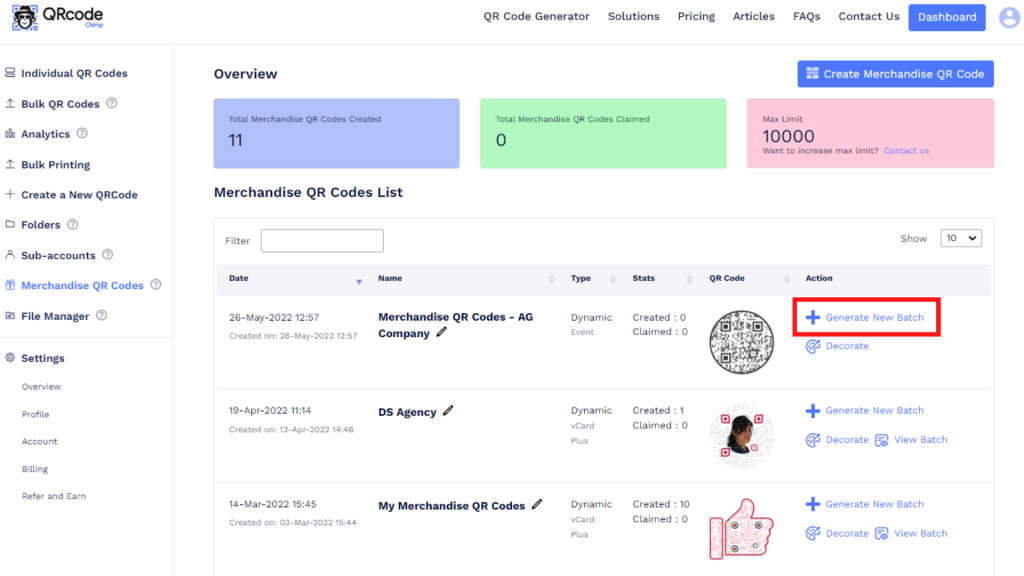
Step 2
Enter the batch name and the number of QR codes you want to generate (max batch count: 500).
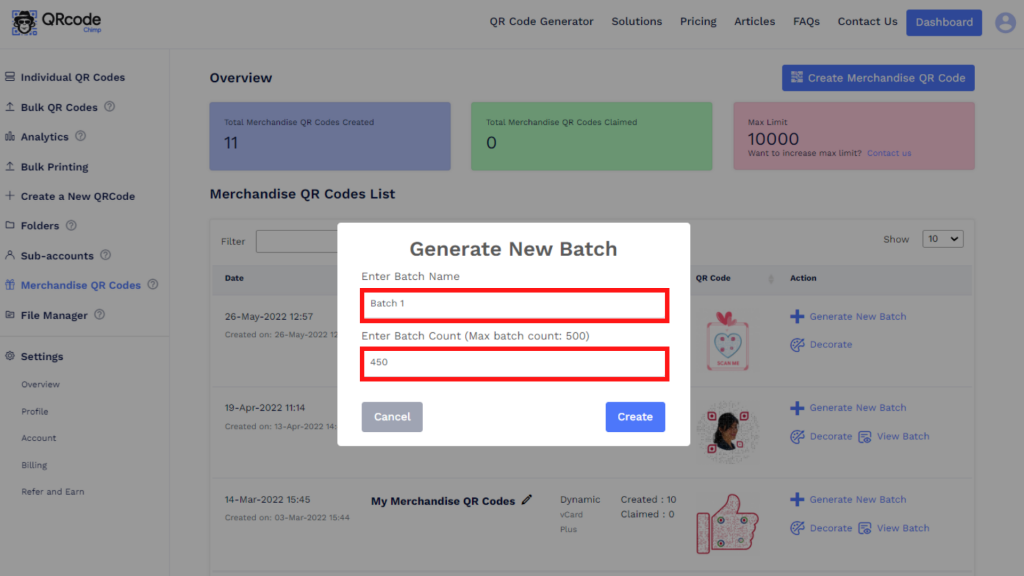
Step 3
Click on ‘Create.’
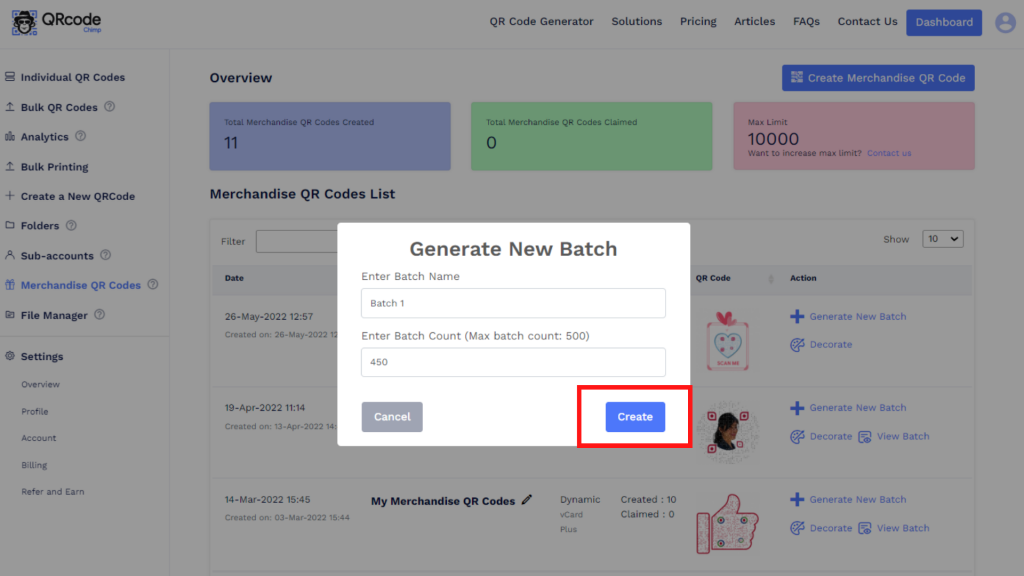
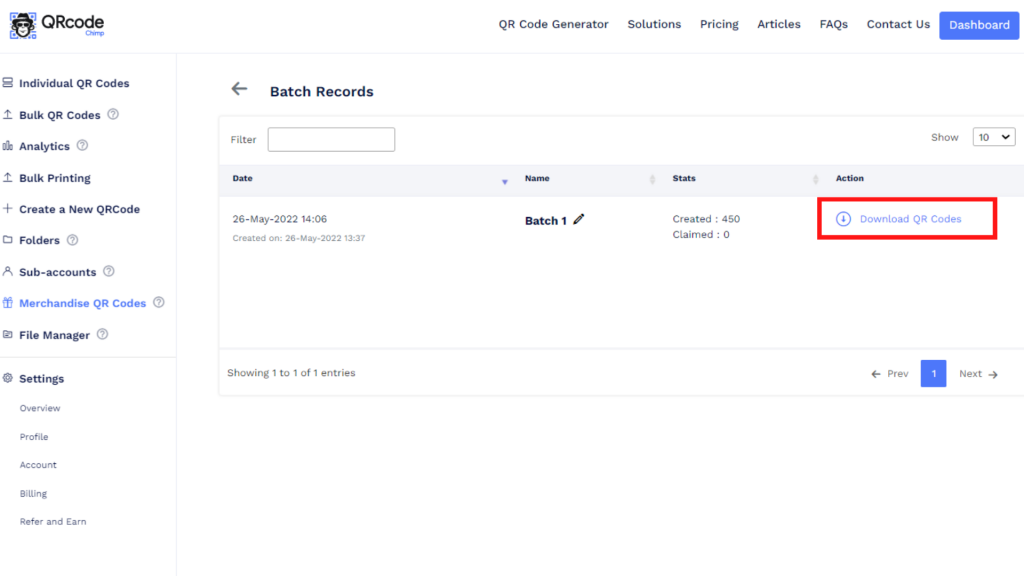
You’ll reach the Batch Records section, and the batch creation process will begin. Check if the creation is completed by clicking ‘Refresh’ in the Action column. Once the batch is ready, you’ll see an option to download QR codes.
Step 4
Click on ‘Download QR Codes,’ select the file format and QR size, and click on ‘Download’ to download the QR batch.
You can download merchandise QR codes in two file formats (PNG and PDF) and five sizes (256px, 512px, 1024px, 2048px, and 4k).
After downloading merchandise QR codes, print them on your merchandise and products to enable post-sale personalization.
Got any questions? Reach out to us at support@qrcodechimp.com.
That’s all you need to know about creating and using merchandise QR codes.
You may also like
Approval-Based Digital Business Cards: A Smarter Workflow for HR Teams
Discover how approval-based digital business cards help HR teams ensure branding consistency, prevent misuse, and manage employee cards at scale.
Best Digital Business Card Makers for 2026 – Secure, Enterprise, and Scalable
Discover the best digital business card platforms for 2026. Compare the top 8 solutions with features like branding, CRM integration, analytics, and enterprise-grade security to find the right fit for your team or business.
QRCodeChimp’s Analytics Dashboard: A Step-by-step Guide
A guide to QRCodeChimp’s analytics dashboard. Leverage the unique advanced features and metrics to optimize your marketing campaigns.
Link Click Analytics in QRCodeChimp: How To Find Your Top Performing Links
Learn how to track link click analytics in QRCodeChimp, identify top-performing links, and optimize QR code campaigns using link-level insights and analytics.
Most Popular
Contact Sales
