You share your digital business card. They scan it, save your contact, and walk away. You walk away too, with nothing but the hope that they’ll reach out.
Sound familiar?
Networking has always been about mutual exchange, yet most digital business cards are built to share in only one direction. You give. They receive. The conversation ends there.
And the cost is real.
Every person who saves your card is a warm contact at peak engagement. That is the ideal moment to capture their details in return.
The fix is straightforward. When someone saves your contact, they should be prompted to share theirs too. No extra steps, no awkward asks, no following up later.
That is exactly what QRCodeChimp’s Contact Exchange is designed to do.
Key Takeaways:
- Digital business cards share contacts but rarely exchange them.
- The ‘Save Contact’ moment is your best lead capture opportunity.
- The Contact Exchange Form automatically collects their details.
- Stop waiting for follow-ups and take control of connections.
- Enable it in a few clicks and let it work automatically.
How QRCodeChimp’s Contact Exchange Feature Works
Contact Exchange Form is a feature on QRCodeChimp’s digital business card that automatically asks anyone who saves your contact to share their details with you in return.
Once enabled, the exchange happens automatically, without any extra effort from you or any friction for the person on the other end. Here is how the process works:
Here is how the process works:
1. A visitor clicks the Save Contact button on your digital business card.
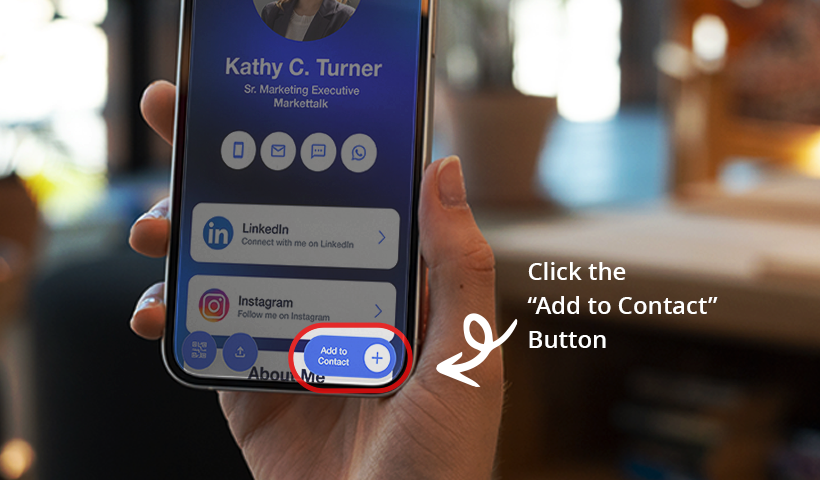
2. Your contact details are downloaded to their device as a VCF file.
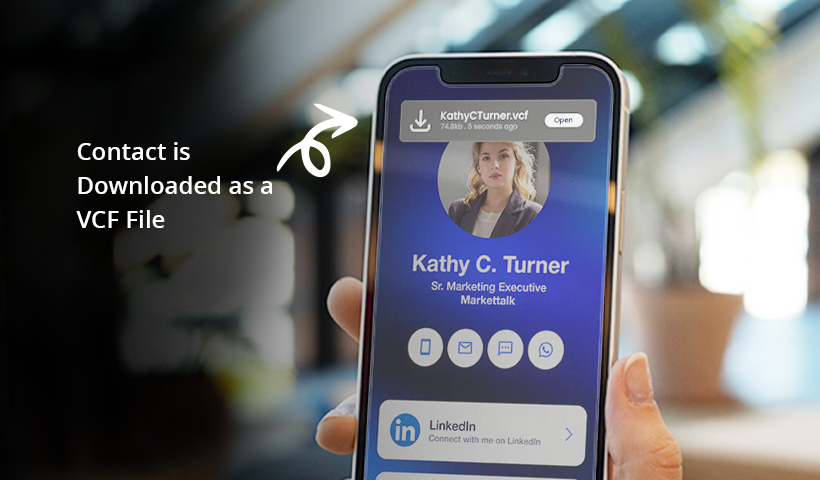
3. A contact exchange form instantly appears, prompting them to enter their name, phone number, and email address.
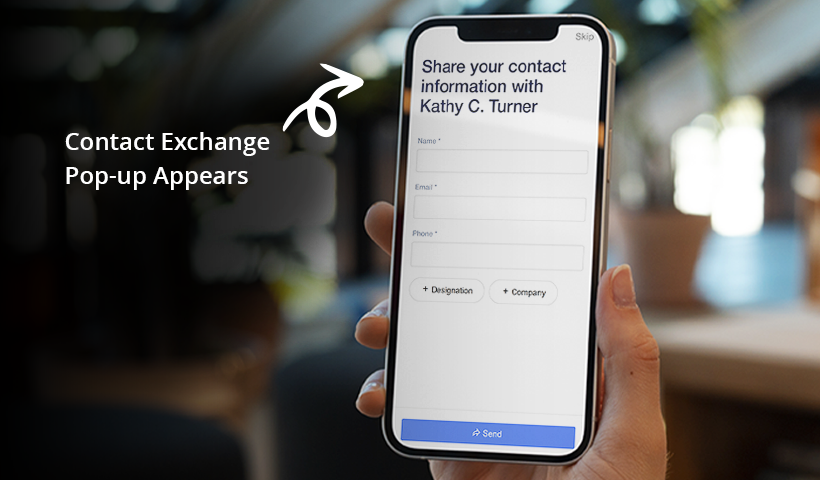
4. They submit the form, completing the exchange.
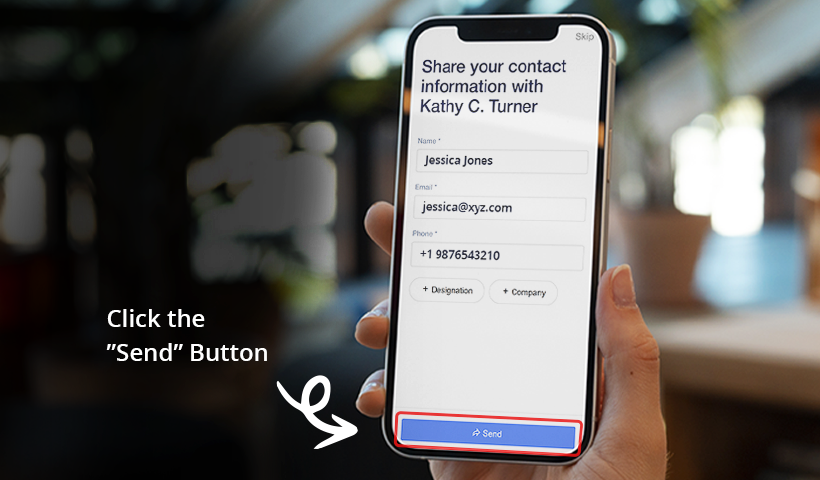
5. Their details are automatically saved to the Contacts section of your digital business card. You can access the saved contacts by going to the “View Contacts” option from your card’s hamburger menu.
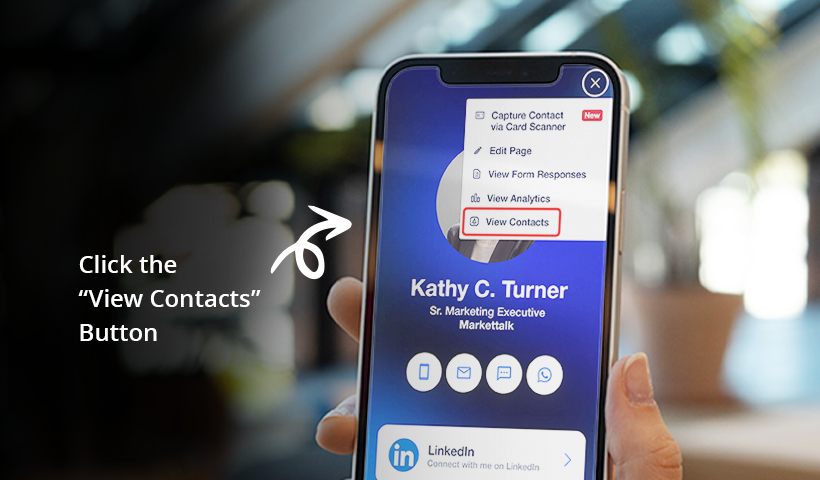
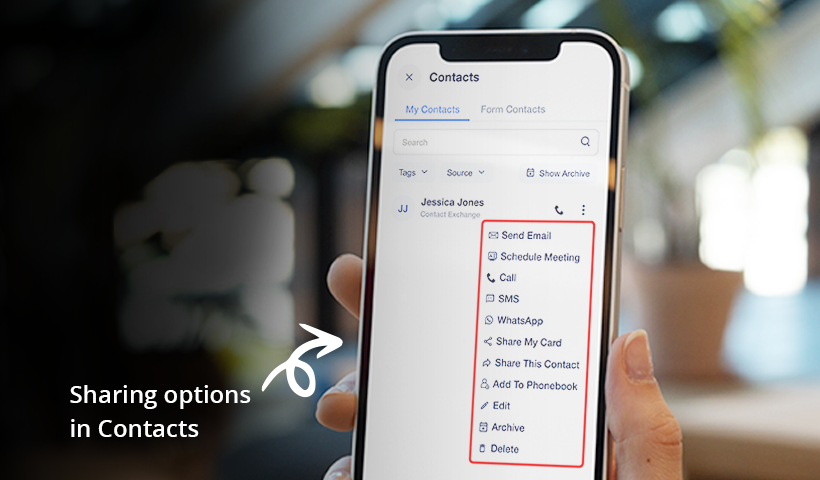
Once the contact is saved, you can engage them with actions like Call, Send Email, WhatsApp, and SMS directly from your digital business card.
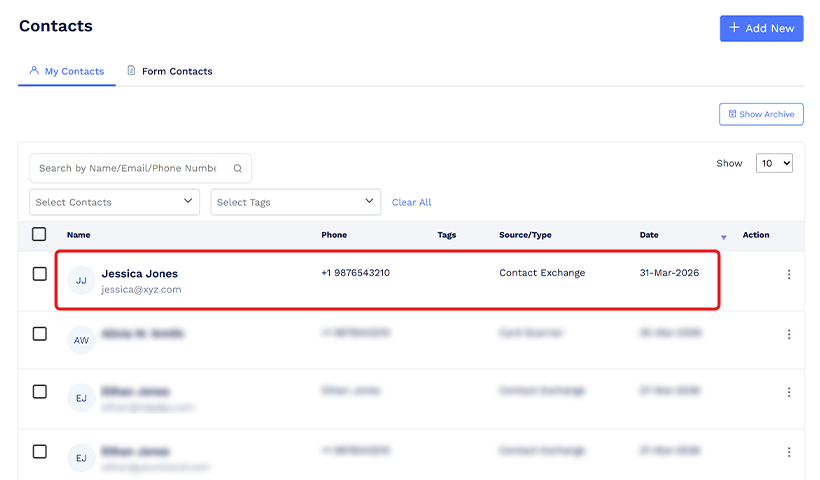
You can also access the saved contacts by going to “Contacts” in your QRCodeChimp dashboard.
How to Set Up Contact Exchange on Your QRCodeChimp Digital Business Card
Follow these steps to add a Contact Exchange form to your digital business card.
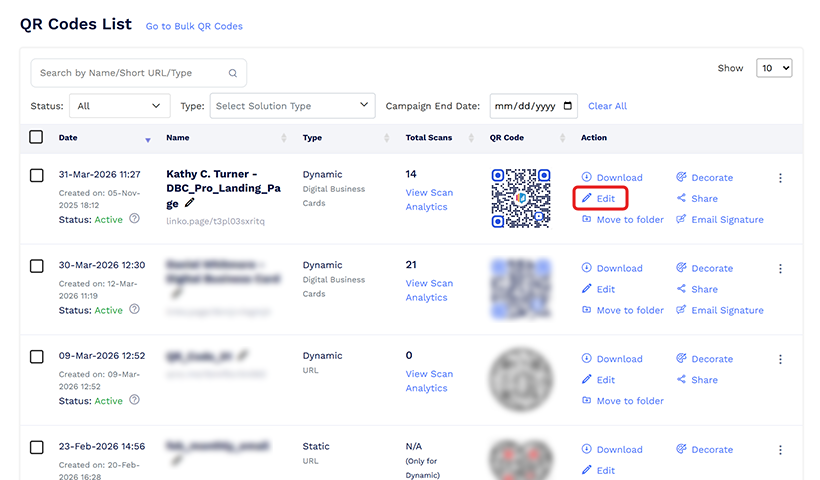
Step 1: Head to QRCodeChimp’s digital business card solution to create a new card. If you already have one, go to your dashboard, locate the card, and click Edit.
Step 2: In the Content tab, scroll down to the Contact Us section and add your contact details. The Contact Us section on your digital business card must be enabled to access the Contact Exchange feature.
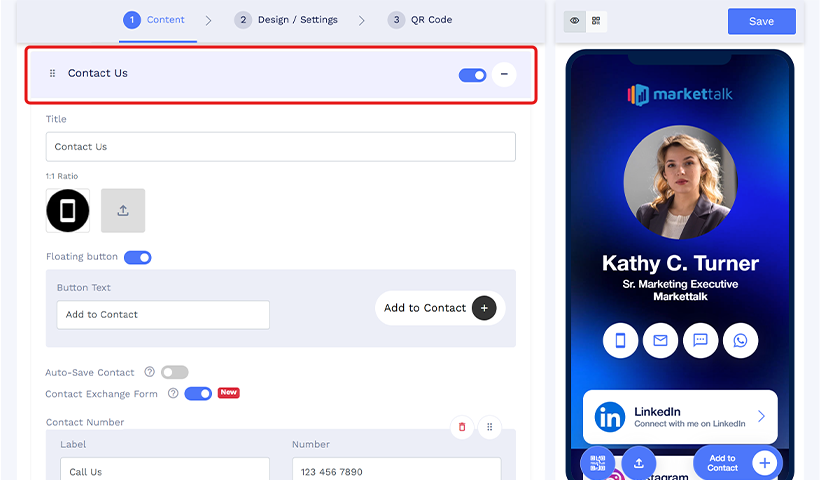
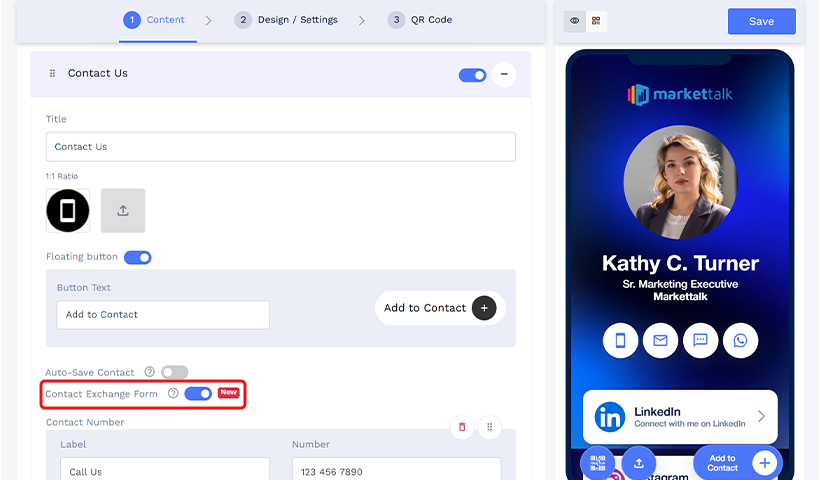
Step 3: Under the floating button section, enable the Contact Exchange Form toggle.
Step 4: Save your digital business card.
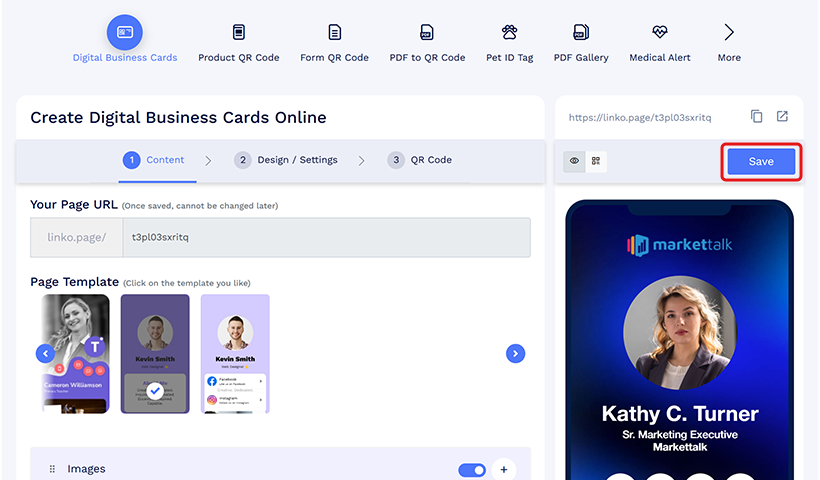
Once set up, anyone who saves your contact will see the Contact Exchange Form prompting them to share their details in return.
Note: You can also enable Auto-Save Contact to have your contact details automatically download when someone opens your digital business card.
Why Contact Exchange Matters for Your Networking
Networking is built on mutual value. But that value only materializes if both parties have a way to follow up. Contact Exchange ensures that it is always the case.
✅ You control the follow-Up
When you rely on the other person to reach out, you hand over control of the relationship. Contact Exchange shifts that dynamic by putting their details in your hands the moment they save your card.
✅ Warm contacts are time-sensitive
The window after a networking interaction is short. A follow-up on the same day lands very differently from one sent three days later. Capturing their details in the moment means you can act while the connection is still fresh.
✅ It removes the awkward ask
Asking someone for their contact details mid-conversation can feel forward or disruptive. Contact Exchange makes the exchange a natural part of saving your card. No ask needed, no friction, just a seamless moment that works for both sides.
✅ Every saved contact becomes a two-way connection
Without Contact Exchange, you exist in their phone, but they remain a stranger to your database. Contact Exchange fixes that imbalance, turning every card save into a genuine two-way connection.
Make Your Networking Complete with Contact Exchange
Networking has never been about how many people you meet. It has always been about how many of those connections you can actually build on. A contact you cannot follow up with is an opportunity that quietly disappears.
Digital business cards made sharing effortless. Contact Exchange makes networking complete. When details flow both ways, every card save becomes the start of a relationship rather than the end of an interaction.
QRCodeChimp’s Contact Exchange feature brings this capability to your digital business card in just a few clicks.
You may also like
Turn Paper Cards into Contacts Instantly with a Card Scanner for Digital Business
Turn paper cards into contacts instantly with a physical card scanner. Scan, extract, and save contacts in seconds with QRCodeChimp digital business card.
Digital Business Card Statistics in 2026: Usage, Applications, Adoption, and Top Players
Discover some important statistics for digital business cards, including the market size of digital business cards, along with their key drivers, how people use them, and much more.
Steps to Integrate Microsoft Entra ID (Azure AD) with QRCodeChimp
Learn how to connect Microsoft Entra ID with QRCodeChimp to automate digital business card creation, improve security, and simplify onboarding.
9 Networking Tips Every Introvert Needs
Here are 9 networking tips for introverts to win clients without small-talk burnout: just prepare well, craft a short intro, share digital business cards, and follow up with confidence!
Most Popular
Contact Sales
