Looking to create a QR code for your Google Docs? It’s easier than you might think. You can generate a QR code directly linking to your Google document with just a few simple steps. Whether you want to share the document with others or use the QR code for your convenience, this guide will show you how to make it happen.
Let’s take a look at the simple steps on how to make a QR code for Google Docs.
What is a QR code for Google Docs?
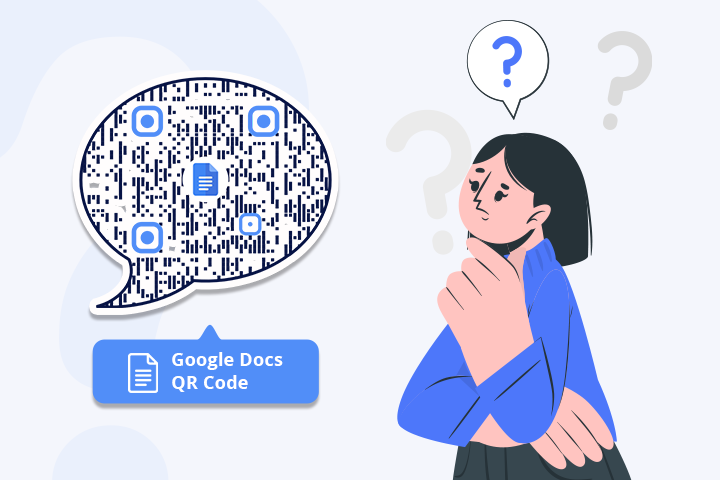
Google Docs QR code is a type of QR code that directs you to a Google document when scanned. This allows easy and instant access to the document without typing in a URL or navigating through a series of web pages.
How to make a QR code for a Google Doc
Follow the quick steps mentioned below to make a QR code for a Google Doc.
Step 1: Visit Google Apps and create a Google Doc
Sign in to your Gmail account, visit Google Docs, and create one.
Note: You can also create a QR code for Google search result pages.
Step 2: Click on “Share”
Open the created document and click the ‘Share’ button.
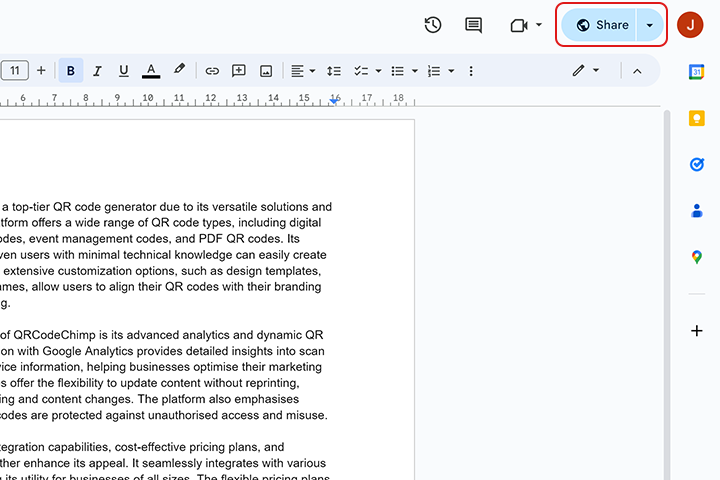
Step 3: Provide access to view
Under General Access, click on ‘Anyone with the link’ to ensure that anyone can view the document.
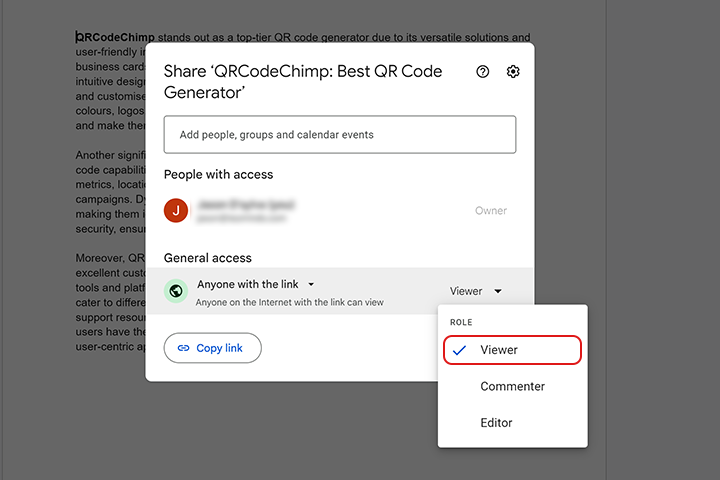
Note: The doc owner can set the role as Viewer, Commenter, or Editor as required.
Step 4: Copy link
Click ‘Copy link’ and then click ‘Done.’
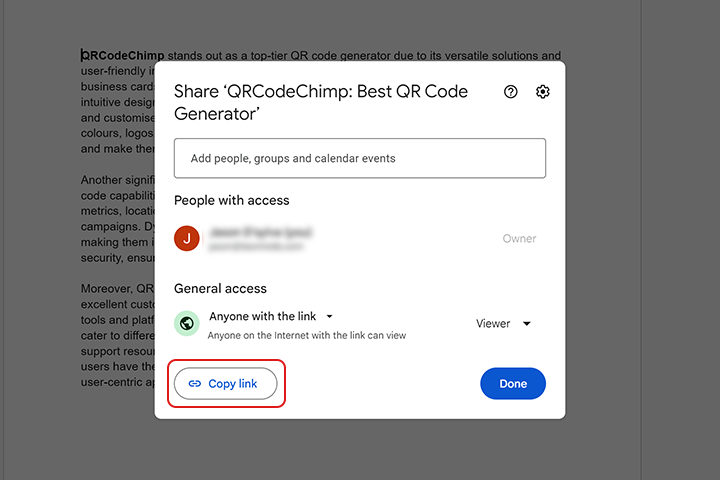
Step 5: Paste the copied link
Paste the copied link in the ‘Google URL’ field of the QR Code Generator for Google.
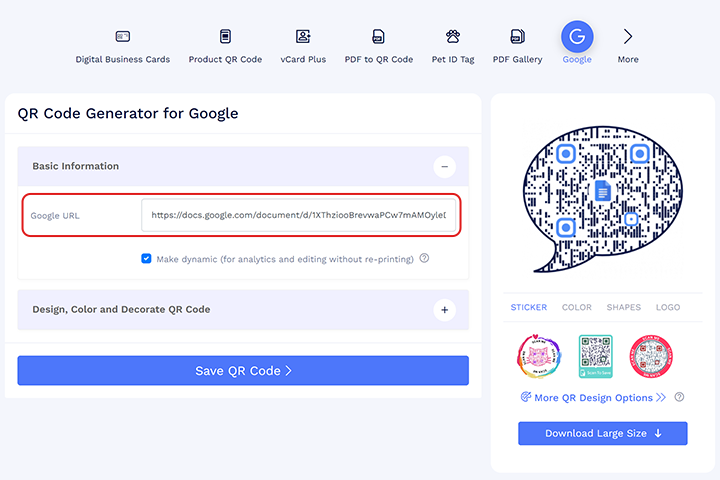
Step 6: Design your QR code
Click ‘Design, Color and Decorate QR Code’ to customize your QR Code design (ex: adding color, shape, decorating picture, and more).
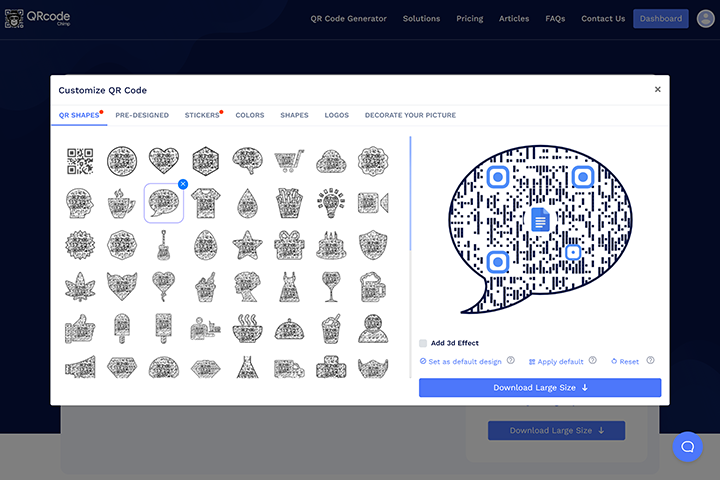
Note: Click the ‘x’ icon of the ‘Customize QR Code’ popup to save changes.
Step 7: Save and download
Save the QR Code by clicking the ‘Save QR Code’ button, entering the QR name, and then clicking ‘Save.’
Note: Scan your QR Code from different devices (iOS and Android) before printing for production.
Common applications of QR codes for Google Docs
Here are some sectors where QR codes for Google Docs can be used:
Education: Teachers can distribute assignments and study materials via QR codes, schools can send newsletters and notices, and classrooms can link to study guides.
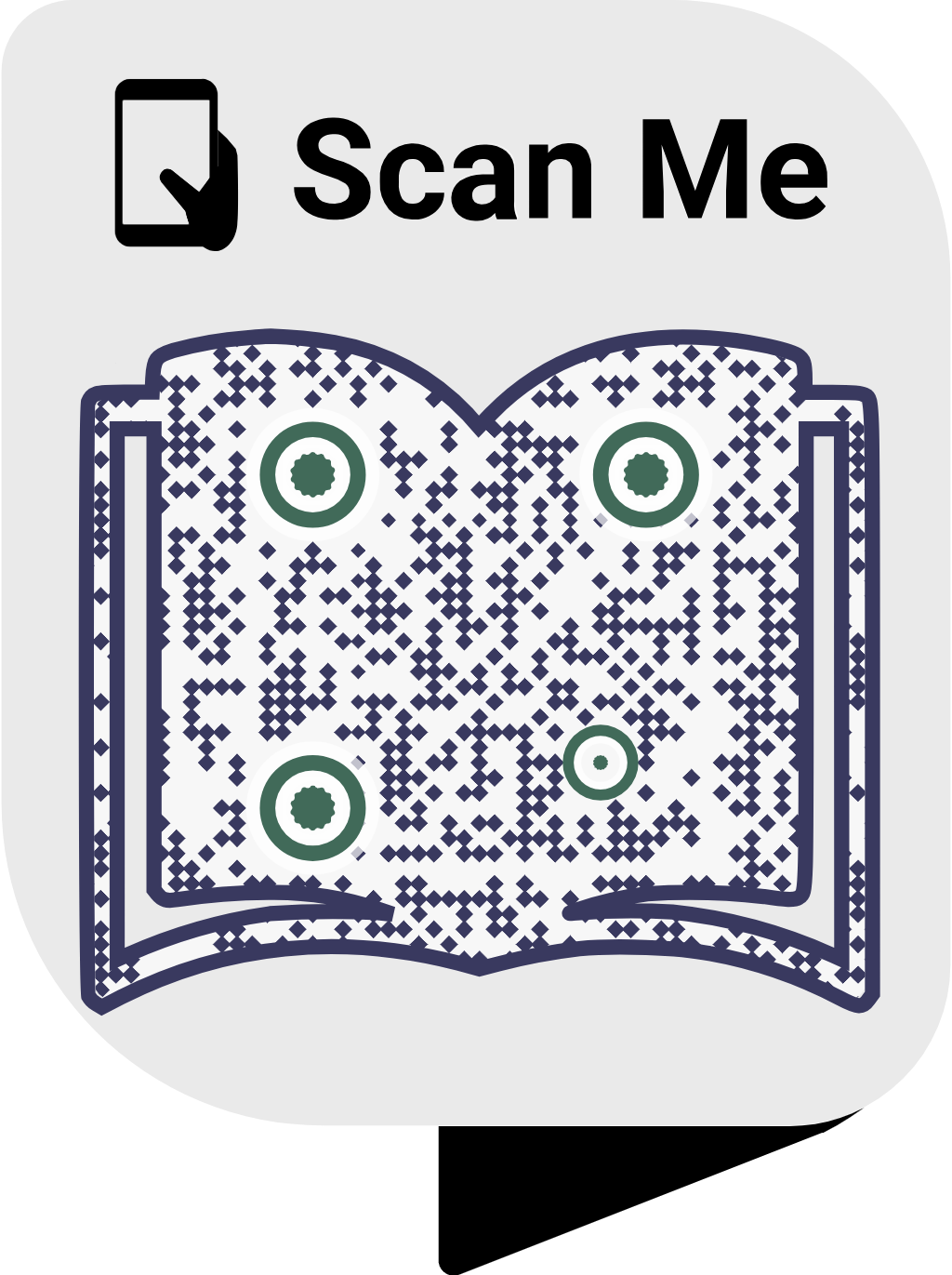
For instance, a professor wants to share updated study materials with students easily. By creating a Google Docs document and generating a QR code, the professor can print it on handouts or display it in the classroom. Students can scan the QR code to access the latest materials anytime, reducing paper use and enhancing engagement.
Workplace: Using Google Docs QR codes in the workplace offers a convenient way to share documents, such as guidelines to be shared with the team efficiently and securely.
Business and corporates: These QR codes can be used to share meeting agendas and internal communications, such as policy updates.
Healthcare: The Google Docs QR code can be used to share patient care instructions, healthcare guides, and procedural information, as well as information on after-procedure care.
Benefits of using a QR code for Google Docs
Below are some benefits of using the Google Docs QR code:
- Quick Access: Easy document access with a scan.
- Up-to-date Info: Always view the latest document version.
- Eco-Friendly: Reduces paper use.
- Engaging Content: Makes sharing interactive and simple.
- Versatile Use: Suitable for education, business, healthcare, public services, and real estate.
Conclusion
Creating QR codes for your Google Docs is a simple yet effective way to share and access documents. QR codes make the process hassle-free for work, school, or personal use.
Try it out and experience its convenience!
Frequently asked questions about Google Docs QR code
How do I create a QR code for a Google Docs document?
Generate a shareable link for your Google Docs document, then use a QR code generator to create a QR code for that link.
Can QR codes for Google Docs be updated?
Yes, the content of the Google Docs document can be updated at any time, and the QR code will always direct to the most current version.
What are the benefits of using QR codes for Google Docs in education?
QR codes facilitate quick access to assignments, study materials, and classroom resources, enhancing the learning experience for students and easing communication for teachers.
How can businesses use QR codes for Google Docs?
Businesses can use QR codes to distribute meeting agendas, share policy updates and training materials, and provide event schedules and feedback forms efficiently.
You may also like
Approval-Based Digital Business Cards: A Smarter Workflow for HR Teams
Discover how approval-based digital business cards help HR teams ensure branding consistency, prevent misuse, and manage employee cards at scale.
How a Consumer Electronics Brand Fixed Its Post-Purchase Gap Using Form QR Codes
Learn how a consumer electronics brand improved warranty registration and post-purchase engagement using Form QR Codes. Discover the strategy, implementation, and results.
QRCodeChimp’s Analytics Dashboard: A Step-by-step Guide
A guide to QRCodeChimp’s analytics dashboard. Leverage the unique advanced features and metrics to optimize your marketing campaigns.
Link Click Analytics in QRCodeChimp: How To Find Your Top Performing Links
Learn how to track link click analytics in QRCodeChimp, identify top-performing links, and optimize QR code campaigns using link-level insights and analytics.
Most Popular
Contact Sales
