Bulk upload QR is one of the essential features of QRCodeChimp offered to PRO and Ultima users. It enables you to create thousands of QR codes simultaneously instead of making them one by one. This helps you save time and scale up your QR code initiatives.
If you’ve recently purchased the PRO or Ultima subscription, you may be wondering how to edit bulk QR codes after creating them. Here’s all you need to know about editing bulk QR codes.
What is the bulk upload QR feature?
Bulk QR code generation is an advanced feature available to PRO and Ultima users only. It lets you create thousands of QR codes at once by uploading an Excel file containing QR code data.
When you use the bulk QR codes feature, you’ll get a sample file to download. Check the file to get an idea about the format and how to enter the data.
Want to generate bulk QR codes? Follow the guide – How to Generate QR Codes in Bulk.
How to edit bulk QR codes?
Sign in to your QRCodeChimp account if not already signed in. Now, follow the steps below to edit bulk QR codes.
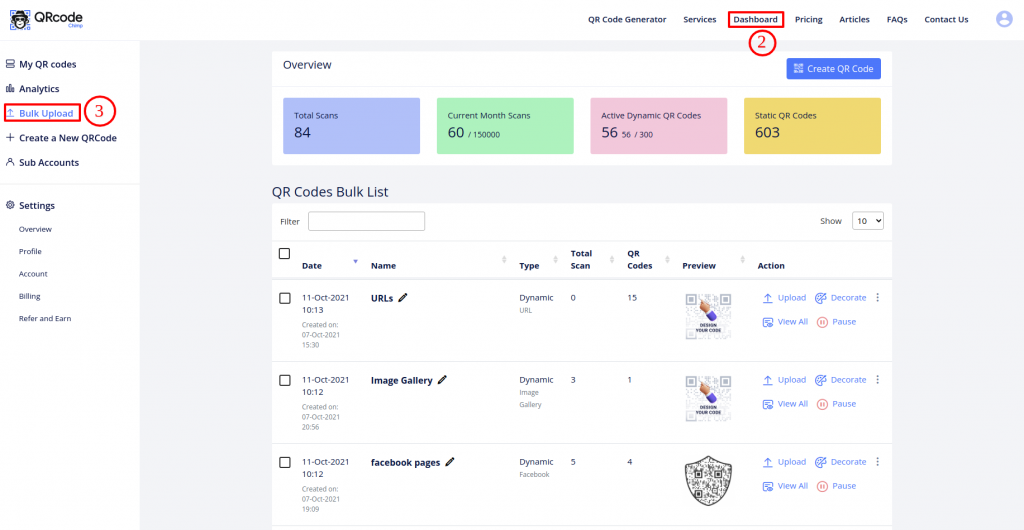
Step 1: Go to Dashboard and click Bulk Upload.
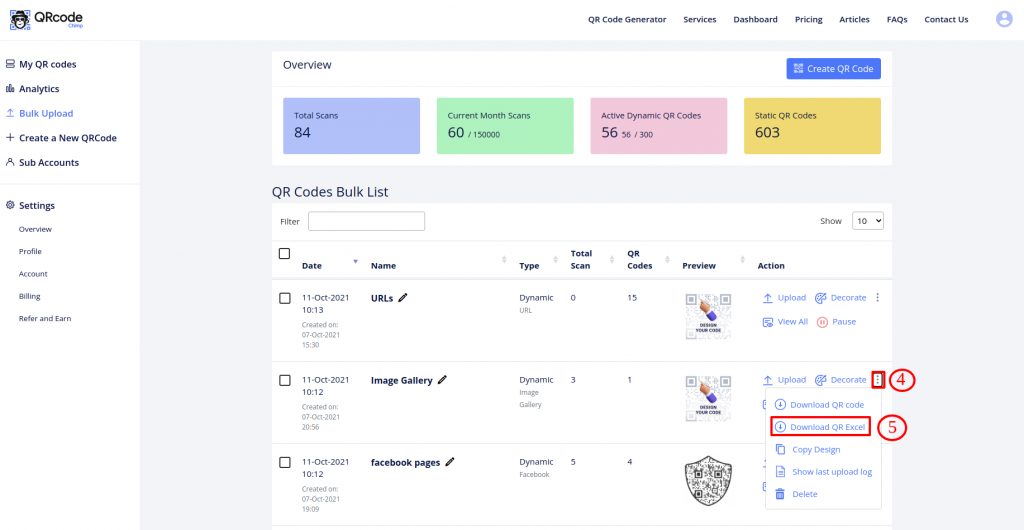
Step 2: Click on More Actions for the dynamic Bulk you wish to edit and select Download QR Excel.
[Note: static bulk QR codes can not be edited in Bulk.]
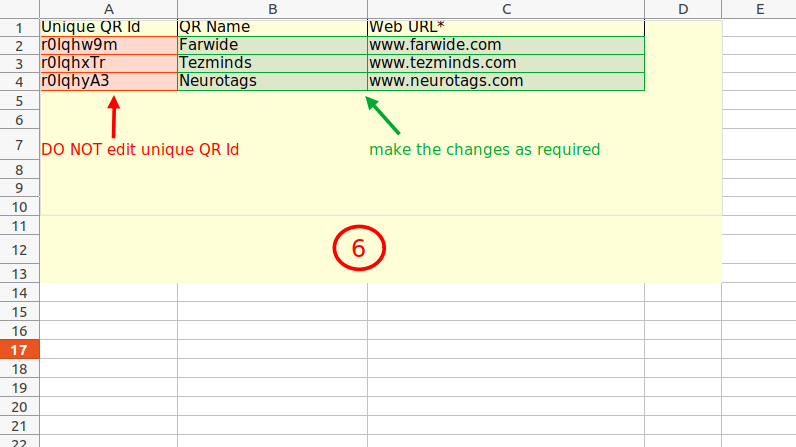
Step 3: Make the required changes to the existing entries in the downloaded Excel and save the file.
(Note: DO NOT edit the Unique QR Id.)
Step 4: Go to the Bulk Upload page if you are not already on it.
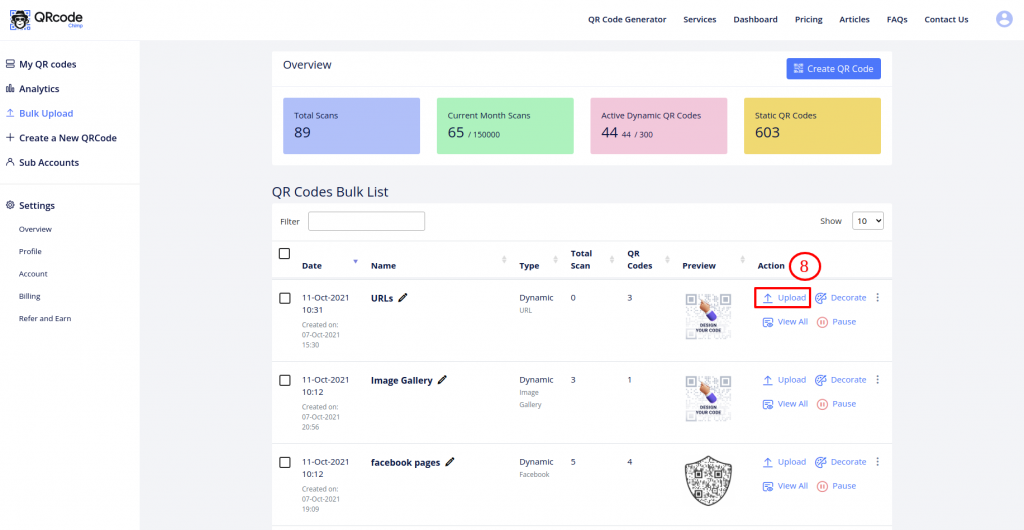
Step 5: Click on the Upload action of the dynamic Bulk for which you edited the downloaded Excel file.
Step 6: Click on Upload Data File and select the edited Excel file.
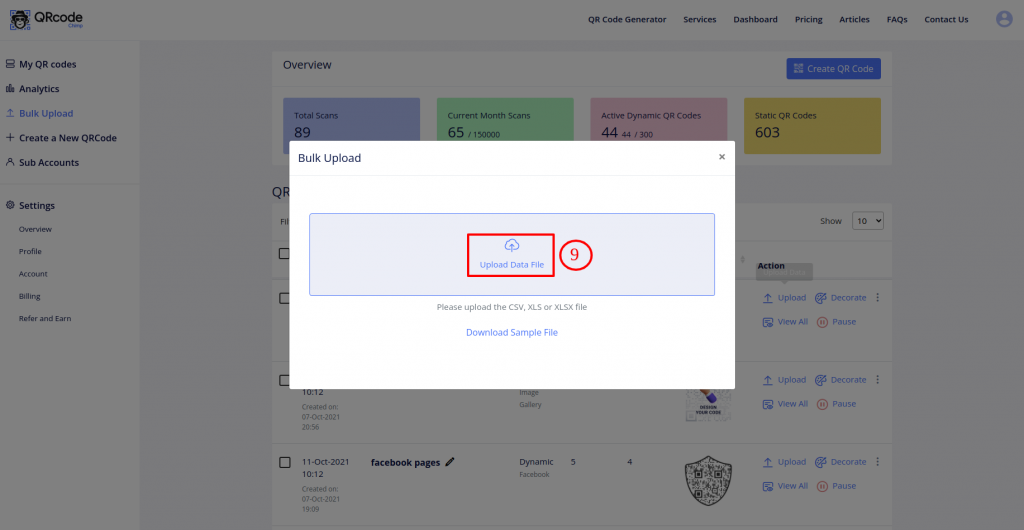
Step 7: Make sure that the QR Fields match the Sheet Fields.
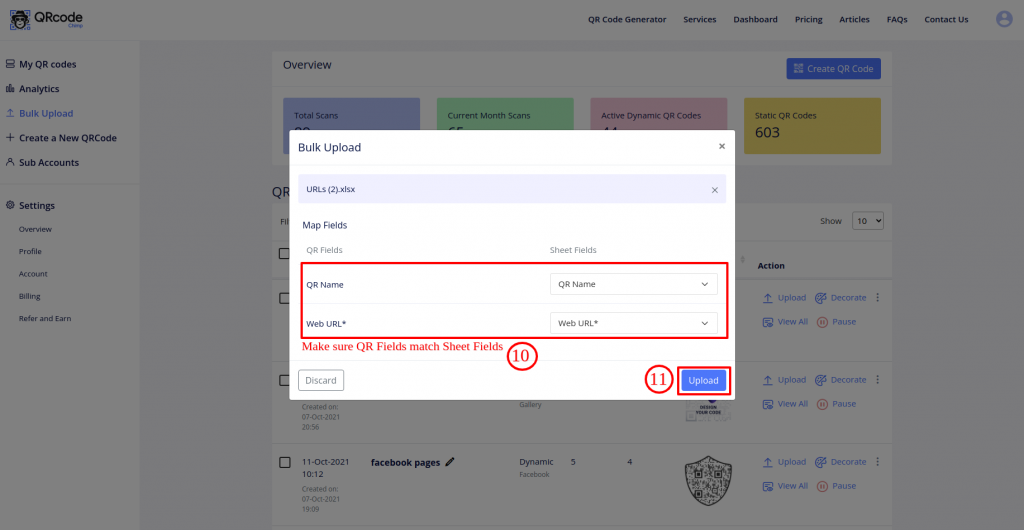
Step 8: Click on the Upload button.
Step 9: Click on the OK button of the Validation Success popup.
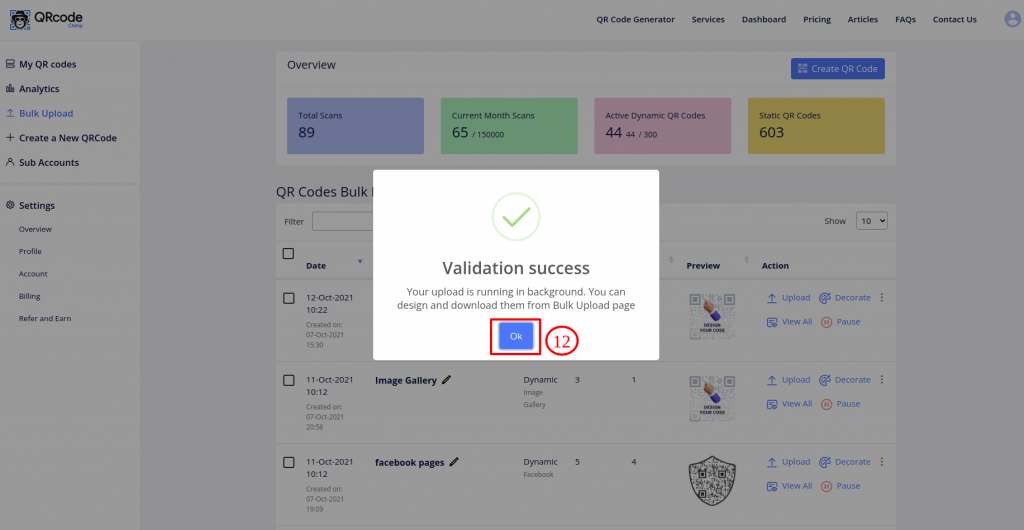
Your updated QR Code Bulk is ready for download!
Bulk upload is a useful feature if you want to generate several QR codes simultaneously. With QRCodeChimp, you can not only create QR codes in bulk but also edit them.
Have any questions or need further assistance? Please reach out to us now.
You may also like
Approval-Based Digital Business Cards: A Smarter Workflow for HR Teams
Discover how approval-based digital business cards help HR teams ensure branding consistency, prevent misuse, and manage employee cards at scale.
Best Digital Business Card Makers for 2026 – Secure, Enterprise, and Scalable
Discover the best digital business card platforms for 2026. Compare the top 8 solutions with features like branding, CRM integration, analytics, and enterprise-grade security to find the right fit for your team or business.
How a Consumer Electronics Brand Fixed Its Post-Purchase Gap Using Form QR Codes
Learn how a consumer electronics brand improved warranty registration and post-purchase engagement using Form QR Codes. Discover the strategy, implementation, and results.
QRCodeChimp’s Analytics Dashboard: A Step-by-step Guide
A guide to QRCodeChimp’s analytics dashboard. Leverage the unique advanced features and metrics to optimize your marketing campaigns.
Most Popular
Contact Sales
