Libraries today are being reshaped by two major forces: a) the growing demand for mobile-first access to information, and b) the steady shift toward hybrid physical-digital learning. Patrons now walk into libraries expecting the same ease they experience with apps, such as instant access, clear navigation, and digital alternatives to anything printed.
A 2025 study on academic libraries in India found widespread adoption of QR codes as a bridge between physical and digital resources, making collections more discoverable and services more accessible. And in a survey published by the American Library Association, 24.7% of patrons reported already reading academic papers on their phones, and an additional 44.4% said they wanted to. Against this backdrop, QR codes in libraries have become a practical, low-cost tool for delivering information, guiding visitors, and managing day-to-day operations. What used to require printed signage, staff time, or manual lookup can now be accessed instantly with a scan.
Below are ten practical, high-impact ways libraries around the world are now using QR codes, along with real examples and improvements you can adopt.
- Offer instant access to online catalogs
- Make navigation easier with digital maps
- Promote new arrivals and featured collections
- Enrich book discovery with multimedia
- Improve accessibility for all users
- Share library rules, policies, and visitor guidelines
- Streamline membership sign-ups and digital payments
- Improve internal inventory management
- Simplify event promotion and registrations
- Collect feedback effortlessly
- Additional high-value uses modern libraries are adopting
- Best practices of QR codes in libraries
- Conclusion: A small tool with outsized impact
- Frequently asked questions
1. Offer instant access to online catalogs
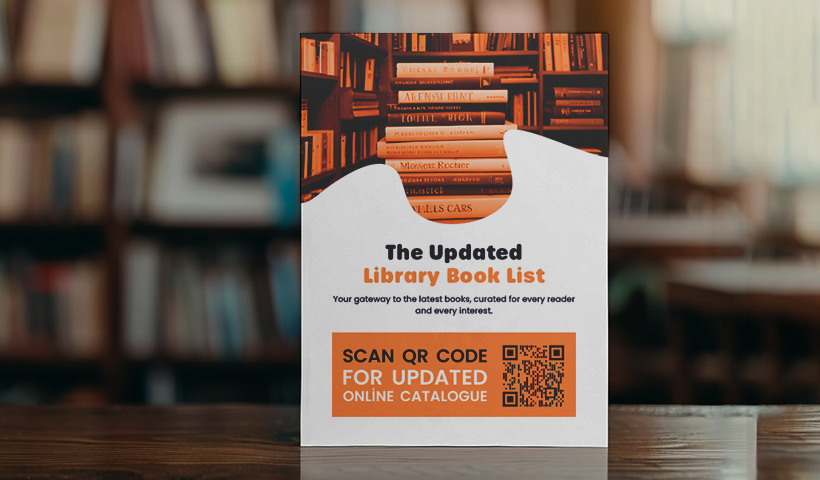
Printed or kiosk-based catalogs slow patrons down, especially during peak student seasons. By strategically placing QR codes around the library (at entrances, shelves, tables, or signage), visitors can scan them to jump directly to your digital catalog.
Institutions like the IIT Gandhinagar Library have used QR codes on physical books to give readers one-tap access to e-book versions, related articles, or additional metadata. For libraries with growing digital collections, this makes discovery seamless.
2. Make navigation easier with digital maps
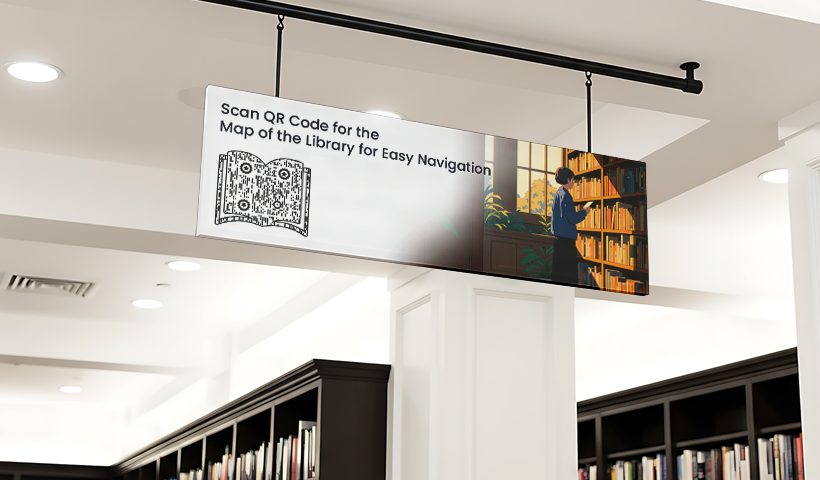
Large libraries often struggle with wayfinding. Static maps help, but patrons must walk back and forth or rely on staff. A QR code that opens an interactive, mobile-friendly map eliminates this friction. First-time users benefit the most, especially in multi-floor buildings or those with special collections.
Place the codes at entrances, on floors, or near elevators so users can orient themselves without waiting for assistance.
3. Promote new arrivals and featured collections
Posters and displays attract attention, but they’re limited to what fits on paper. QR codes let you extend that experience. Readers can scan a code to browse summaries, read reviews, explore author bios, check availability, view trailers, or reserve new releases instantly.
This is why many academic and public libraries now pair new arrival displays with QR-led digital previews, giving readers enough context to decide quickly whether a title is worth checking out.
4. Enrich book discovery with multimedia
The central library at the National Institute of Technology Karnataka (NITK) has experimented with QR codes to link physical holdings to online catalog entries, electronic resources, and digital services, enabling users to access online records quickly from the stacks. This adds depth to the reading experience and helps patrons explore books in formats that feel modern and engaging.
For younger readers or English language learners, multimedia summaries and audiobook excerpts can significantly improve comprehension and engagement.
5. Improve accessibility for all users
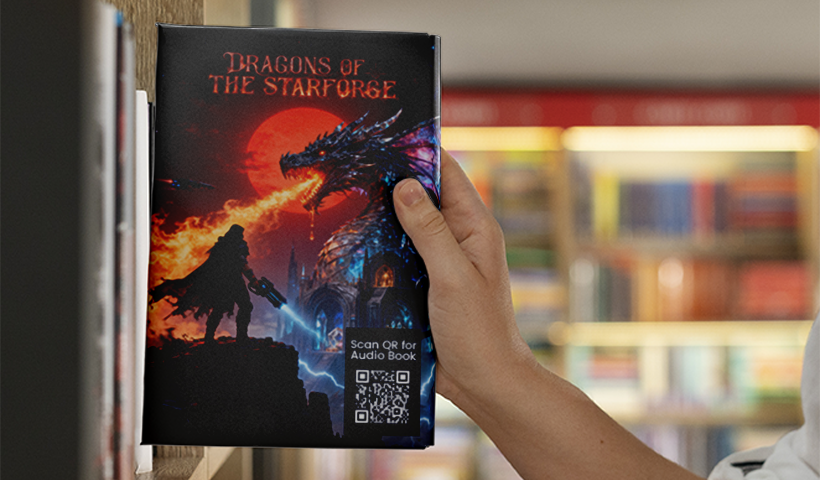
Inclusivity is becoming a priority worldwide in library systems. QR codes can link patrons to:
- audio summaries
- simplified summaries
- multilingual versions
- sign-language videos
This is especially useful in academic settings and public libraries serving diverse communities. QR codes make accessibility resources discreet and universally reachable.
6. Share library rules, policies, and visitor guidelines
Rather than posting text-heavy signs across walls, QR codes can link to digital rulebooks, opening hours, borrowing limits, conduct guidelines, and facility instructions. Visitors can refer to the information at their own pace, and staff spend less time answering repetitive questions.
Using dynamic QR codes lets you update your policies instantly without reprinting anything.
7. Streamline membership sign-ups and digital payments
Paper forms frustrate patrons and slow down operations. Many libraries now place QR codes at reception desks to trigger digital membership forms. Users scan, fill out the form on their phone, upload documents, and submit in minutes.
QR codes can also support:
- contactless checkout
- quick membership renewals
- payments for rentals, photocopying, or overdue fees
For libraries short on staff, this significantly reduces manual workloads.
8. Improve internal inventory management
Shelf audits and catalog checks are notoriously time-consuming. QR codes can make this easier by linking each item or shelf to its digital record. Staff scan a code to verify serial numbers, item condition, loan history, and inventory notes. This reduces human error during audits, helps identify missing or misplaced items faster, and keeps the catalog accurate.
During pandemic-era reopenings, many libraries found QR codes particularly useful for tracking equipment, such as laptops or tablets, that students frequently borrow.
9. Simplify event promotion and registrations
Author talks, workshops, reading sessions, or club meetings often lack visibility. A QR code added to a poster or digital banner can link to the event page, registration form, speaker bio, or a teaser video.
Libraries like John Jay College of Criminal Justice used QR codes extensively during their post-COVID reopening for contactless outreach. Patrons could quickly access details on workshops, study spaces, and librarian assistance.
10. Collect feedback effortlessly
Traditional paper feedback boxes rarely get real responses. QR codes linked to short, mobile-friendly survey forms dramatically increase participation.
Position them at reading desks, checkout counters, study rooms, or on receipts and bookmarks. Since responses are captured digitally, staff can analyze trends quickly and act on user needs.
Additional high-value uses modern libraries are adopting
Academic, government, and public libraries worldwide, now operating as hybrid physical-digital spaces, are increasingly turning to QR codes to deliver practical, high-impact services as follows:
- Self-checkout using QR codes + RFID/barcodes to reduce queues.
- QR-led awareness for lesser-known digital resources; especially important since one study found 58% of library card holders didn’t know their library offered e-books.
- QR codes for emergency procedures or facility updates, such as room closures, maintenance, or safety protocols.
- Remote-access resources, where QR codes authenticate patrons (via portals) to access journals, databases, and subscription content from home.
Best practices of QR codes in libraries
- Use dynamic QR codes so content can be updated without reprinting.
- Position them where patrons naturally pause, like entrances, shelves, desks, and tables.
- Ensure the linked pages are mobile-optimized; slow loading kills adoption.
- Maintain a clean “quiet zone” around the code to keep it easily scannable.
- Test on both iOS and Android devices before deployment.
Conclusion: A small tool with outsized impact
QR codes are now an inherent part of a growing shift toward hybrid digital–physical library experiences. With patrons increasingly expecting instant access, mobile navigation, and digital alternatives, libraries that adopt QR codes gain an efficient, low-cost way to modernize operations and deepen engagement.
From streamlining membership and inventory management to making collections more discoverable and inclusive, QR codes help libraries meet modern expectations without expensive infrastructure upgrades.
If you’re looking for a practical starting point, begin with two or three use-cases: digital catalog access, event registration, or feedback forms. Track patron responses for a month, and expand from there. Small changes often deliver meaningful improvements, and QR codes are one of today’s simplest, most effective upgrades.
Frequently asked questions
How do QR codes in libraries work?
QR codes in libraries link to digital content, such as eBooks, research guides, online catalogs, event details, and feedback forms, thereby enhancing the library experience for readers.
What are some other types of content QR codes in a library can link to?
QR codes in a library can also link to various resources, including book trailers, author interviews, audiobooks, subject-specific research guides, multilingual book translations, curated reading lists, library maps, and event sign-up forms.
How can I encourage more people to scan QR codes in libraries?
You can add compelling CTAs, eye-catching QR designs, and the library logo to the QR codes to make them more noticeable and encourage more scans.
Can I update the content linked to QR codes?
Yes. Using dynamic QR codes lets you update the content linked to them later without reprinting the codes. It helps you keep the content fresh and up to date.
You may also like
Approval-Based Digital Business Cards: A Smarter Workflow for HR Teams
Discover how approval-based digital business cards help HR teams ensure branding consistency, prevent misuse, and manage employee cards at scale.
Best Digital Business Card Makers for 2026 – Secure, Enterprise, and Scalable
Discover the best digital business card platforms for 2026. Compare the top 8 solutions with features like branding, CRM integration, analytics, and enterprise-grade security to find the right fit for your team or business.
How a Consumer Electronics Brand Fixed Its Post-Purchase Gap Using Form QR Codes
Learn how a consumer electronics brand improved warranty registration and post-purchase engagement using Form QR Codes. Discover the strategy, implementation, and results.
QRCodeChimp’s Analytics Dashboard: A Step-by-step Guide
A guide to QRCodeChimp’s analytics dashboard. Leverage the unique advanced features and metrics to optimize your marketing campaigns.
Most Popular
Contact Sales
