Real estate runs on speed, accuracy, and trust. Every delay, missing page, or outdated document adds friction to a process that already carries emotional and financial weight. Yet many transactions still rely on paper packets, email attachments, and ad-hoc file sharing; systems that break down the moment listings change or timelines tighten.
This guide is written for agents, brokers, property managers, and transaction coordinators who want to replace slow, paper-heavy handoffs with a cleaner, more reliable way to deliver documents. When used correctly, QR codes turn brochures, disclosures, applications, and closing packets into instant, mobile-accessible resources – secure, trackable, and always up to date.
- The real problem isn’t documents. It’s fragmentation.
- What changes when documents are QR-accessible
- A quick before-and-after reality check
- PDFs remain the backbone of real estate documents
- Why dynamic QR codes matter in real estate
- Where QR codes fit across the property lifecycle
- Security isn’t optional, and it’s manageable
- Step-by-step implementation checklist
- The bigger takeaway
- FAQS
The real problem isn’t documents. It’s fragmentation.
Most real estate professionals don’t struggle with creating documents. They struggle with managing them.
Packets get rebuilt multiple times. Pages are reprinted for minor updates. Clients receive different versions of the same disclosure depending on when and where they ask. Open house sign-in sheets are barely readable. Critical disclosures sit unopened in inboxes. And when something goes wrong, there’s no clear record of what a buyer actually saw, or when.
This fragmentation creates three compounding risks: administrative drag, poor client experience, and compliance exposure. The more listings or transactions you handle, the faster these risks scale.
What changes when documents are QR-accessible
QR codes connect physical touchpoints, such as yard signs, flyers, lobby posters, welcome packets, directly to a single, controlled digital source of truth. One scan opens the latest version of every required document on the client’s phone, without downloads, apps, or email chains.
When those QR codes are dynamic, the system becomes flexible. You can update files at any time without reprinting anything. Pricing changes, disclosure updates, or corrected floor plans don’t require a new flyer; just a file swap behind the same code. Operationally, this eliminates version chaos. For clients, it builds confidence that what they’re viewing is current and official.
Just as important, QR-based delivery is measurable. You can see which documents are scanned, when, and from where, turning document access from a blind handoff into an observable workflow.
A quick before-and-after reality check
Before QR codes, an open house typically means printed brochures, a disclosure packet on a clipboard, and a follow-up email later. Some buyers skim. Some forget. Some never open the attachments. There’s no clear engagement trail.
After QR codes, the experience consolidates. A single sign at the entrance says “Scan for disclosures and brochure.” Buyers access everything instantly, save it for later, and complete required forms digitally. You know what was accessed and when. Fewer follow-ups. Fewer mistakes. Fewer awkward “did you see that?” conversations.
The work doesn’t increase. It consolidates.
PDFs remain the backbone of real estate documents
In real estate, PDFs are still the default format for brochures, floor plans, disclosures, HOA rules, rental applications, and checklists. QR codes don’t replace PDFs; they make them accessible at the right moment.
A dynamic PDF QR code can link to a single file or to a small gallery when multiple documents are required. This is especially useful for listings with layered disclosures or commercial properties with technical documentation. When something changes, you update the file once. The printed QR code continues to work everywhere it’s placed.
Why dynamic QR codes matter in real estate
Static QR codes lock you into whatever you linked on day one. If a listing changes, the code becomes obsolete. In real estate, where pricing, availability, and disclosures evolve constantly, that’s not practical.
Dynamic QR codes let you update destinations without reprinting, track scan activity, and add access controls like passwords or expiration windows. For sensitive documents, this matters. Time-bound access reduces risk, and analytics provide a defensible audit trail.
For professional real estate workflows, dynamic QR codes should be the default; not the upgrade.
Where QR codes fit across the property lifecycle
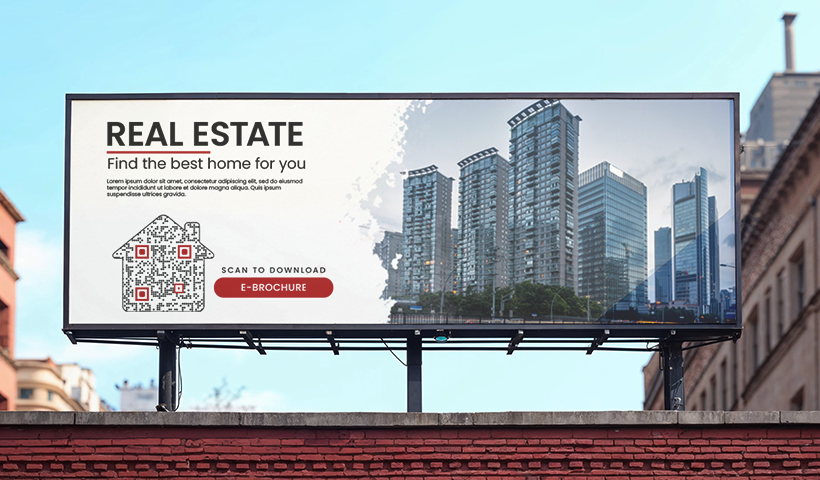
- Marketing and lead generation: QR codes turn passive materials into active entry points. Yard signs and riders can link to listing pages with galleries, virtual tours, and quick inquiry forms. Flyers and postcards deliver full brochures and live pricing updates without clutter. Business cards can instantly save contact details while routing prospects to a digital profile.
- Open houses and compliance: QR sign-ins replace handwritten guest books with clean, structured data. A clearly posted “Scan for disclosures” sign ensures buyers access required documents immediately, with timestamps and digital confirmation, reducing follow-up risk and strengthening compliance.
- Transactions and closing: QR codes support secure handoffs by triggering ID verification flows, linking to remote notarization portals, or providing access to closing packets through controlled destinations. When paired with custom domains and digital signatures, they reinforce authenticity.
- Post-sale and property management: A single lobby QR can serve as a tenant hub for leases, house rules, maintenance requests, and rent portals. Asset labels on equipment can link to manuals, service histories, and warranties, saving time for residents, vendors, and managers alike.
Security isn’t optional, and it’s manageable
QR misuse, including “quishing,” is a real concern. Bad actors can place fake stickers that redirect users to phishing pages or fraudulent payment portals. Designing around this risk is essential.
Best practice combines technology and education. On the technical side, use dynamic QR codes with password protection, link expiry, SSL encryption, and white-labeled domains so URLs clearly reflect your brand. In high-traffic areas, use tamper-evident labels and replace damaged codes promptly.
On the human side, educate clients. Encourage them to verify URLs before entering information and to confirm wiring instructions by phone using independently sourced numbers. QR codes are safe when layered with sensible controls and clear communication.
Step-by-step implementation checklist
- Select your destination: Choose a single PDF or a Gallery. Ensure the landing page is mobile-optimized.
- Generate a dynamic QR code: Never use static codes for real estate; you need the ability to edit the link and track analytics.
- Brand your link: Set up a custom domain to build trust.
- Add security layers: Apply a password for sensitive files and an expiry date for time-sensitive offers.
- Design with a CTA: Always include a clear call-to-action like “Scan for Property Disclosures.”
- Test and deploy: Scan on both iOS and Android before printing.
- Monitor analytics: Review scan data to see which signs or flyers are driving the most engagement.
The bigger takeaway
QR codes don’t just speed up document access; they restore control. They reduce paper, eliminate version confusion, and create the clean, mobile experience clients now expect. More importantly, they turn document delivery into a system – one that scales with volume and complexity instead of breaking under it.
For real estate professionals, the opportunity isn’t to adopt technology for its own sake. It’s to remove friction from the moments that matter most: discovery, disclosure, and decision-making. QRCodeChimp makes this shift easier by enabling dynamic, secure QR codes for PDFs and document galleries; so updates, access control, and tracking happen without disrupting your workflow.
Start with one listing. Put your brochure and disclosures behind a dynamic QR code, place it where buyers already pause, and replace paper handoffs with instant, reliable access. Once that’s in place, the operational gains (and client confidence) compound quickly.
FAQS
What documents should I put behind a QR code?
Brochures, floor plans, property disclosures, HOA and community docs, offer instructions, rental applications, house rules, warranties, and service logs. Use a PDF QR for simple one-file access or a gallery when you have multiple PDFs.
How do I keep scans and documents secure?
Use dynamic secure QR codes with password protection, set link expiry for time-bound access, and route through a white-labeled domain. Train clients to verify URLs and confirm wiring details by phone.
Do QR codes work if my listing changes?
Yes. With dynamic codes, you can update the destination or swap the PDF without reprinting anything. Your printed code continues to work.
Will buyers actually scan at signs and open houses?
Yes, when the value is clear. Add a short CTA, place the code at eye level, and ensure the destination loads fast and looks good on mobile. Then review scan analytics to see what’s working.
How do I measure ROI from QR codes?
Check scans by day, device, and location in your dashboard. Compare activity around open houses or after a mail drop, then adjust content, placement, or CTA. Tie form completions and inquiries to scans for a full funnel view.
You may also like
Steps to Integrate Microsoft Entra ID (Azure AD) with QRCodeChimp
Learn how to connect Microsoft Entra ID with QRCodeChimp to automate digital business card creation, improve security, and simplify onboarding.
9 Networking Tips Every Introvert Needs
Here are 9 networking tips for introverts to win clients without small-talk burnout: just prepare well, craft a short intro, share digital business cards, and follow up with confidence!
Approval-Based Digital Business Cards: A Smarter Workflow for HR Teams
Discover how approval-based digital business cards help HR teams ensure branding consistency, prevent misuse, and manage employee cards at scale.
How a Consumer Electronics Brand Fixed Its Post-Purchase Gap Using Form QR Codes
Learn how a consumer electronics brand improved warranty registration and post-purchase engagement using Form QR Codes. Discover the strategy, implementation, and results.
Most Popular
Contact Sales
