Did you know that 93.5% of event organizers say poor attendee satisfaction can significantly hurt event ROI?
That number stings, especially because the very first moment guests experience your event is the check-in line. If that line crawls, confidence drops. If scanning takes too long or validation gets stuck between apps, frustration spreads fast, and your ROI takes the hit long before the keynote even begins.
That’s exactly why QRCodeChimp has introduced the new web-based validator app – a faster, cleaner, single-screen system built for event teams who can’t afford delays at the door. It trims unnecessary steps, reduces human error, and gives staff a real-time, frictionless way to scan and validate tickets right on-site.
Here’s how it works.
The Challenge: Multiple Steps and Manual Work
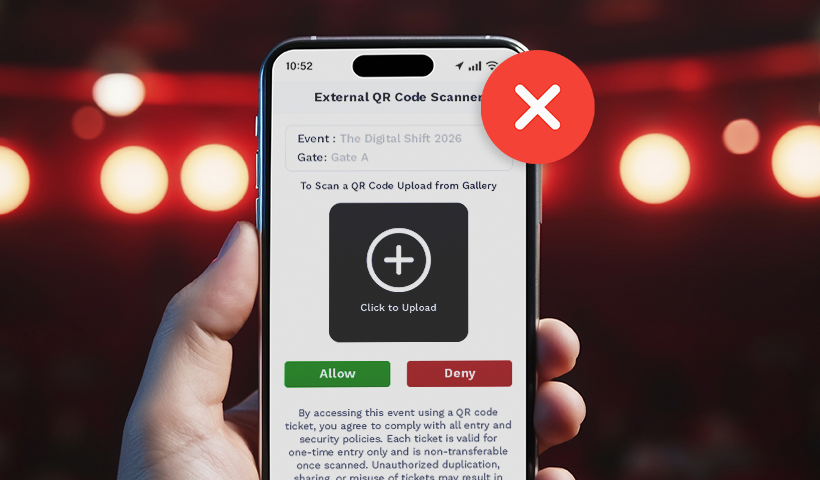
Before this update, ticket validation required you to use an external scanner app to scan and validate tickets. While this worked seamlessly, it required some switching between apps, which was slightly more time-consuming.
This led to a few inconveniences, like:
- Slower check-ins
- More manual effort by the team
- Chances of human error
We received requests from event organizers like you for something simpler. Something with fewer steps, which is purpose-built for fast scanning and real-time validation.
And now you have it.
Introducing the New Web-Based Validator App
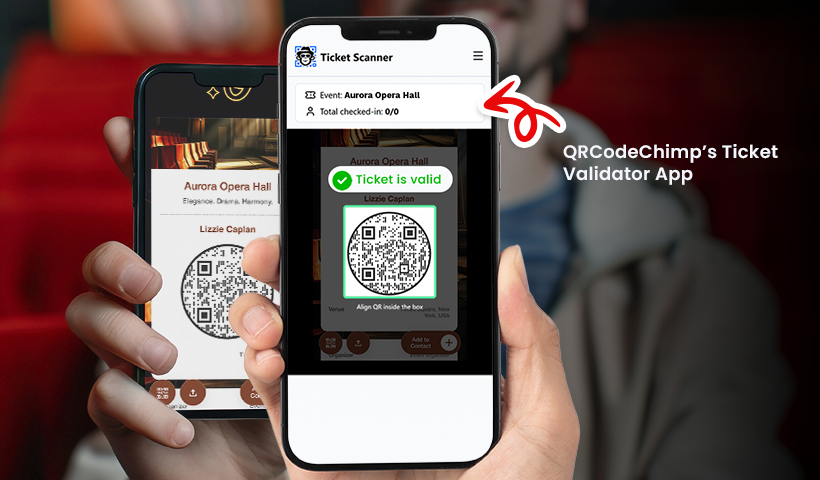
The new Validator app is designed to make ticket validation effortless. It is a simple, browser-based scanner that instantly displays the ticket status as soon as you scan the QR code.
✅ No app downloads.
✅ No switching between QR scanner and browser apps.
✅ Validate tickets for multiple events from a single app.
✅ View real-time insights like total invited, pending check-ins, and total attended.
✅ Add team members and allow them to manage your event tickets.
How it works
Step 1: Open the web-based Validator App on any device with a browser and log in using your QRCodeChimp account. After logging in, you’ll see a list of events associated with your account.
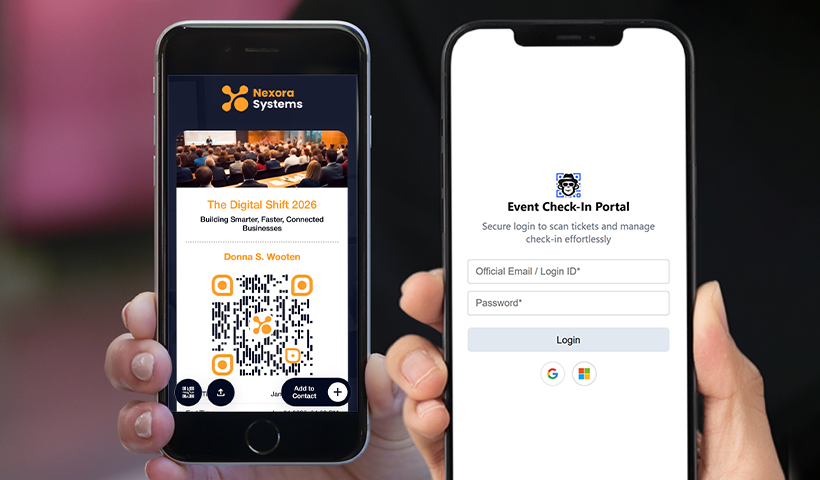
You can access the Event Ticket Validator app using this link: https://cdn0070.qrcodechimp.com/event-scanner
Alternatively, you can scan the QR code below to access the app.

Note: You can also find the Validator App link and QR code in your QRCodeChimp profile under the “Other Details” section.
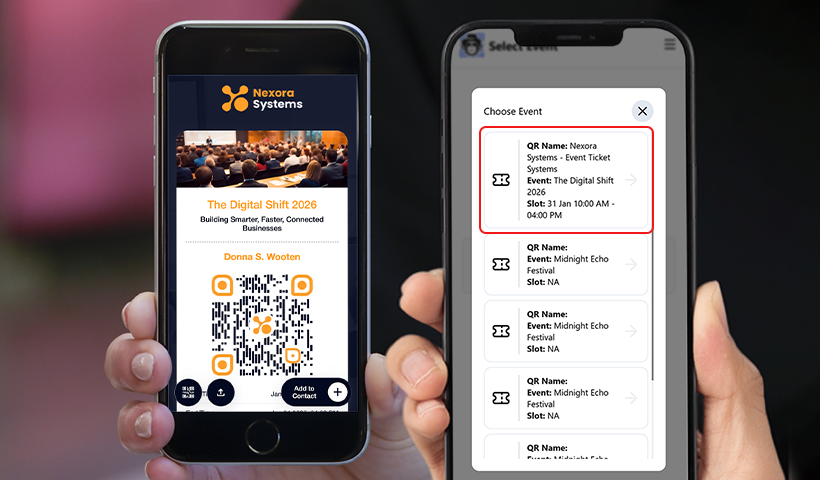
Step 2: Select the event you want to manage from the list. The ticket scanner will open automatically. Some devices may prompt you to allow camera access to enable scanning.
Step 3: Point the camera at the attendee’s ticket QR code to scan it. A validation confirmation message will appear instantly on the screen. If the ticket has already been used or is not eligible, it will be shown as locked or invalid.
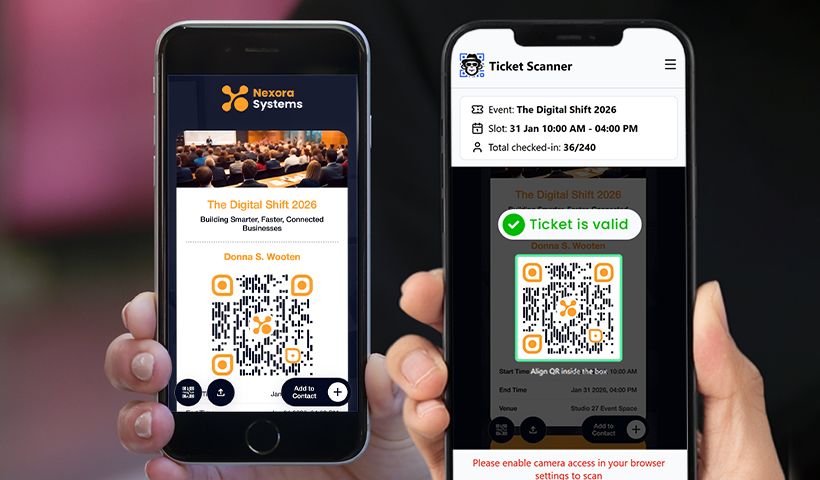
For tickets configured with a single scan limit, the ticket automatically locks after the first successful scan, preventing duplicate or reused entries.
You can also view the real-time “Total checked-in” count directly on the scanner screen to stay updated on attendance as the event progresses.
Share validator access with your team
If you’re working with a team, you can enable the “Share with Sub-accounts” option in the Event Ticket QR code settings from your QRCodeChimp dashboard. This allows your added subaccounts to access the validator app and validate tickets using their own logins.
It’s ideal for managing multiple entry points, improving coordination, and speeding up check-ins without sharing main account credentials.
Key Benefits of the Validator App
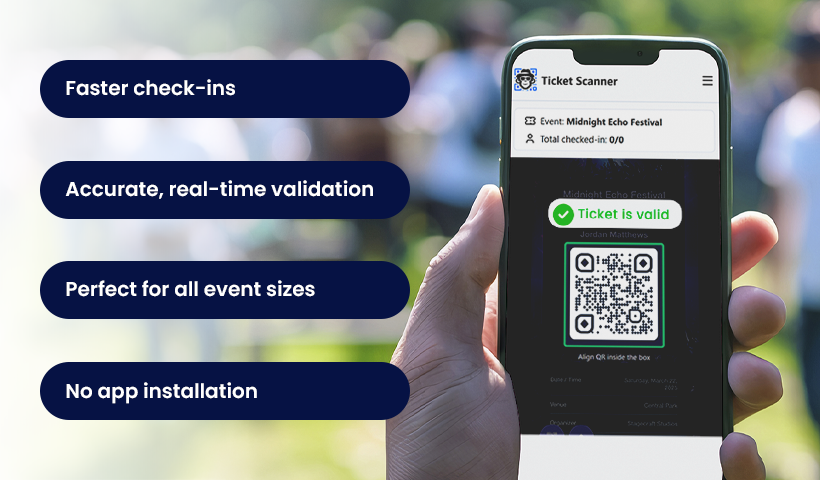
Let’s understand how the validator app helps with ticket validation and smoother entries.
Faster check-ins
Staff can instantly scan and validate the ticket without juggling between the browser and the QR scanner. Everything happens in a single unified app, making check-ins faster.
Accurate, real-time validation
Each scan validates and updates the ticket status immediately, keeping your event secure and preventing duplicate entries.
Perfect for all event sizes
Whether it’s 50 guests or 5,000, the validator app keeps the line moving smoothly. The app is robust and helps you seamlessly manage large-scale events.
No app installation
Because the app is web-based, it works on any phone or device with a browser. You don’t need to download and install any app.
Smooth team collaboration at check-in
Share validation access with subaccounts so multiple staff members can scan tickets simultaneously. This keeps all entry points aligned with real-time ticket status and helps manage crowds more efficiently.
Why This Matters for You
Event check-ins are often the first experience guests have at your event. A slow or confusing process can create frustration and long lines.
By removing unnecessary steps, the validator app helps you run smoother entry operations and makes your team’s job much easier.
This update turns ticket validation into a quick, clean, one-step action — exactly how it should be.
Conclusion
Validating event tickets should be seamless and not require switching multiple apps. With the new web-based validator app, you can scan and validate tickets instantly in one place, speeding up and improving the reliability of the entire check-in flow for both organizers and guests.
Want a cleaner way to validate tickets at your next event?
Try the new validator app and see how much smoother your entry process becomes.
Frequently asked questions
What is the QRCodeChimp web-based validator app?
The QRCodeChimp web-based validator app is a browser-based tool that allows event teams to scan and validate QR code tickets in real time without downloading any app or switching between tools.
Do I need to install an app to validate event tickets?
No. The validator app works directly in your web browser, so you can scan and validate tickets on any device without installing additional apps.
Can the validator app handle large events with multiple staff members?
Yes. The validator app supports events of all sizes, provides real-time check-in data, and allows you to add team members to manage ticket validation efficiently.
You may also like
Approval-Based Digital Business Cards: A Smarter Workflow for HR Teams
Discover how approval-based digital business cards help HR teams ensure branding consistency, prevent misuse, and manage employee cards at scale.
How a Consumer Electronics Brand Fixed Its Post-Purchase Gap Using Form QR Codes
Learn how a consumer electronics brand improved warranty registration and post-purchase engagement using Form QR Codes. Discover the strategy, implementation, and results.
QRCodeChimp’s Analytics Dashboard: A Step-by-step Guide
A guide to QRCodeChimp’s analytics dashboard. Leverage the unique advanced features and metrics to optimize your marketing campaigns.
Link Click Analytics in QRCodeChimp: How To Find Your Top Performing Links
Learn how to track link click analytics in QRCodeChimp, identify top-performing links, and optimize QR code campaigns using link-level insights and analytics.
Most Popular
Contact Sales
