Most businesses invest real effort in setting up their Form QR codes. They design the form, place the QR code in the right spot, and get people to scan. Then the responses start rolling in, and that’s often where the plan ends.
The data sits on a dashboard, occasionally downloaded and rarely acted on.
That’s a significant missed opportunity.
Form QR code data isn’t just a record-keeping exercise. When used deliberately, it becomes one of the most actionable inputs a business has. It helps inform product decisions, personalize follow-ups, streamline operations, and build long-term customer relationships.
The challenge here isn’t collection. It’s what comes next.
Key Takeaways:
- Segment form QR code responses by type before acting.
- Route responses to the right team immediately.
- Aggregate form QR code data to spot trends, not just manage individual submissions.
- Always close the loop. A timely, relevant reply turns a respondent into a loyal customer.
- With Dynamic QR codes, review and refresh questions quarterly.
Understand what your Form QR code responses are actually telling you
Before doing anything with your form QR code data, take a step back and ask what type of information you’ve collected. Not all form responses carry the same weight or call for the same next step.
Some responses are transactional; think warranty registrations, event sign-ups, and appointment bookings. These require operational actions, such as activating a warranty, confirming attendance, or scheduling a slot. Others are relational, which include feedback submissions, satisfaction ratings, and preference surveys. These inform strategy. And some responses are a mix of both.
The mistake many teams make is treating all form QR code responses as a uniform dataset. They’re not.
A smart feedback response from a dissatisfied customer needs a very different response than a product registration from someone else. Segmenting your form responses by type, something QRCodeChimp now makes easier with its Categories filter, is the essential first step before taking any action.
Also read: Which Businesses Can Benefit from Form QR Codes?
Route responses to the right People, immediately
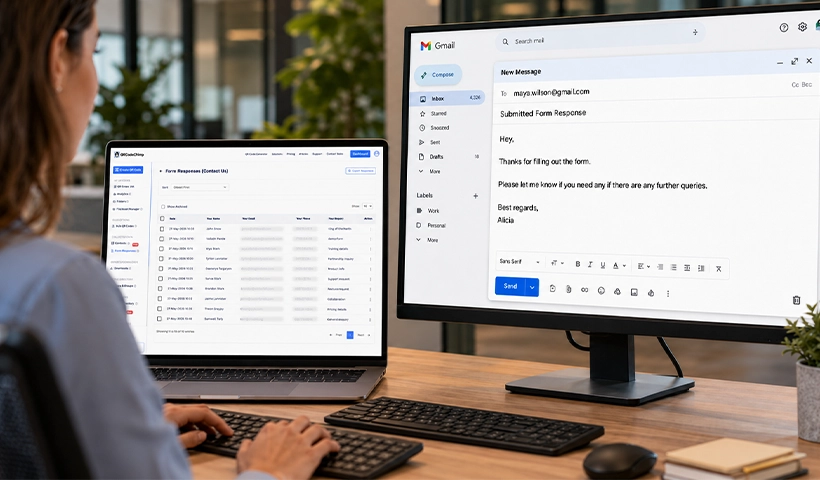
The moment a form is submitted shouldn’t be the moment the data enters a black box. Speed matters.
According to research from Harvard Business Review, companies that respond to customer inquiries within an hour are nearly seven times more likely to qualify a lead than those that wait even 60 minutes longer.
For form QR code responses, this means building routing workflows upfront:
Feedback and complaints should trigger an alert to your customer service or quality team. Manual daily exports don’t cut it when a product defect or service failure is being reported across multiple submissions.
Lead capture responses (say, from a QR code at a trade show or a product display) should flow directly into your CRM. QRCodeChimp supports API and CRM integrations that automatically push form submissions to tools like HubSpot or Salesforce, reducing the lag between responses and follow-ups.
Registration and onboarding forms should connect to your operations team or trigger an automated confirmation to the respondent. The consumer electronics case that QRCodeChimp documented, where warranty forms were scan-and-done in under 60 seconds, only worked because the backend was equally frictionless.
The QRCodeChimp dashboard also features a View Summary option that shows total responses, pending approvals, and source attribution by QR code short URL, making prioritization across a large volume of form QR code responses significantly faster.
Also read: Add QRCodeChimp Leads to Salesforce via Zapier Webhook
Turn aggregate data into operational intelligence
Individual responses are actionable. But aggregated form QR code data is where strategic insight lives.
Look at your response patterns over time. If you’re running a feedback form across multiple retail locations, response volume by location tells you where customers are actually engaging, not just where footfall is highest. If a particular field is consistently left blank, that’s a signal that the question is unclear, irrelevant, or poorly positioned in the form flow.
A few high-value analyses to run on your form QR code responses are:
Response completion rates by placement: If you’ve placed QR codes on packaging, in-store displays, and email footers, compare which surfaces generate the most completions, rather than just scans. A high scan rate with low form completion often means the form is too long or asks for information too early.
Sentiment patterns in open-ended fields: Even basic text scanning of open feedback fields can surface recurring themes. A product complaint that shows up 40 times in a month is more actionable than an individual complaint.
Geographic and time-based trends: QRCodeChimp analytics support time zone display and date filters across plans. These ease the correlation of response spikes with real-world events such as a campaign launch, a store promotion, or a product release.
According to McKinsey, organizations that effectively deploy customer data and analytics see marketing ROI improvements of up to 30%.
The data sitting in your form responses dashboard is first-party data – the most reliable kind, collected with direct consent, at a high-intent moment.
Related: Form QR Codes Guide: Simplify First-Party Data Collection
Close the loop with respondents
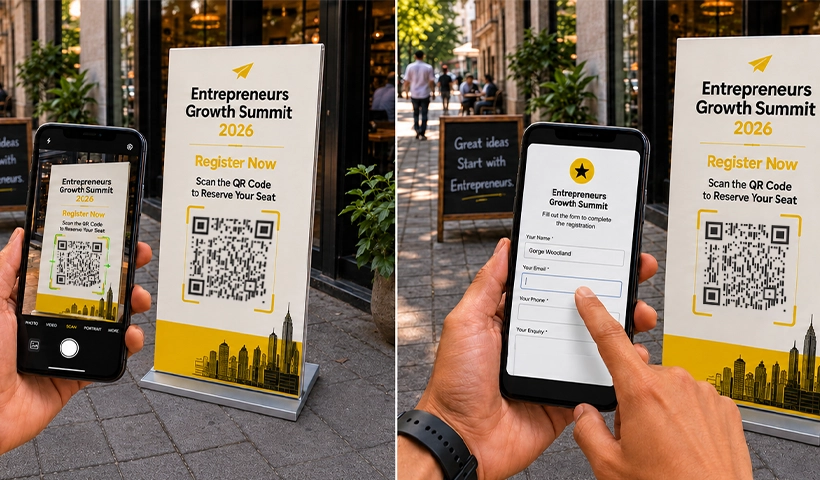
This is where most businesses drop the ball, and it’s also where the biggest loyalty dividend sits.
When someone fills out a form via QR code, whether it’s a product warranty, an event registration, or a customer satisfaction survey, they’ve taken an action. Acknowledging that action transforms a one-time respondent into a long-term customer.
Here’s what closing the loop can look like in practice:
For warranty registrations: Send a confirmation with the warranty details, support contact, and a relevant product tip. This turns an administrative interaction into a branded touchpoint.
For feedback submissions: A simple “We heard you” message, especially one that references the specific feedback category, shows the form actually led somewhere. If feedback is negative, a human follow-up can recover a relationship that might otherwise churn.
For event sign-ups: Post-event, use the response data to personalize the follow-up. If the form captured areas of interest or session preferences, the follow-on communication can reflect them.
QRCodeChimp’s custom SMTP support means these follow-up emails can go out from your own domain and mail server, preserving brand consistency and improving delivery rates.
Export, enrich, and integrate
Form QR code data is most powerful when it doesn’t live in isolation. Exporting first-party data and enriching it against your existing customer records unlocks a far more complete view.
If your form asks for a phone number or email alongside a product serial number, that response can be matched against purchase records to build out a complete ownership profile.
Suddenly, you’re not just managing a warranty database. You’re running a segmented post-purchase communication strategy.
Here are a few practical integration moves:
- Push to your email marketing platform to trigger nurture sequences based on what the form response revealed about the customer’s stage or needs.
- Feed into your analytics stack to connect product registration data with eventual support ticket volumes – a signal for product quality teams.
- Route to your field or service teams when a form response triggers an on-site need, like an installation request or a service appointment.
The key is establishing these connections before the responses come in, not after. Set up the workflow once, and all future responses flow through it automatically.
Review and refresh your forms regularly
One underused advantage of dynamic QR codes is that form content can be updated without reprinting the physical QR code. This means your form QR code responses are only as good as the questions you’re asking.
And those questions should evolve.
Schedule a quarterly review of your active forms. Look at which questions are generating useful data and which are being skipped. Remove friction that isn’t earning its keep. Add fields that the responses have shown you’re missing. If the same piece of information keeps being requested by your operations team but the form doesn’t currently capture it, add it.
Globally, around 89% of consumers are retained by companies that provide superior post-purchase experiences. The form itself is often the first post-purchase touchpoint. Keeping it sharp, relevant, and easy to complete is not a design decision. It’s a retention decision.
Where the real work begins
Collecting form QR code responses is the easy part. The real work (and the real value) is in what you do next.
Route responses to the right people quickly. Aggregate the data to find patterns you’d never spot in individual entries. Close the loop with respondents in a way that feels human, not automated. And keep improving the form itself based on what the responses are telling you.
The businesses extracting the most value from their form QR code data aren’t doing anything complicated. They’ve simply decided that a response isn’t the end of the interaction. It’s the beginning of one.
Frequently asked questions
How quickly should I act on form QR code responses?
For leads and complaints, within the hour. For registrations, an automated same-day confirmation is the minimum.
Can form QR code data be sent directly to a CRM?
Yes. QRCodeChimp supports API and CRM integrations that automatically push submissions to tools like HubSpot or Salesforce.
What’s the best way to segment form QR code responses?
Filter by form type (feedback, registration, lead capture) using QRCodeChimp’s Categories filter to prioritize and route correctly.
Do I need to reprint QR codes if I update my form?
No. Dynamic QR codes let you edit the linked form at any time without changing the printed code.
How do I improve low form completion rates?
Compare scan-to-completion ratios by placement, shorten the form, and move optional fields to the end.
You may also like
Blurry QR Code? Why It Happens and How to Fix It
Blurry QR code? Learn what causes poor QR clarity and how to fix low resolution, resizing, compression, printing, and design issues for reliable scanning.
Airbnb QR Codes: Share Useful Information and Enhance Guest Experience
Discover practical ways Airbnb hosts can use QR codes to share WiFi, guides, directions, and property information while improving the guest experience.
Top 5 Best QR Code Survey Tools to Collect Feedback and First-Party Data
Let’s look at the top 5 QR code survey platforms that let you create a survey form, generate a QR code for it, and manage responses, all within a single platform.
QR Code Surveys: How to Get People to Scan and Respond
A QR code survey makes feedback easier to access, but the code alone doesn't generate responses. This guide explains how to create a QR code survey that earns the scan and keeps respondents moving to submission.
Most Popular
Contact Sales
