Sharing a location should not require long addresses, confusing landmarks, or screenshots of maps. A location sharing QR code makes it simple. Users scan the code, open the exact location on their smartphone, and get directions instantly.
For businesses, this is more than a convenience. A location sharing QR code can help customers find your store, guide guests to an event venue, direct visitors to your office, or make printed marketing materials more useful. It connects offline touchpoints like flyers, posters, packaging, invitations, business cards, and brochures with digital maps.
With QRCodeChimp, you can create a branded location sharing QR code, customize it with your logo and colors, use attractive QR shapes and stickers, update the destination with dynamic QR codes, and track scan performance.
In this guide, we’ll explain what a location sharing QR code is, how it works, where to use it, and how it helps people reach the right place with one scan.
What is a location sharing QR code?
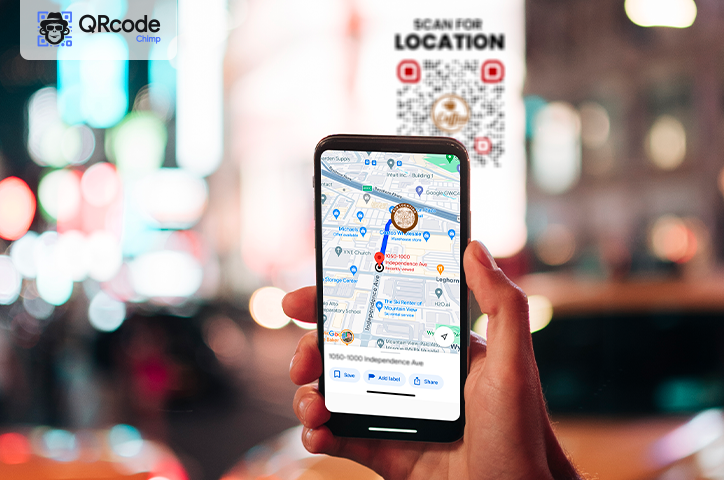
A location sharing QR code is a scannable QR code that opens a specific map location when scanned. It usually contains a map link that directs users to the exact destination on their phone.
Instead of asking someone to type an address or search for your location manually, you can share a QR code. Once scanned, the location opens in the user’s map app, and they can start navigation right away.
You can use a location sharing QR code to share:
- Store locations
- Restaurant or cafe addresses
- Hotel locations
- Office addresses
- Event venues
- Tourist attractions
- Real estate properties
- Temporary or pop-up locations
- Personal meeting points
For example, a restaurant can add a location sharing QR code to flyers or takeaway packaging so customers can scan and get directions. A real estate agent can place it on a property brochure to help buyers reach the site easily.
Can you use a location sharing QR code for live location?
A location sharing QR code is best for sharing a fixed destination, such as a store, office, hotel, event venue, property, or meeting point. It helps users scan the code and open that location on their phone for directions.
It is not meant for continuously sharing a moving, real-time location. Live location sharing in apps like Google Maps usually works through temporary, time-limited links or app permissions. These links may expire after the selected duration.
So, if you add a temporary live location link to a QR code, the code may stop working once the live-sharing session ends. That makes it unsuitable for printed materials such as flyers, posters, packaging, business cards, or signage.
For long-term use, choose one of these options:
- Use a static location sharing QR code for a fixed address that will not change.
- Use a dynamic location sharing QR code if you may need to update the destination later.
Static vs dynamic location sharing QR codes
Before using a location sharing QR code, it helps to understand the difference between static and dynamic QR codes.
Static location sharing QR code
A static location sharing QR code contains a fixed map link. Once created, the destination cannot be changed.
This works well for permanent locations such as a long-standing storefront, office, home address, or landmark. Static QR codes are simple and reliable, but they do not allow editing or scan tracking.
Dynamic location sharing QR code
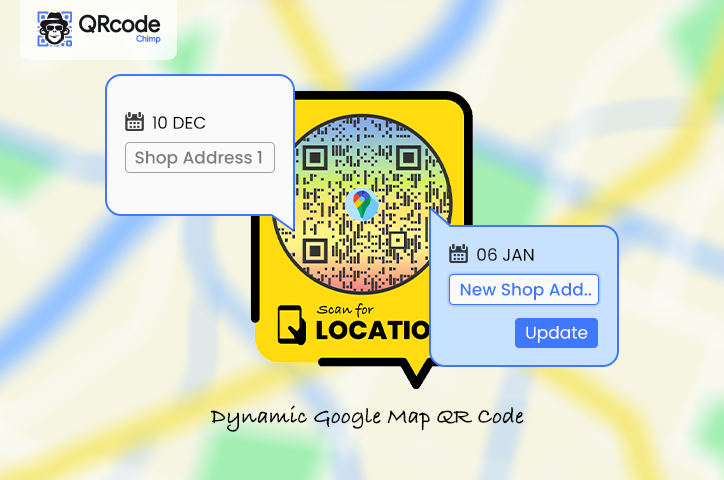
A dynamic location sharing QR code lets you update the destination later without changing the QR code itself. The same printed QR code can point to a new location if you edit the destination from your dashboard.
Dynamic QR codes are useful when you want to:
- Update a location later
- Reuse the same QR code for different campaigns
- Avoid reprinting marketing material
- Track QR code scans
- Measure offline campaign engagement
- Manage event venues, pop-up stores, or multiple branches
For most business use cases, dynamic QR codes are a better choice because they offer flexibility, control, and analytics.
💡 To understand the differences in more detail, read our guide on static vs dynamic QR codes.
How to create a location sharing QR code
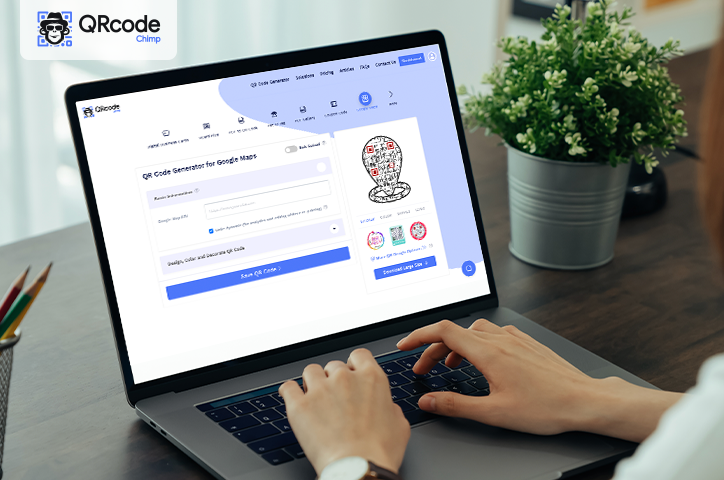
You can create a location sharing QR code with QRCodeChimp in a few simple steps.
- Go to Google Maps.
- Search for the location you want to share.
- Adjust the location pin if needed to ensure accuracy.
- Click Share and copy the map link.
- Go to QRCodeChimp and open the Google Maps QR Code solution.
- Paste the copied link into the Google Maps URL field. Check Make Dynamic to create a dynamic location sharing QR code.
- Customize your QR code with colors, shapes, stickers, frames, and your logo.
- Save your QR code, give it a name, and download it for print or digital use.
Before printing, test the QR code on different devices to make sure it opens the correct location.
Where can you use a location sharing QR code?
A location sharing QR code can be used anywhere people may need quick access to directions. It is especially useful on printed materials because it turns a physical touchpoint into a direct navigation tool.
🛒 Retail stores
Retail stores can add QR codes to flyers, brochures, receipts, posters, banners, coupons, and packaging. Customers can scan the code and navigate directly to the store.
🍽 Restaurants and cafes
Restaurants, cafes, bakeries, and food outlets can use QR codes on menus, takeaway packaging, local ads, and social media posts to help customers find the outlet easily.
🏨 Hotels and hospitality
Hotels can add location sharing QR codes to booking confirmations, brochures, reception materials, and emails. Guests can open directions without calling the property for help.
🎉 Events and invitations
Event organizers can place QR codes on invitations, tickets, passes, posters, banners, and email campaigns. Attendees can scan the code and reach the venue without confusion.
This works well for weddings, conferences, exhibitions, concerts, workshops, and community events.
🧳 Travel and tourism
Tour operators, tourist attractions, museums, parks, and local guides can use QR codes to direct visitors to attractions, viewpoints, trailheads, and landmarks.
🏠 Real estate
Real estate agents can add QR codes to property brochures, outdoor signs, newspaper listings, and digital ads. Interested buyers can scan the code and reach the property location.
🏢 Offices and service businesses
Clinics, salons, gyms, coaching centers, agencies, coworking spaces, and offices can use location sharing QR codes to help clients and visitors reach them easily.
Benefits of using a location sharing QR code
A location sharing QR code is simple to create, but it can make a big difference in how people find and reach your location.
✅ Easier navigation
Users can scan the QR code and open the destination directly on their phone. They do not need to type the address, search manually, or copy a long link.
✅ Fewer location errors
Manual address entry can lead to mistakes, especially in areas with similar street names, multiple buildings, or complex routes. A location sharing QR code opens the exact map location and reduces confusion.
✅ Better customer experience
When customers can find your location easily, they are less likely to feel frustrated before they arrive. This creates a smoother experience for stores, restaurants, hotels, offices, clinics, and event venues.
✅ More useful print materials
A flyer, poster, brochure, or business card can do more than display an address. With a location sharing QR code, it becomes a direct path to your location.
✅ Flexible updates with dynamic QR codes
If you use a dynamic QR code, you can update the destination later without reprinting the QR code. This is useful for changing event venues, pop-up stores, seasonal campaigns, business relocations, and branch-specific promotions.
✅ Scan tracking and insights
Dynamic QR codes can also help you track scan activity. You can measure how many people scanned the code and use the insights to evaluate flyers, posters, local ads, events, and other offline campaigns.
Tips to get more scans
- Choose a relevant CTA sticker so users immediately understand the QR code’s purpose.
- Place the QR code where people naturally look for directions, such as flyers, posters, invitations, storefronts, and event passes.
- Customize it with brand colors and your logo to make it look professional and trustworthy.
- Keep enough white space around the QR code so it is easy to scan.
- Use the right QR code size based on where it will be placed and how far users will scan it from.
- Test the QR code on multiple devices before printing or publishing it.
For more detailed best practices, read our full guide on how to get more QR code scans.
Conclusion
A location sharing QR code makes it easier for people to reach the right place with one quick scan. It removes the need to type addresses, search manually, or follow confusing directions.
For businesses, it is more than a navigation shortcut. It can improve customer experience, make offline marketing materials more useful, support store visits, and provide scan insights when used as a dynamic QR code.
You may also like
GS1 Application Identifiers Explained: GTIN, Batch, Serial, Expiry, and More
This guide explains the most important GS1 Application Identifiers used for product identification, traceability, retail, and packaging.
Steps to Integrate Microsoft Entra ID (Azure AD) with QRCodeChimp
Learn how to connect Microsoft Entra ID with QRCodeChimp to automate digital business card creation, improve security, and simplify onboarding.
Bulk QR Codes for Business: Use Cases and Benefits
Discover how bulk QR codes for business can streamline product packaging, employee cards, events, multi-location campaigns, inventory, and more
How to Send QRCodeChimp Form Responses to HubSpot
Learn how to connect QRCodeChimp Forms with HubSpot, map form fields, send responses directly to your CRM, and verify successful data transfers.
Most Popular
Contact Sales
