Running an event means juggling a lot at once: promoting it, collecting registrations, guiding people to the venue, sharing schedules, managing entry, answering the same questions over and over, capturing leads, and gathering feedback once it wraps.
Print alone can’t carry all of that. A poster announces the event but can’t take a registration. A banner shows the venue name but can’t open directions. A ticket confirms entry but can’t tell someone the schedule just changed.
QR codes for events close that gap. They connect physical touchpoints, including posters, tickets, badges, banners, table tents, flyers, and entry desks, to a digital action the attendee completes on their phone. The payoff is fewer manual steps for your team, a smoother experience for attendees, and engagement you can actually measure.
- What are QR codes for event management?
- Why event teams use QR codes
- What should you link to with QR codes at events?
- Where to use QR codes before the event
- Where to use QR codes during the event
- Where to use QR codes after the event
- Best practices for using QR codes for events
- QR codes for event marketing
- Event QR code vs event ticket QR code
- How QRCodeChimp helps event teams
- Related guides for event organizers
- Conclusion
- Frequently asked questions
What are QR codes for event management?
A QR code for event management is a scannable code that links a physical event touchpoint to a digital action: registering, buying a ticket, viewing the schedule, finding the venue, or leaving feedback.
The most common type is the event QR code. With QRCodeChimp’s event QR code generator, a scan opens a branded event page that holds your details in one place: title and organizer, date and time, location with a map link, a short description, contact information, and a call-to-action button for buying tickets, RSVPing, or registering. You can also point a code at other destinations, like a registration form, PDF agenda, or feedback survey, depending on the goal.
Because the page sits behind a dynamic code, you can edit it after the code is printed and track every scan. Both matter for events, where details shift and reprinting is expensive.
Why event teams use QR codes
Events still run on offline visibility: posters, flyers, banners, booths, and venue signage. Those materials are hard to measure and impossible to update once printed. QR codes fix both problems. A poster can drive registrations, a badge can support networking, a table tent can collect feedback, and every scan is counted, so you can see which placements earn attention and redirect a code without a reprint. Attendees get answers without queuing, and your staff stop fielding the same questions about schedules, directions, and WiFi.
What should you link to with QR codes at events?
The right destination depends on where the code is scanned and the action you want. A simple map by goal:
- Promotion: registration page, ticket booking, event landing page, an offer, or venue map
- Attendee info: schedule, speaker list, session agenda, PDF brochure, parking, WiFi, or FAQs
- Entry: event tickets, RSVP confirmation, check-in details, or attendee verification
- Live engagement: polls, feedback forms, question submission, contests, sponsor offers, or downloads
- Follow-up: feedback forms, photo galleries, recordings, certificates, the next event page, or a lead form
The rule that matters most: don’t send every code to a generic homepage. A poster code should open registration, an exit code should open feedback, a booth code should open a lead form, and a ticket code should handle entry. Match the destination to the moment it’s scanned.
The sections below walk through each placement, before, during, and after the event.
Where to use QR codes before the event
Before the event, the goal is to turn interest into action: a registration, a booking, a saved date, or a question answered.
Event posters and flyers
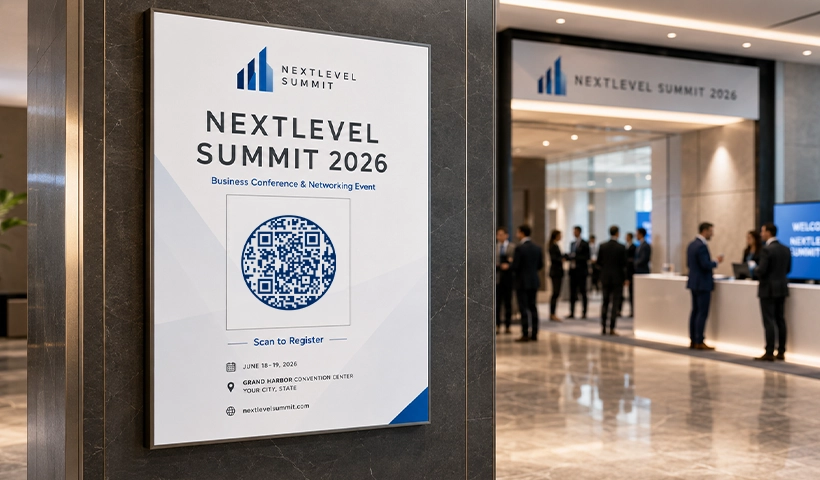
An event poster with a QR code can send people straight to registration, ticket booking, or the event page. Place the code in the bottom third of the design, away from edges and fold lines, add a short instruction like “Scan to register,” and leave white space around it so it scans cleanly.
💡For placement, sizing, and design guidance with examples by use case, see our guide to QR codes on posters.
Event banners and outdoor ads
Banners get seen from a distance, so a banner QR code has to be large enough to scan from where people actually stand. Use them for simple actions like registration, directions, or ticket booking, not pages that need a lot of reading on the spot.
💡Quick tip: test at the real printed size before you finalize. A code that scans fine on a laptop can fail on a large banner if the size or contrast is off.
Invitations and emailers
Printed invites, digital invitations, and emailers can carry a code to the event page, RSVP form, ticket page, or an add-to-calendar link so invitees save the date with one scan. That replaces a thread of separate links with one destination you can keep current.
Social media and print ads
Newspaper ads, magazine spreads, hoardings, and social creatives can all carry event codes, and offline placements finally become measurable when they do. If you’re running several campaigns at once, use a separate code per channel so you can see whether posters, flyers, print ads, or partner promotions drive the most scans. For seasonal pushes, our guide to QR code marketing for fall events shows how to tie a campaign to a specific moment.
Where to use QR codes during the event
On the day, codes should help attendees find information and finish actions fast, without queuing for a staff member.
Entry desk and check-in
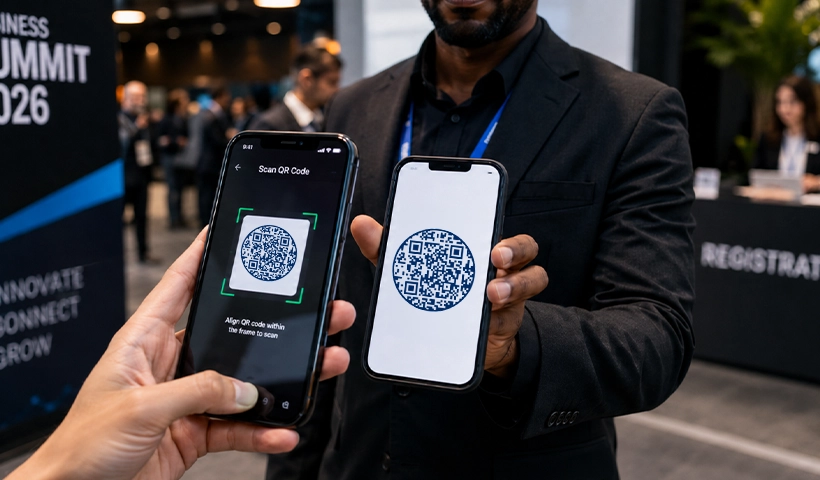
At check-in, a code can open a ticket, confirm registration, or pull up the schedule. For paid or invite-only events, give each attendee a unique event ticket QR code instead of a shared event code, so you get validation, duplicate-scan prevention, and attendance tracking.
Event tickets
A unique code on each ticket makes entry faster and more reliable: scan to validate, block duplicate entries, and keep a live headcount. QRCodeChimp’s ticket validator runs in the browser, so entry staff can verify passes from any phone without installing an app, which matters when you’re handing scanning duty to volunteers an hour before doors open. Use a general event QR code to share details; use a ticket QR code when you need attendee-level validation.
Badges and networking
Codes on attendee, speaker, and exhibitor badges support contact sharing without printed business cards. Speakers can link to their profiles, teams to a company page, and exhibitors to a lead form or product page. The scan is only half the job; the networking follow-up afterward is what turns it into a real conversation.
Stage screens and session rooms
A code on a stage screen can open the agenda, collect audience questions, run a poll, share slides, or gather feedback. For multi-session events, link to room schedules, speaker bios, or a QR code seating chart.
💡Quick tip: keep on-screen codes large and hold them long enough for people to open their camera and scan. A code that flashes by for a few seconds gets missed.
Sponsor booths and exhibitor stalls
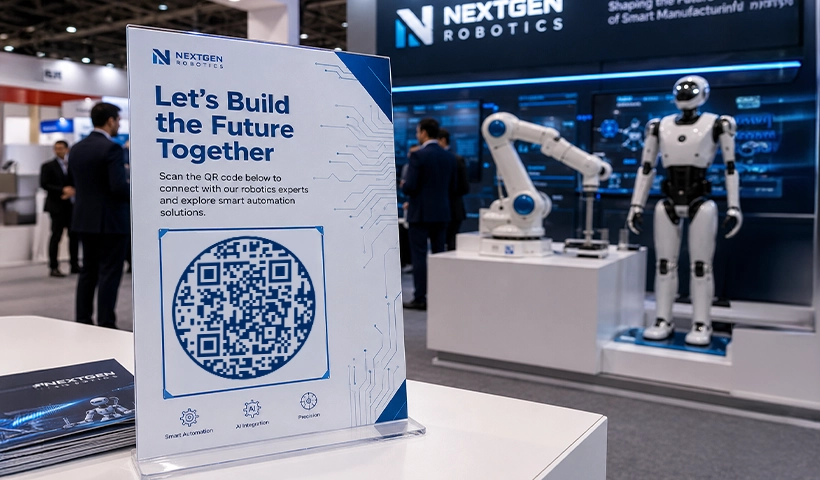
Sponsors and exhibitors can capture leads, share brochures, offer discounts, or book demos through a code, which beats handing out flyers that get lost after the event. It gives visitors one clear action and gives exhibitors a measurable read on interest.
Help desks and information areas
A few codes around the venue cut down on repeat questions. Place them at help desks, food counters, and information boards to share the schedule, venue map, WiFi details, food menu, parking, emergency contact, lost-and-found form, and feedback form. Attendees self-serve, and your staff get breathing room.
Where to use QR codes after the event
The event doesn’t end at the exit. Follow-up is where you collect feedback, chase leads, share content, and seed the next event.
Feedback collection
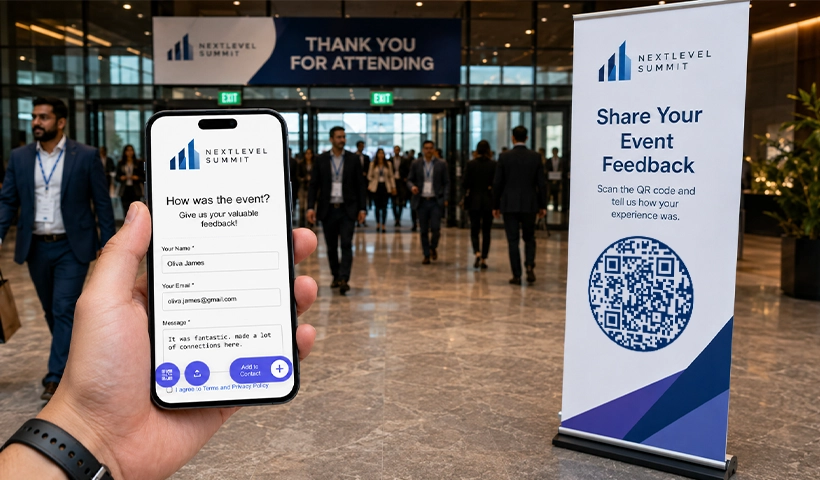
Put a feedback code where people naturally pause: exit gates, thank-you cards, dining areas, or a follow-up email. Link it to a short form and ask attendees to rate sessions, speakers, the venue, or the overall experience while it’s still fresh.
Photos, recordings, and resources
Use codes to share photo galleries, speaker decks, session recordings, certificates, and downloads. A code that lets guests collaborate on event photos also gives you user-generated content to use next time.
Next event promotion
For recurring events, add a code to thank-you emails, certificates, or post-event social posts that links to your next event page, early-bird registration, or community group. The same dynamic code you used this year can point to next year’s signup once you update the destination.
Best practices for using QR codes for events
A code only works when it’s easy to scan and points somewhere useful. A few habits make the difference.
- Tell people why to scan: Pair every code with a short, specific instruction such as “Scan to register,” “Scan for directions,” or “Scan to give feedback.” The instruction should match the action behind it.
- Make the destination mobile-first: Almost everyone scans on a phone, so the page must load fast and read well on a small screen. If you link a PDF agenda, confirm it’s legible on mobile.
- Use dynamic codes when details can change: Speakers, timings, and rooms shift. A dynamic code lets you update the destination after printing and tracks scans, which matters for posters, banners, badges, and tickets.
- Test before you print: Scan the final version on different phones, distances, and lighting. For banners and hoardings, test at the real printed size, not just on screen.
- Use a separate code per placement: One code everywhere hides what’s working. Distinct codes for posters, flyers, booths, and entry desks let you compare performance and improve.
- Keep the design clean: Hold strong contrast and white space around the code, and avoid busy backgrounds where it’s hard to notice or scan.
💡For a fuller checklist, our do’s and don’ts of QR codes for events goes deeper.
QR codes for event marketing
Event marketing spreads across posters, social, print ads, partner networks, email, and sponsor placements. QR codes tie those channels to actions you can count.
A code on a college poster shows how many people scanned to register. A code at a sponsor booth shows how many visitors engaged with the offer. A flyer code shows whether offline distribution actually generated interest. Because dynamic codes are editable and measurable, you can also track scans and attendance in real time and redirect a campaign without reprinting. When registration closes, send the same code to a waitlist, the live stream, or the next event page. That turns offline promotion into something you can measure and adjust, instead of hoping it worked.
Event QR code vs event ticket QR code
These two get mixed up, and choosing wrong creates friction. The simple rule: an event QR code shares the same content with everyone, while an event ticket QR code is unique to each attendee.
| Event QR code | Event ticket QR code | |
|---|---|---|
| Who it’s for | Everyone sees the same content | Unique to each attendee |
| Main job | Promote, inform, and engage | Validate entry and admit |
| Typical use | Posters, schedules, maps, feedback, social | Tickets, RSVPs, check-in, access control |
| What it tracks | Scans, location, device | Attendance, duplicate-scan attempts |
Promoting a workshop on posters? Use an event QR code linked to registration.
Issuing passes to registered attendees? Use an event ticket QR code to validate entry at the door.
Most events use both: one to fill the room, the other to manage who comes through it.
How QRCodeChimp helps event teams
QRCodeChimp lets event teams create, brand, manage, and track codes across the whole event. You can generate codes for event pages, registration links, maps, PDFs, and feedback forms, all as dynamic codes you can edit after printing and measure by scans.
When you need entry validation, the event ticket QR code solution creates unique tickets, supports check-in, manages RSVPs, and tracks attendance. For larger or recurring programs, bulk creation, folders, subaccounts, analytics, and white labeling keep branding and tracking consistent across campaigns, venues, and teams. Stadiums and convention centers run this same playbook at scale.
Related guides for event organizers
These guides go deeper on the pieces this article touched on:
- Ticketing and entry: event ticket QR code guide, create event ticket QR codes, and the latest event ticket features
- On the day: streamline check-in, validate tickets with a scanner app, and seating chart QR codes
- Engagement and follow-up: networking follow-up tips, collaborate on event photos, and attendance tracking
- At scale: how stadiums and convention centers use QR codes
- See it in practice: how customers use event QR codes
Conclusion
QR codes for events turn physical touchpoints into digital actions. Posters drive registrations, tickets support check-in, badges improve networking, banners share directions, booths capture leads, and exit signage collects feedback.
The key is to use each code with a clear purpose: decide the action you want from a placement, link to the right destination, test it, and track the results. Done that way, QR codes don’t just add convenience, they improve the attendee experience, cut manual work, and make event engagement measurable.
Frequently asked questions
What should I link to with a QR code for events?
Link to the action that fits the placement: registration or ticket booking on posters, the schedule or venue map on signage, a lead form at sponsor booths, and a feedback form at the exit. Avoid pointing every code at a generic homepage.
Can I use a QR code on an event poster?
Yes. Posters are one of the best places for an event QR code. Link it to registration, ticket booking, event details, or directions, and add a short instruction like “Scan to register” so people know why to scan.
Where should I place QR codes at an event?
At entry desks, registration counters, posters, banners, badges, session rooms, food counters, sponsor booths, help desks, table tents, stage screens, and exit areas. Match each placement to a relevant action.
Can QR codes help with event registration?
Yes. A code can send attendees straight to a registration or booking page, which works well on posters, flyers, banners, invitations, emailers, and social creatives.
Can QR codes be used for event check-in?
Yes. For simple events, a code can open ticket details or check-in instructions. For events that need attendee-level validation, use event ticket QR codes so each pass can be scanned and verified at entry. Validation runs in the browser, so entry staff can scan from any phone without downloading an app.
Should I use a static or dynamic QR code for events?
Use a dynamic code when details may change or when you want scan analytics. It lets you update the destination after printing, which suits posters, banners, invitations, and tickets. A static code only fits fixed information that will never change.
What size should an event QR code be?
Follow the 10:1 rule: the code should be at least one-tenth of the scanning distance. A code scanned from 10 feet away should be about 1 foot wide. On a flyer read at arm’s length, 2 to 2.5 cm works. On a banner scanned from across a lobby, plan for 30 cm or more. Test at the final print size before publishing, and keep high contrast either way.
You may also like
Edible QR Codes: How to Make Them + Real-world Examples
An edible QR code is a scannable QR code printed or formed from materials safe to eat. Here's how to make edible QR codes, what to watch out for, and how to put them to good use.
GS1 Application Identifiers Explained: GTIN, Batch, Serial, Expiry, and More
This guide explains the most important GS1 Application Identifiers used for product identification, traceability, retail, and packaging.
Steps to Integrate Microsoft Entra ID (Azure AD) with QRCodeChimp
Learn how to connect Microsoft Entra ID with QRCodeChimp to automate digital business card creation, improve security, and simplify onboarding.
Bulk QR Codes for Business: Use Cases and Benefits
Discover how bulk QR codes for business can streamline product packaging, employee cards, events, multi-location campaigns, inventory, and more
Most Popular
Contact Sales
