A poster gets attention, but attention disappears quickly if people have no simple next step. Someone may read the poster, think “interesting,” and walk away because the poster cannot take a signup, open a menu, sell a ticket, collect a lead, or start a booking by itself.
A poster QR code fixes that. It turns the poster from a static announcement into an action point: read, scan, act. The interest is captured in the moment it exists, rather than relying on someone to remember your website, search for your brand, or type a URL later.
This guide covers the decisions that make QR codes on posters work: where to place the code, how big to make it, what to link, and how to design it so it actually gets scanned, with examples by use case.
- What to link from a poster QR code
- Where to place the QR code on a poster
- How big should a QR code be on a poster?
- Use case examples of QR codes on posters
- Design tips that keep the code scannable
- Static or dynamic QR codes for posters?
- Track which posters actually work
- Conclusion
- Frequently asked questions
What to link from a poster QR code
A poster QR code should link to the one action you want someone to take after seeing the poster. The destination should match the promise on the poster and remove as many steps as possible.
- A signup or registration page for events, courses, and webinars
- A product or offer page for retail and promotional posters
- A booking page for appointments, viewings, and reservations
- A menu or catalog for restaurants and showrooms
- A form for feedback, applications, or lead capture
- A contact or profile page for real estate, services, and hiring posters
One rule above all: never link a poster QR code to your homepage unless the poster is only promoting your brand. A homepage asks the scanner to go find what the poster promised, and most people will not. The poster made the pitch; the QR code should close it.
Where to place the QR code on a poster
The best place for a QR code on a poster is usually the bottom third, often the bottom-right corner. People read a poster from top to bottom: headline, visual, details, action. The QR code is the action, so it belongs where the eye finishes.
A few placement rules:
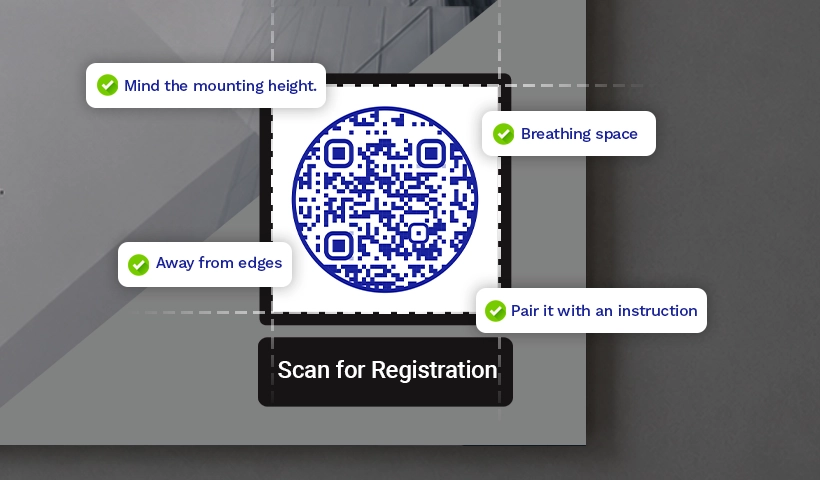
- Keep it away from edges. Codes near the edge get cropped in printing or covered when the poster is taped, framed, or pinned to a board. Leave at least 1.5 cm of margin.
- Avoid fold lines on flyers and mailers. A crease through the code can break it.
- Give it quiet space. Leave white space around the code equal to at least the width of one of its small squares on every side. A code crowded by text or artwork scans poorly.
- One code per poster. Two codes make people choose, and choosing means hesitating. Pick the single action that matters and link to it.
- Pair it with an instruction. “Scan to register,” “Scan for the menu,” or “Scan to book” placed directly under the code. A bare code gets fewer scans because nobody knows what it does.
- Mind the mounting height. A code placed at the bottom of a poster mounted high on a wall may sit above comfortable scanning height. Place the poster, or the code within it, where a phone can reach it.
How big should a QR code be on a poster?
Use the 10:1 rule: the QR code should be at least one-tenth of the distance people will scan it from. If most people will scan from 1 meter away, the code should be at least 10 cm wide. If they will scan from 3 meters away, use at least 30 cm.
| Format | Typical scan distance | Minimum code size |
|---|---|---|
| Flyer or handout | Arm’s length (~40 cm) | 2 to 2.5 cm |
| A3/A2 wall poster | 1 to 2 meters | 10 to 20 cm |
| Large venue poster | 3 meters | 30 cm |
| Banner or hoarding | 5+ meters | 50 cm or more |
When in doubt, go bigger. An oversized code still scans; an undersized one becomes decoration. And always test at the real printed size, because a code that scans from a laptop screen can fail on the wall.
Use case examples of QR codes on posters
The right QR code destination depends on what the poster is supposed to achieve. Here’s how the code and destination change depending on what the poster is for.
✅ Event poster
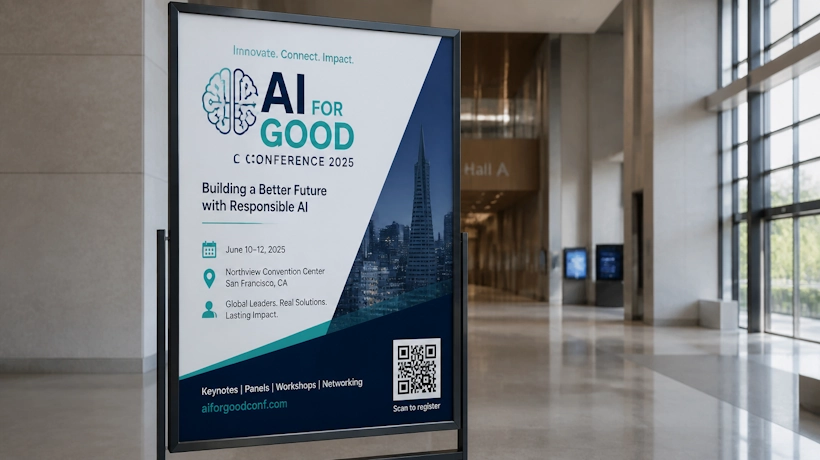
Code in the bottom-right corner, linked to registration or ticket booking, with “Scan to register” underneath. Events are the most common poster use case and the one where timing matters most: the scan captures the signup before attention moves on. For placement across the whole event, from posters to badges to exit signage, see our full guide to QR codes for events.
✅ Retail and promotional poster
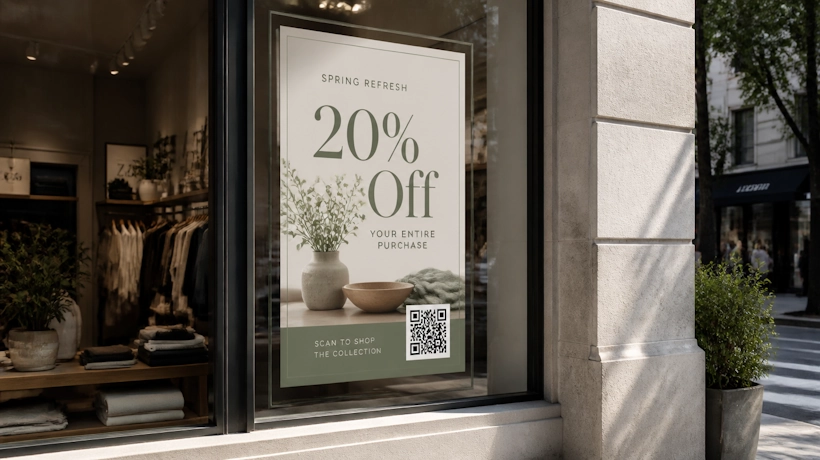
Link to the offer or product page, not the store’s homepage. A window poster with “Scan for 20% off” converts foot traffic that wasn’t ready to walk in. Use a distinct code per store or campaign so scan data shows which locations pull.
✅ Restaurant poster
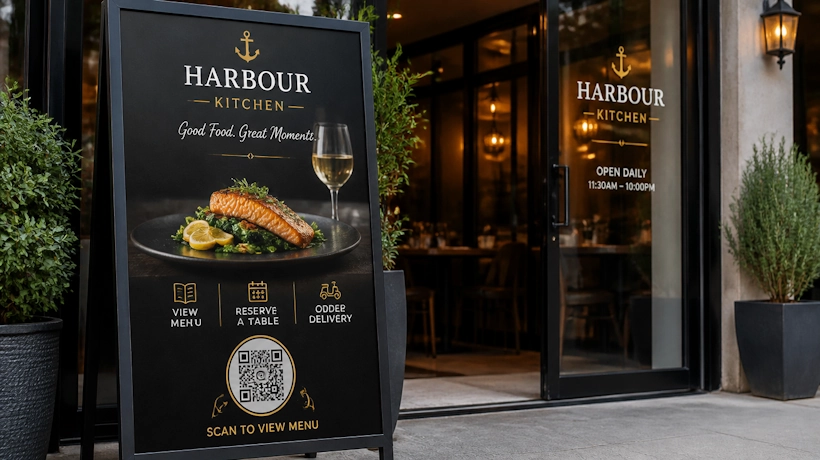
Link to the menu, a reservation page, or a delivery order page. A poster outside the door that opens the menu answers the only question a passerby has, without making them search for you.
✅ Real estate poster

A “For Sale” board or window card can link to the listing page with photos, price, and a viewing booking form. The scan works after hours too, which is when most people walk past.
✅ Hiring and recruitment poster
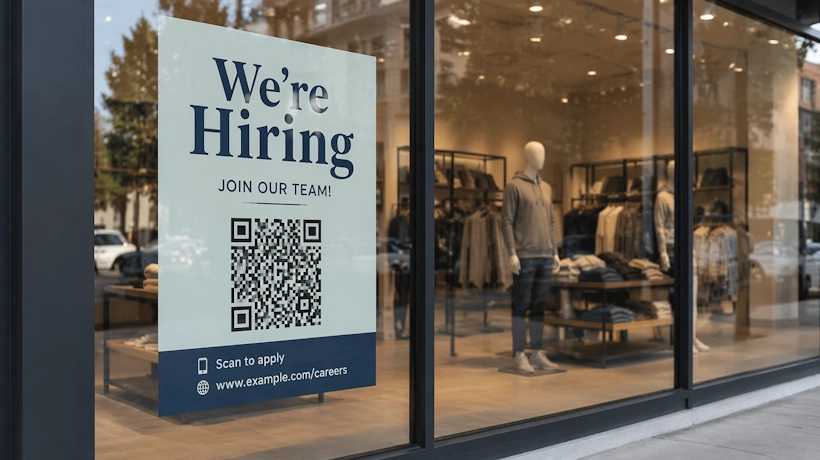
Link to the application form or careers page. “Scan to apply” on a break-room or storefront poster removes every step between seeing the opening and applying for it.
✅ Entertainment and movie posters
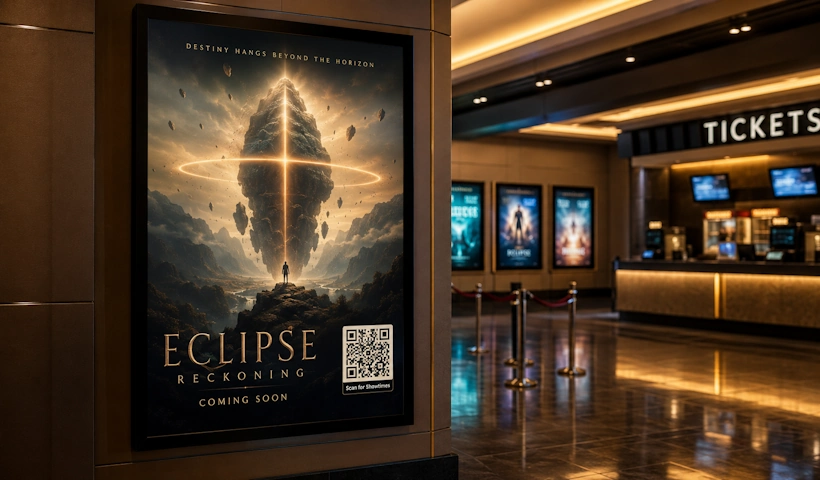
Link to trailers, showtimes, or ticket booking. Studios and venues use poster codes to move audiences from awareness to a booked seat in one scan.
Design tips that keep the code scannable
A poster QR code has to look good, but it has to scan first. Treat scannability as part of the design, not something to check after the poster is finished.
- Contrast first. Dark code on a light background is the reliable default. If your poster is dark, place the code inside a light block rather than inverting the colors.
- Skip busy backgrounds. Gradients, photos, and textures behind the code hurt scan rates. The quiet zone must be genuinely plain.
- Brand it, carefully. Adding your logo to the center of the code and matching its color to the poster palette makes it look intentional instead of pasted on. Keep contrast strong and test after every design change.
- Print quality matters. A blurry or pixelated code fails. Export the code as a vector or high-resolution file, never a screenshot.
Once your code is designed, adding it to the poster file takes a few minutes in any design tool. Our walkthrough on how to place a QR code on flyers and posters covers the steps in Canva, Adobe Express, and Google Slides.
Static or dynamic QR codes for posters?
Dynamic, almost always. Two reasons.
First, details change. An offer ends, a venue shifts, a listing sells, a role gets filled. A dynamic code lets you update the destination after the posters are printed, which turns a reprint problem into a two-minute edit.
Second, tracking. A dynamic code counts every scan, with location and device data. Put a distinct code on each batch of posters and in a week you know which locations actually pull. Next campaign, you print fewer posters and put them in better places.
A static code does neither. It only makes sense if the destination will never change and you don’t care how many people scanned.
Track which posters actually work
This is where poster QR codes stop being a convenience and start being a strategy. Print has always been a blind spend: you put up 200 posters and hope. With one dynamic code per location or batch, the scan data tells you exactly which placements earned attention, at what time of day, and on which devices.
That feeds directly into decisions. Drop the locations that don’t scan. Double down on the ones that do. Compare poster scans against flyer scans and social clicks to see which channel converts cheapest. QRCodeChimp’s analytics show scans by code, location, device, and time, so every code you print reports back.
Conclusion
QR codes on posters do two jobs the poster alone never could: they convert attention into action on the spot, and they tell you which placements were worth the print run.
The formula is short. Pick one action per poster. Put the code in the bottom third with an instruction and breathing room. Size it for the scanning distance. Use a dynamic code so you can fix details later and see what worked.
Frequently asked questions
Where should I put a QR code on a poster?
In the bottom third, usually the bottom-right corner, with at least 1.5 cm from the edge, clear white space around it, and a short instruction like “Scan to register” underneath.
How big should a QR code be on a poster?
At least one-tenth of the scanning distance. About 2 to 2.5 cm on a flyer, 10 to 20 cm on a wall poster, and 30 cm or more on large-format prints. Test at the final printed size.
Can I put multiple QR codes on one poster?
You can, but you shouldn’t. Two codes force a choice, and choosing means hesitating. Pick the single action that matters most and link to it. If you genuinely need multiple destinations, use one code that opens a multi-link page.
What should a poster QR code link to?
The single action the poster is promoting: registration, an offer, a menu, a booking page, a listing, or an application form. Never the homepage.
What if the details change after printing?
With a dynamic QR code, edit the destination and every printed poster updates instantly. No reprint. This is the main reason to avoid static codes on posters.
Do QR codes on posters actually get scanned?
Yes, when three things are true: the code is big enough for the viewing distance, an instruction tells people what the scan does, and the destination matches what the poster promised. Codes fail when any of those are missing, not because people won’t scan.
You may also like
Edible QR Codes: How to Make Them + Real-world Examples
An edible QR code is a scannable QR code printed or formed from materials safe to eat. Here's how to make edible QR codes, what to watch out for, and how to put them to good use.
GS1 Application Identifiers Explained: GTIN, Batch, Serial, Expiry, and More
This guide explains the most important GS1 Application Identifiers used for product identification, traceability, retail, and packaging.
Steps to Integrate Microsoft Entra ID (Azure AD) with QRCodeChimp
Learn how to connect Microsoft Entra ID with QRCodeChimp to automate digital business card creation, improve security, and simplify onboarding.
Blurry QR Code? Why It Happens and How to Fix It
Blurry QR code? Learn what causes poor QR clarity and how to fix low resolution, resizing, compression, printing, and design issues for reliable scanning.
Most Popular
Contact Sales
