A digital business card only works when the right information is on it. Put too little and people cannot reach you. Add too much and the details that matter get buried. If you are building your first card, the real question is simple: what actually belongs on it?
Here is the short answer. A strong digital business card includes your name and photo, your job title and company, more than one way to contact you, one clear action you want people to take, and a form if you want to collect details from people who scan your card. Everything else is optional and should earn its place.
This guide covers what to include, what to leave off, and how to make your card do more than sit unused in someone’s phone.
New to digital cards? This short video shows how they work.
What to include on a digital business card
Start with the details people expect, then add the extras that make your card useful, memorable, and easy to act on. Here is what belongs on it, roughly in order of priority.
Full name and professional photo
Your name and photo are the first things people see, so get them right. Use your full name in title case, such as John Luke Smith, and a clear, professional headshot.
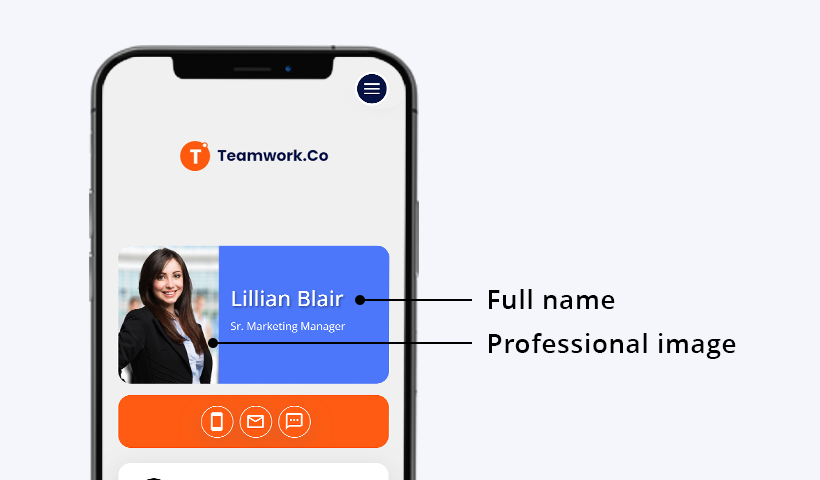
A good photo builds recognition and makes your card feel personal instead of generic. Keep it simple: good lighting, a clean background, and framing that fits your line of work.
Job title and company name
Your title and company tell people who you are and why they should connect with you. Add your full designation and company name in a clear, easy-to-read format.
This helps establish credibility and reinforces your brand the moment someone opens the card.
Contact information and map location
Contact details are the most important part of your card. If people cannot reach you easily, nothing else matters.
Give people more than one way to contact you, since not everyone wants to call. You can include:
- Mobile number
- Email address
- Telephone number
- Fax, if your industry still uses it
With QRCodeChimp, each detail can appear as a tappable icon, so people can call, email, or message you in one tap.
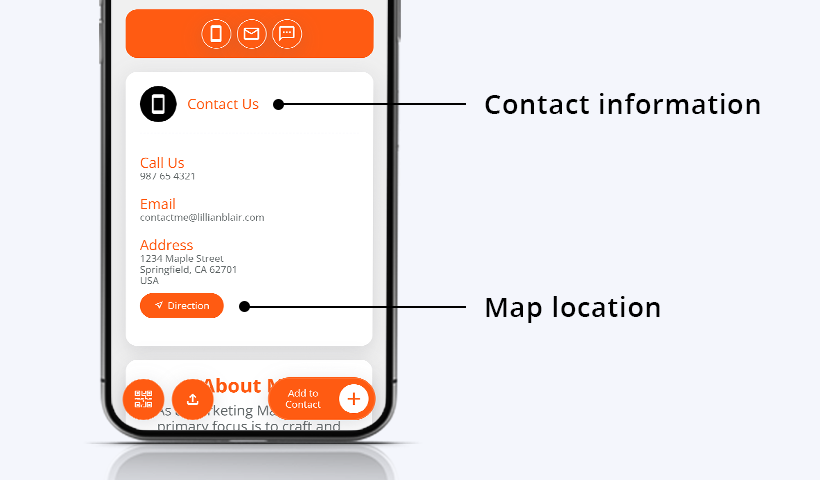
If you run a store or meet clients in person, such as a doctor, lawyer, consultant, or interior designer, add your full address and a Google Maps link. This helps people find your location without searching manually.
Save to Contacts button
A digital business card should make saving your details effortless. Add a Save to Contacts button so people can store your name, phone number, email, company, and other details directly on their phone.
This reduces manual typing and helps your card turn into an actual saved contact instead of a page someone views once and forgets.
Social and website links
Your social profiles and website give people a reason to keep engaging after the first scan. Add the social media links that matter for your work, plus your website URL to support credibility and drive traffic.
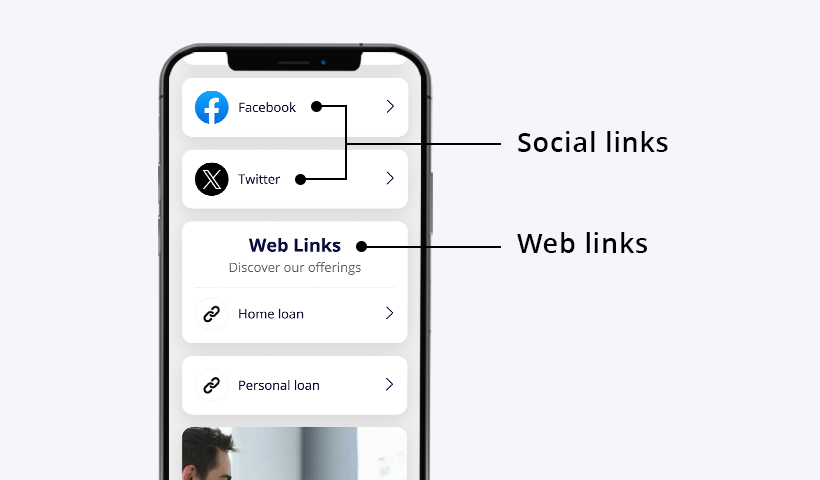
Stick to the accounts you actively use. A strong LinkedIn profile, company website, portfolio page, or booking page is more useful than a long list of inactive links.
Button with a clear call to action
Every card should guide people toward one main action. Add a clickable button with a clear CTA based on your goal.
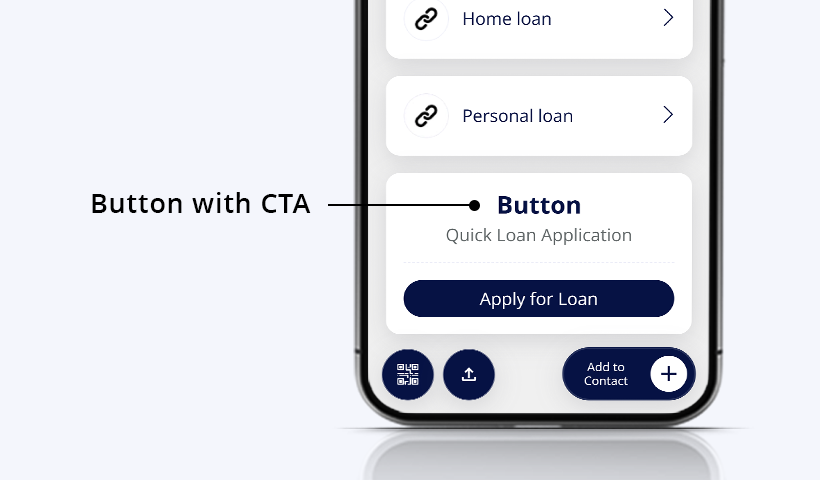
For example, you can direct people to call you, schedule a meeting, view your portfolio, visit your website, download a brochure, or submit an inquiry.
A card without a next step is easy to close. A card with a clear button gives people something useful to do immediately.
Images
Photos turn a plain card into proof of your work, something a paper card cannot do well. Add relevant product shots, certificates, project photos, team photos, or portfolio images to show what you offer and build trust faster.
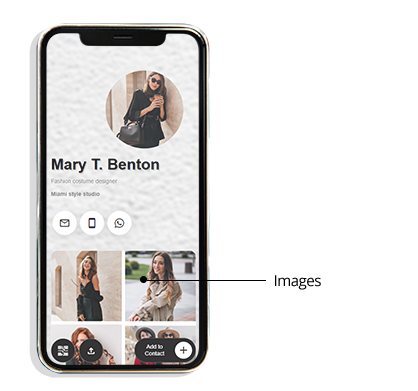
A few well-chosen images say more than a long paragraph. Use only the images that support your goal and keep the card easy to scan.
Video
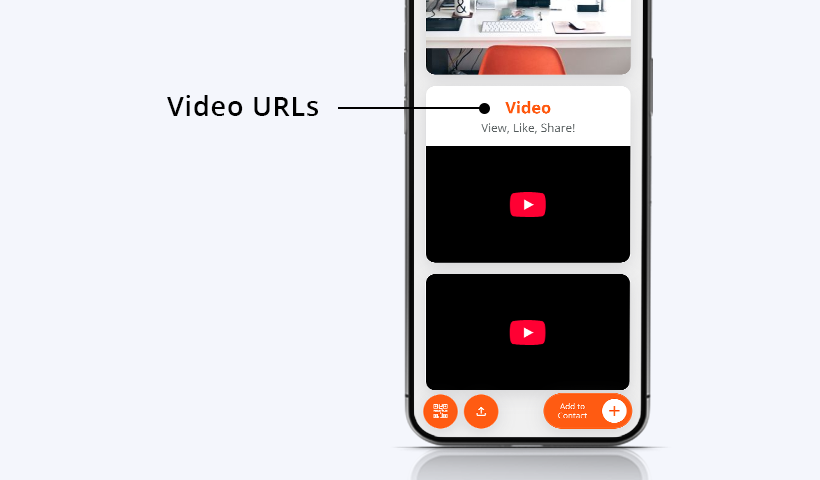
A short video helps people understand your work faster than text. It can introduce your service, show a product in action, explain your process, or share a quick brand message.
Use one or two videos at most. Too many videos can make the card feel heavy and distract from the main action.
Custom heading and text
When the standard fields are not enough, a custom section lets you add context in your own words. Use a Heading + Text block to cover anything the default fields miss.
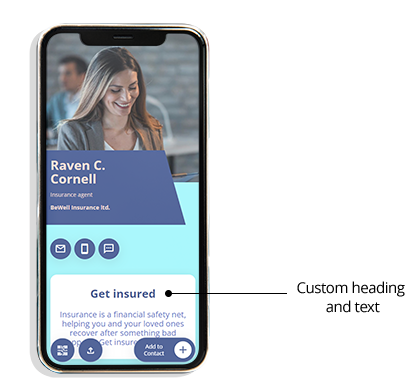
A developer might list core skills. A consultant might summarize their services. A real estate agent might highlight property types they handle. Keep it short and specific so people can understand the value quickly.
Appointment scheduling
Let people book time with you directly from the card, without back-and-forth messages. This is useful for anyone who works through appointments, including doctors, lawyers, consultants, trainers, agencies, and sales professionals.
Add a heading, a short description, and your scheduling link, such as Calendly or Acuity, so people can book in one tap.
Contact exchange form and lead collection form
A digital business card should make contact sharing two-way. QRCodeChimp’s Contact Exchange Form lets people share their details with you after they scan or save your card. It comes with fixed fields, making it a quick way to collect contact details without setting up a custom form.
Contacts collected through the Contact Exchange Form are available in your QRCodeChimp dashboard and also from your digital business card when you are logged in to your QRCodeChimp account. This helps you review new contacts and follow up from one place.
If you need custom fields, you can add the Lead Collection Form component to your digital business card and customize it based on your requirements. This is useful when you want to collect details such as company size, service interest, event response, appointment preference, or any other information beyond the fixed Contact Exchange Form fields.
💡 For a detailed walkthrough, read how to collect contacts with a contact exchange form.
Tips for a digital business card that gets used
A few small choices decide whether people save your card or close it. Your card should be clear, mobile-friendly, and focused on action.
- Keep it focused. Include what is useful and cut the rest.
- Design for mobile. Most people will open your card on a phone.
- Match your brand. Use a clean layout, consistent colors, and readable text.
- Keep it current. Because QRCodeChimp cards are dynamic, you can update details after sharing without reprinting or resending anything.
- Test every link and button. Broken links, wrong numbers, and unclear CTAs can cost you follow-ups.
What to leave off your digital business card
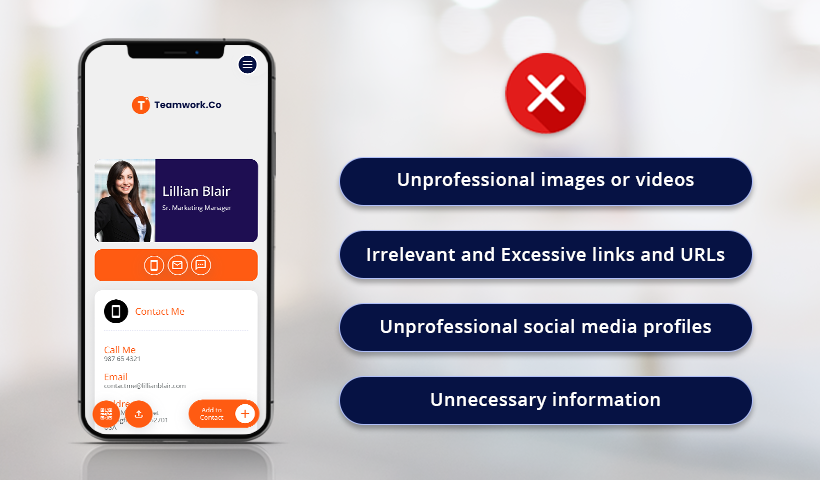
A digital card can hold a lot, but more is not always better. A few things are best kept off your card because they distract from the information people actually need.
Unprofessional images or videos
Images and videos should fit your field and the impression you want to create. A banker’s photo, a photographer’s portfolio image, and a fitness coach’s video may all look different, but each should still feel intentional and credible.
Skip low-quality images, distracting backgrounds, random screenshots, or videos that do not help people understand your work.
Too many or irrelevant links
Links can improve engagement, but only when they lead somewhere useful. Every extra link competes for attention, so keep the ones that support your goal and remove the rest.
If a link does not help someone contact you, trust you, book with you, view your work, or take the next step, it probably does not belong on the card.
Personal or inactive social profiles
People will judge you by the profiles you share. Link only to accounts that are active, relevant, and appropriate for your professional identity.
If a profile is personal, outdated, or not aligned with your work, leave it off.
Clutter and filler
Your card should communicate quickly. Avoid long descriptions, repeated links, unnecessary personal details, and sections that do not help a new connection take action.
When in doubt, leave it out. Contact details are the one thing your card cannot do without, so make those easy first, then add only the extras that fit your work.
Create a digital business card that works harder
The right digital business card does more than display your contact details. It helps people save your information, understand what you do, take the next step, and share their details with you when follow-up matters.
With QRCodeChimp, you can create a digital business card with tappable contacts, Save to Contacts, images, videos, links, contact exchange, lead collection, and scan analytics. You can also update your card anytime without reprinting.
Frequently asked questions
What information should be on a business card?
At a minimum, your business card should include your name, job title, company name, and at least one contact method, usually email and phone. A digital business card can go further with a professional photo, social links, website links, map location, Save to Contacts, and a form for collecting details from people who scan.
What is the most important information on a digital business card?
Your name, job title, company, phone number, email, and Save to Contacts button are the most important. After that, add links, media, booking options, or lead collection based on your goal.
What is a virtual business card?
A virtual business card, also called a digital business card, is a shareable digital profile that holds your contact details, links, and other professional information. People can open it by scanning a QR code, tapping an NFC card, or clicking a link.
What should you not put on a digital business card?
Leave off personal or inactive social profiles, irrelevant links, low-quality images, outdated information, and details a new connection does not need. Too much clutter makes the important information harder to find.
Should I put my photo on my business card?
Yes, especially on a digital business card. A professional headshot adds recognition and trust, and unlike a printed card, it costs nothing to update later.
Should I put my address on my business card?
Add your business address if customers visit you in person or if location matters to your work. Skip your home address unless you run a home-based business and are comfortable sharing it publicly.
Should I add a form to my digital business card?
Yes, if you want to collect details from people who scan your card. QRCodeChimp’s Contact Exchange Form is useful for quick two-way contact sharing with fixed fields. If you need custom fields, you can add the Lead Collection Form component and customize it based on your requirements.
You may also like
Edible QR Codes: How to Make Them + Real-world Examples
An edible QR code is a scannable QR code printed or formed from materials safe to eat. Here's how to make edible QR codes, what to watch out for, and how to put them to good use.
GS1 Application Identifiers Explained: GTIN, Batch, Serial, Expiry, and More
This guide explains the most important GS1 Application Identifiers used for product identification, traceability, retail, and packaging.
How to Group Cards in QRCodeChimp Entra ID Setup
Learn to organize digital business cards effectively using QRCodeChimp Entra ID grouping. Simplify card management by group, filter, or all-in-one.
Steps to Integrate Microsoft Entra ID (Azure AD) with QRCodeChimp
Learn how to connect Microsoft Entra ID with QRCodeChimp to automate digital business card creation, improve security, and simplify onboarding.
Most Popular
Contact Sales
