Most restaurants stop at a single QR code: the menu on the table. But your guests do not stop there. They may want to book a table, find your location, claim an offer, share feedback, or stay connected long after the plates are cleared.
That is where the right QR code ideas for restaurants become useful. A code on a receipt can give guests a direct way to share concerns. One on a takeaway box can lead them to your social profiles or next offer. One on a poster can help promote your upcoming tasting night.
In this guide, you will find nine practical ways restaurants can use QR codes, along with the right solution and placement for each customer touchpoint.
- QR code ideas for restaurants at a glance
- Share digital menus
- Direct guests to online ordering
- Collect guest feedback
- Manage reservations, waitlists, and inquiries
- Promote offers and loyalty programs
- Grow social media engagement
- Share location and restaurant information
- Promote events and seasonal experiences
- Build consent-based customer relationships
- Should QR codes replace printed restaurant menus?
- Best practices for restaurant QR codes
- Choose the right QR code for each restaurant touchpoint
- Connect every restaurant touchpoint with QR codes
- Frequently asked questions
QR code ideas for restaurants at a glance
| Restaurant goal | Suitable QR code | Useful placements |
|---|---|---|
| Share a digital menu | Menu QR Code | Tables, counters, entrances |
| Direct guests to online ordering | URL QR Code | Tables, receipts, takeaway packaging |
| Collect feedback | Feedback QR Code | Receipts, tables, exit areas |
| Receive reservations or inquiries | Form QR Code | Storefronts, websites, promotions |
| Promote offers | Coupon or URL QR Code | Packaging, flyers, receipts |
| Share social profiles | Social Media QR Code | Table tents, posters, packaging |
| Help guests find the restaurant | Google Maps QR Code | Ads, flyers, event materials |
| Promote restaurant events | Event QR Code | Posters, invitations, social posts |
| Collect customer details with consent | Form QR Code | Loyalty cards, receipts, campaigns |
1. Share digital menus
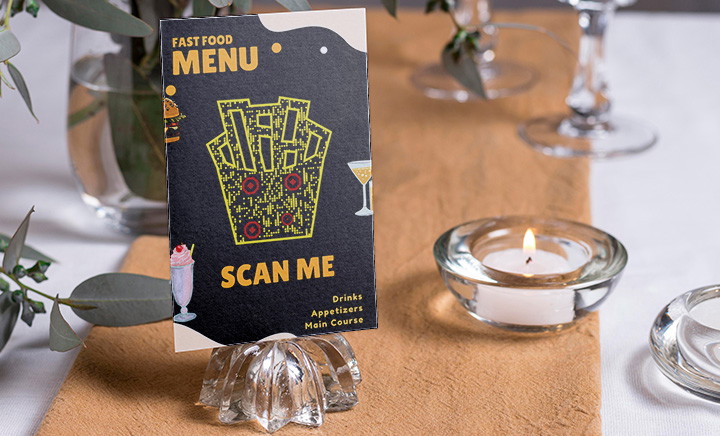
A Menu QR Code lets guests open your restaurant menu on their phones by scanning a code at the table, counter, or entrance.
With QRCodeChimp’s Menu QR Code solution, restaurants can upload menu images, customize the mobile page, add restaurant information, and include a CTA button.
A dynamic Menu QR Code also allows you to update menu images or page information without replacing the printed code. This is useful when prices change, dishes sell out, or seasonal menus are introduced.
The Menu QR Code is primarily designed to display your menu. If your restaurant already accepts online orders, you can add a button linking guests to the external ordering page.
For detailed setup, placement, and testing guidance, read the touchless menu QR code guide.
2. Direct guests to online ordering
Restaurants that already have an online ordering page can use a URL QR Code to take customers directly to it.
Place the code on tables, ordering counters, receipts, takeaway packaging, flyers, or hotel room-service cards. After scanning, guests can open the restaurant’s ordering website or delivery platform and start their order.
The QR code simply provides quick access to the ordering destination. The external platform handles item selection, carts, payments, order processing, and any kitchen or POS integration.
Use a clear CTA such as “Order online,” “Start your takeaway order,” or “Order for delivery.” Only use ordering language when the QR code leads to a functioning ordering page.
If you want guests to view a digital menu before proceeding to an external ordering platform, you can instead use a Menu QR Code with an ordering CTA.
3. Collect guest feedback
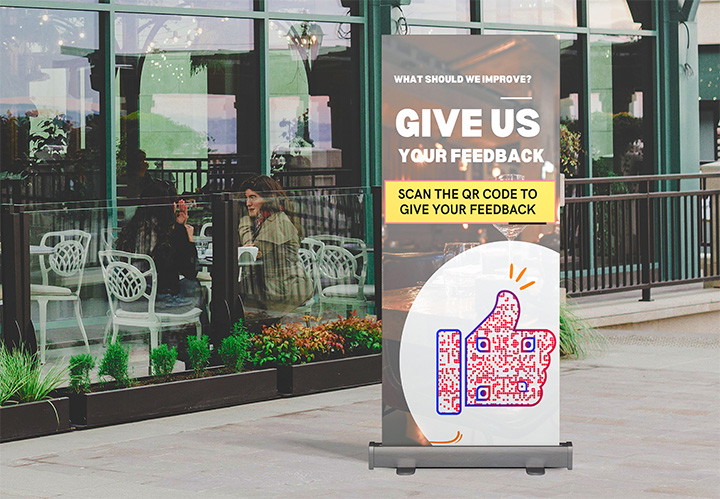
Feedback is easier to collect when guests can share it at the right moment without searching for a form or review page.
Place a Feedback QR Code on receipts, tables, takeaway packaging, or near the exit. After scanning, guests can rate their experience and leave comments.
QRCodeChimp’s Feedback QR Code lets guests submit a rating and comments. After the rating is submitted, restaurants can redirect them to an external review platform.
The responses may help you identify recurring concerns related to food quality, service, cleanliness, waiting time, or the overall dining experience. Use a clear instruction such as “How was your experience?” or “Tell us how we did.”
4. Manage reservations, waitlists, and inquiries
A Form QR Code can simplify the collection of table requests, waitlist entries, catering inquiries, private dining requests, group bookings, and event registrations.
Place it on your storefront, website, social media creatives, flyers, or other promotional materials.
Keep the form short. For a table request, the restaurant may only need the guest’s name, contact details, preferred date and time, and party size.
A form submission is not necessarily a confirmed booking. Make it clear when the restaurant must review and approve the request.
5. Promote offers and loyalty programs
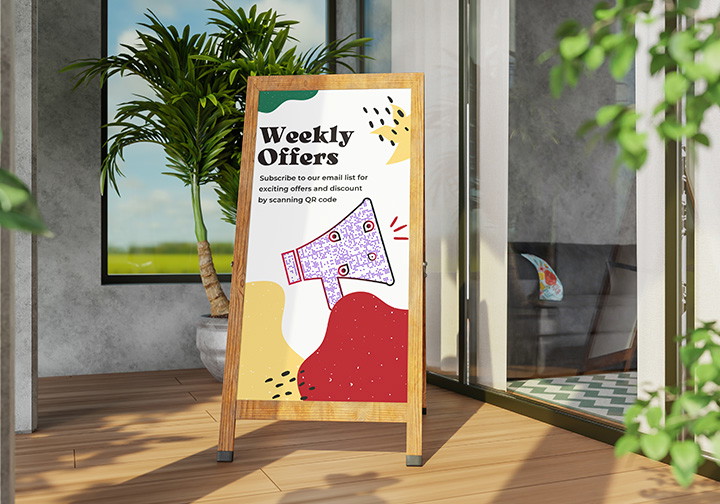
QR codes can connect guests to limited-time offers, loyalty sign-ups, seasonal promotions, and new-menu campaigns.
A restaurant might add a QR code to a receipt for a future-visit offer, place one on takeaway cups to promote a loyalty program, or include one on a festive-menu poster.
The destination could be a digital coupon, loyalty form, promotional landing page, or seasonal campaign page. Make the benefit clear before asking guests to scan.
“Scan for 10% off your next visit” is more persuasive than “Scan me.”
Always show the offer conditions, validity period, and redemption instructions.
6. Grow social media engagement
Food photos, chef stories, behind-the-scenes videos, and event updates give guests reasons to stay connected after their visit.
A Social Media QR Code can bring several profiles together on one mobile page, allowing guests to choose their preferred platform instead of searching for the restaurant manually.
The code can be placed on table tents, menus, packaging, receipts, storefront posters, or event displays.
Give guests a reason to follow by mentioning what they will receive, such as new-dish announcements, chef specials, event updates, or limited-time offers.
7. Share location and restaurant information
A Google Maps QR Code can help customers open your restaurant location directly in their maps application.
It is useful on advertisements, flyers, takeaway packaging, hotel information cards, event materials, and outdoor promotions.
Restaurants can also use QR codes to share opening hours, contact numbers, parking instructions, websites, and branch information.
For restaurant groups, use separate codes when locations have different addresses, menus, contact details, or operating hours. This reduces the risk of sending customers to information for the wrong branch.
8. Promote events and seasonal experiences
Restaurants often organize experiences beyond regular dining, including live music, tasting menus, festive dinners, workshops, and private events.
An Event QR Code can connect guests to the event date, time, venue, agenda, registration page, and contact information.
Place it on posters, invitations, table displays, packaging, or social media creatives.
QR codes can also support seasonal campaigns such as Valentine’s Day dinners, Pride Month offers, food festivals, holiday menus, and New Year events.
Keep the linked information current. If registration closes or the schedule changes, update the destination promptly.
9. Build consent-based customer relationships
A QR code can invite guests to join a mailing list, loyalty program, or customer community. However, scanning alone does not reveal a person’s identity or contact information.
Guests must actively submit their details through a form or sign-up page.
Explain what they will receive in return, such as birthday offers, event invitations, loyalty rewards, special-menu announcements, or early access to promotions.
Keep the request transparent, collect only the information you need, and clearly explain how the details will be used.
Should QR codes replace printed restaurant menus?
Not necessarily.
QR menus make updates easier and give guests immediate access from their phones. Printed menus remain useful for guests who do not have a suitable device, cannot access the internet, or simply prefer a physical menu.
For many restaurants, offering both is the better approach.
The QR code can provide convenient digital access, while printed menus or staff assistance remain available when needed.
Best practices for restaurant QR codes
✅ Give guests a reason to scan
Use a CTA that clearly explains the destination.
“Scan to view the menu,” “Scan to order online,” and “Scan to share feedback” set clearer expectations than “Scan me.”
✅ Match the code to the placement
A tabletop QR code can be smaller than one displayed at the restaurant entrance. The right size depends on scanning distance, material, print quality, and customization.
Print one sample before producing multiple copies.
✅ Test under real conditions
Test the final QR code on Android and iOS devices, under actual restaurant lighting, and from the expected scanning distance. Check it again after lamination or placement behind glass or acrylic, where glare may affect scanning.
✅ Keep every destination current
Regularly check menus, ordering pages, forms, offers, event details, and external links.
A QR code that scans correctly but opens outdated information or a broken page still creates a poor experience.
✅ Use separate codes for separate goals
Do not make one QR code handle every restaurant action.
A menu code should open the menu. An ordering code should lead to an ordering page. A feedback code should collect feedback.
Purpose-specific codes are easier for guests to understand and easier for restaurant teams to manage.
✅ Interpret analytics carefully
Dynamic QR code analytics can show when, where, and on which devices codes are scanned.
Use this information to compare placements or activity across restaurant locations. Remember that one person may scan more than once, and a scan does not automatically represent a unique customer, order, or sale.
Choose the right QR code for each restaurant touchpoint
QR codes work best when they solve a specific customer need.
Use a Menu QR Code when guests need to see the menu. Link to an external ordering platform when they need to place an order. Use a Feedback QR Code to collect opinions and a Form QR Code for reservations, inquiries, or consent-based sign-ups.
Dedicated QR code solutions can support social media, maps, offers, events, and other parts of the customer journey.
Restaurants comparing platforms, plans, or multi-location features can also read the guide on choosing a QR code generator for restaurants.
Connect every restaurant touchpoint with QR codes
A well-placed QR code can help a guest move from interest to action in seconds, whether they are viewing a menu, placing an order, finding the restaurant, or sharing feedback.
Start with the customer journey. Identify what guests need at each stage and choose a QR code with one clear purpose.
Frequently asked questions
How can restaurants use QR codes?
Restaurants can use QR codes for menus, online ordering links, feedback, reservations, waitlists, offers, loyalty programs, social media, directions, events, and consent-based sign-ups.
How do QR codes work for restaurant ordering?
A QR code can direct customers to an external ordering page where they can select items and place an order.
The ordering platform, not the QR code itself, handles the cart, payment, order processing, kitchen workflow, or POS integration.
Can a restaurant menu QR code accept orders?
A menu QR code may only display the menu. QRCodeChimp’s Menu QR Code can include a CTA linking to an external ordering page, but it does not provide a built-in cart, payment system, or POS workflow.
Can QR codes collect customer email addresses?
A QR code scan does not automatically reveal an email address. Guests must voluntarily submit their details through a form or sign-up page.
Should restaurants use QR codes instead of printed menus?
Restaurants can offer both. QR menus make updates and mobile access easier, while printed menus remain important for guests who cannot or prefer not to scan.
Where should restaurants place QR codes?
Useful placements include tables, ordering counters, entrances, receipts, takeaway packaging, storefronts, event posters, hotel rooms, and waiting areas.
Can the same QR code be used at every restaurant location?
Yes, if every location shares the same information and destination. Separate QR codes are better when branches have different menus, prices, contact details, ordering links, or offers, or when you want to track scan analytics for each location separately.
How can restaurants track QR code scans?
Dynamic QR code analytics can show scan activity, including time, device, and approximate location information, depending on the platform and plan.
You may also like
Edible QR Codes: How to Make Them + Real-world Examples
An edible QR code is a scannable QR code printed or formed from materials safe to eat. Here's how to make edible QR codes, what to watch out for, and how to put them to good use.
GS1 Application Identifiers Explained: GTIN, Batch, Serial, Expiry, and More
This guide explains the most important GS1 Application Identifiers used for product identification, traceability, retail, and packaging.
Steps to Integrate Microsoft Entra ID (Azure AD) with QRCodeChimp
Learn how to connect Microsoft Entra ID with QRCodeChimp to automate digital business card creation, improve security, and simplify onboarding.
Blurry QR Code? Why It Happens and How to Fix It
Blurry QR code? Learn what causes poor QR clarity and how to fix low resolution, resizing, compression, printing, and design issues for reliable scanning.
Most Popular
Contact Sales
