Every business, regardless of industry, wants to run a QR code survey. And they definitely should!
Customers who gave feedback through a survey had 9% more transactions with the company a year later and spent about $81 more than customers who weren’t surveyed at all.
QR codes make surveys easier to access across physical touchpoints such as restaurants, stores, and product packaging, helping you engage customers where they already are.
That said, the experience depends a lot on the platform you use.
Let’s look at the top 5 QR code survey platforms that let you create a survey form, generate a QR code for it, and manage responses, all within a single platform.
- What is a QR code survey platform? (and what it isn’t)
- Research methodology: How did we evaluate each platform?
- Best QR code survey platforms
- 1. QRCodeChimp – Best QR code survey platform for brands and enterprise teams
- 2. Uniqode: Best for Uniqode customers that need QR code surveys
- 3. Scanova: Best for businesses that want simple forms
- 4. Tiger Form: Best for businesses that want an affordable solution
- 5. Hovercode: Best for small businesses that want to try a new tool
- Conclusion: How to pick the best QR code survey tool
- Frequently asked questions
What is a QR code survey platform? (and what it isn’t)
A QR code survey platform is an end-to-end solution for creating, sharing, managing, and tracking surveys through QR codes. It combines survey form and QR code functionality in one platform instead of requiring separate tools.
A complete QR code survey platform should let you:
- Create, edit, and manage survey forms.
- Collect, view, and manage survey responses.
- Generate a shareable survey URL, with the option to use a custom domain (white labeling).
- Create a branded QR code for the survey, with customization options such as CTA frames, QR code shapes, colors, and logos.
- Use dynamic QR codes so you can update the survey without replacing the printed QR code.
- Track QR code scans, survey submissions, and other relevant analytics.
Not every survey tool that supports QR codes qualifies as a QR code survey platform.
Some survey builders simply generate a form URL, leaving you to create the QR code separately using another tool. Others provide only a basic static QR code with little or no customization, scan tracking, or QR-specific analytics.
These tools may work well as survey builders, but they don’t provide the complete QR survey workflow in a single platform.
For this comparison, we will focus only on end-to-end QR code survey platforms that combine survey creation, QR code generation, customization, management, and tracking.
Research methodology: How did we evaluate each platform?
We kept the evaluation straightforward. A capable QR code survey platform should handle the complete workflow, from creating the survey to collecting and managing responses securely.
We evaluated each platform across five core criteria:
📄 Form creation and editing: Can you build custom survey forms and update fields or content after publishing?
⛶ QR code capabilities: Can you generate a customizable, dynamic QR code for the survey and track its performance?
🏷 White labeling: Can you use custom branding, including a custom domain or branded survey experience?
💬 Response management: Can you view, organize, export, and manage survey responses from the platform?
🏢 Enterprise features: Does the platform support subaccounts, role-based access control, and team management?
🛡️ Security: Does the platform provide appropriate security and data protection measures for collecting and handling survey data?
Best QR code survey platforms
Based on the above criteria, here are the top 5 QR code survey platforms for creating and managing QR code surveys.
| Rank | Platform | Best for |
|---|---|---|
| 1. | QRCodeChimp | Businesses that want feature depth, enterprise controls, branding, and security |
| 2. | Uniqode | Existing Uniqode customers who also need forms |
| 3. | Scanova | Businesses that want simple forms |
| 4. | Tiger Form | Small businesses looking for an affordable QR survey option |
| 5. | Hovercode | Small teams willing to try a newer, affordable platform |
1. QRCodeChimp – Best QR code survey platform for brands and enterprise teams
Self-promotional? Not really. 😀 We invite you to try QRCodeChimp’s Form QR Code solution and test the features for yourself.
QRCodeChimp gives you a dedicated Form QR Code solution, so you can build the survey, design the page, generate the QR code, and manage responses without switching between different tools.
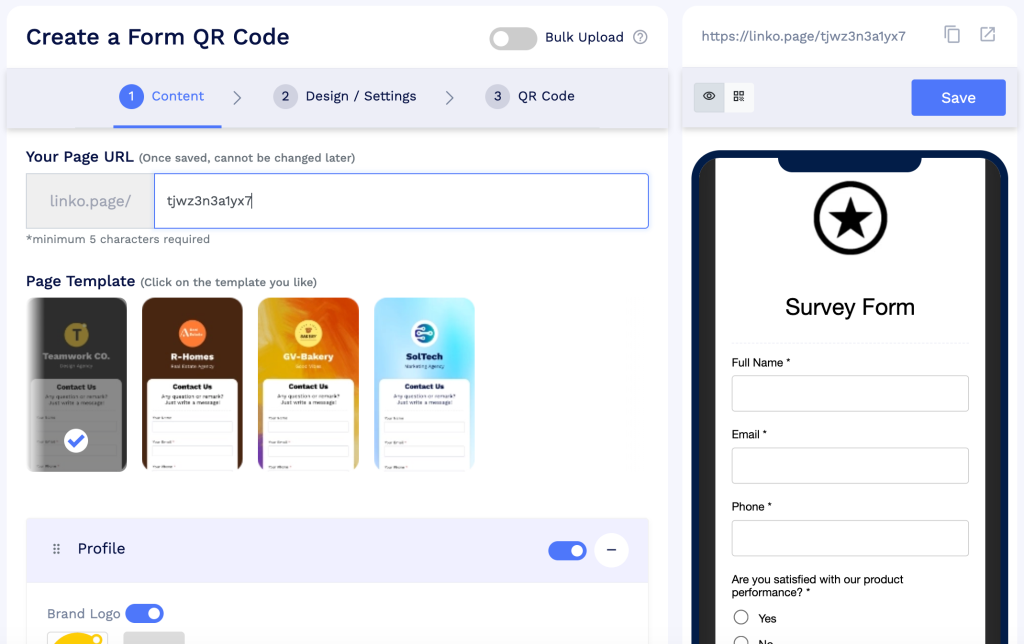
You start by setting the survey page URL. The domain is fixed by default, but you can customize the path, for example, linko.page/customer-survey-form. If you are on an eligible plan, you can also use white labeling to publish the survey on your own custom domain.
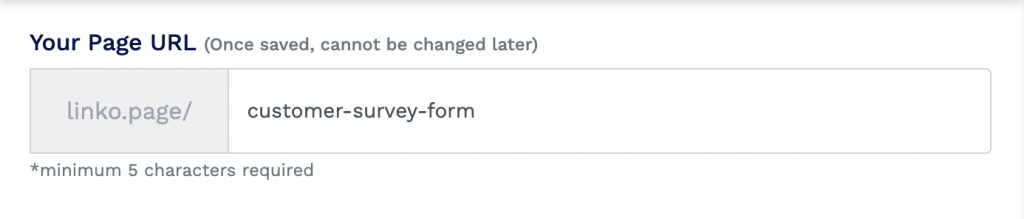
This is particularly useful if you want the entire experience to stay consistent with your brand.
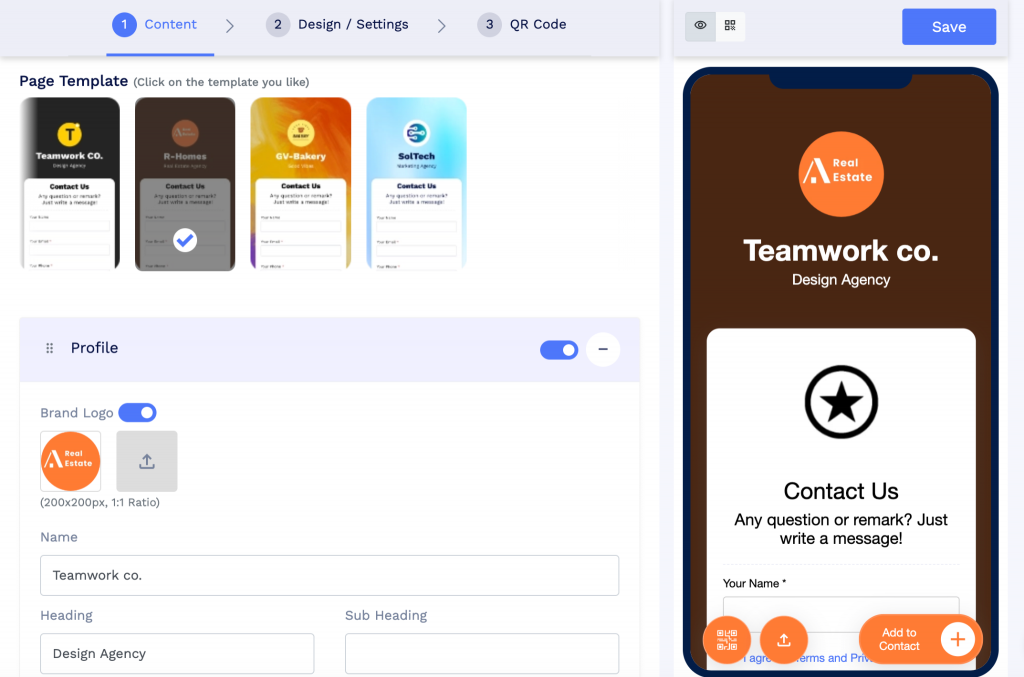
From there, you can choose a page template and add your logo, brand name, and other details.
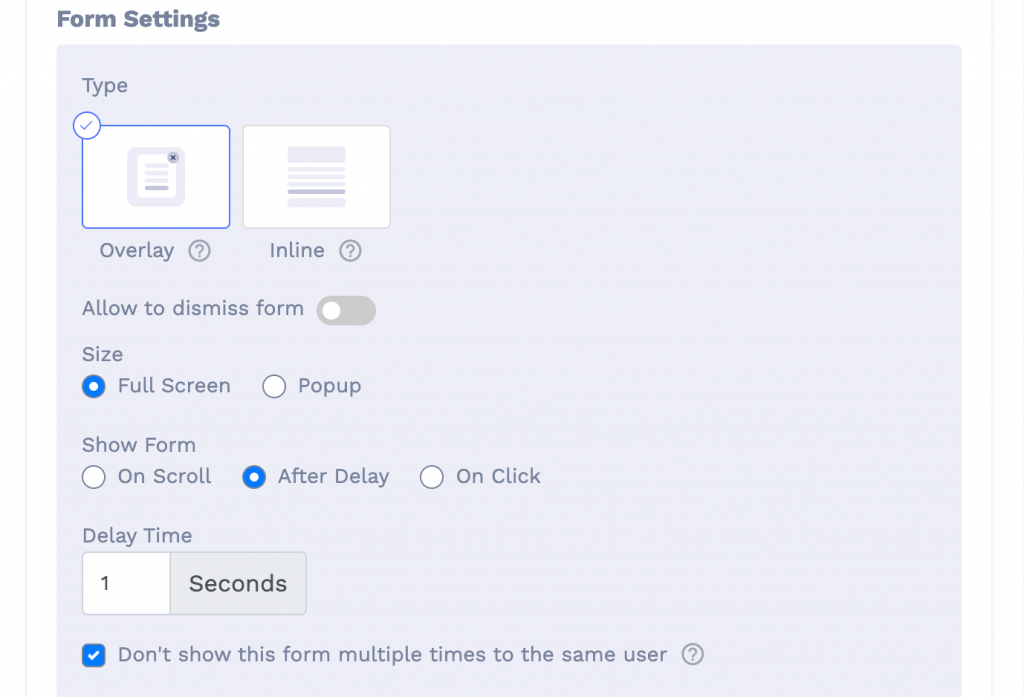
QRCodeChimp also lets you decide how the form should appear. You can keep it inline on the page or use an overlay form that opens as a pop-up or full-screen form. Overlay forms can also be triggered on click, after a delay, or when someone scrolls.
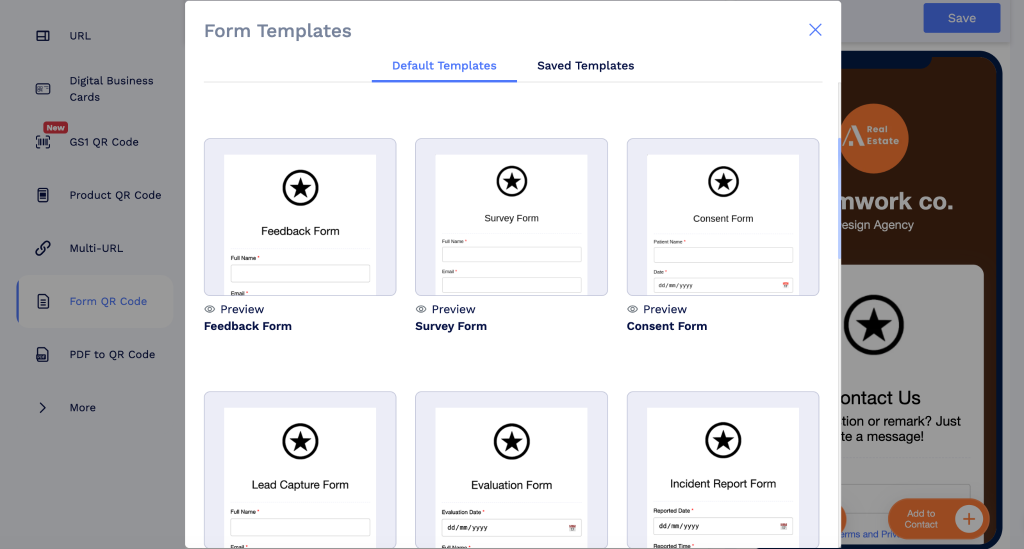
To build the survey itself, you can start from scratch or use one of 20+ templates for surveys, feedback, lead capture, consent, and other use cases.
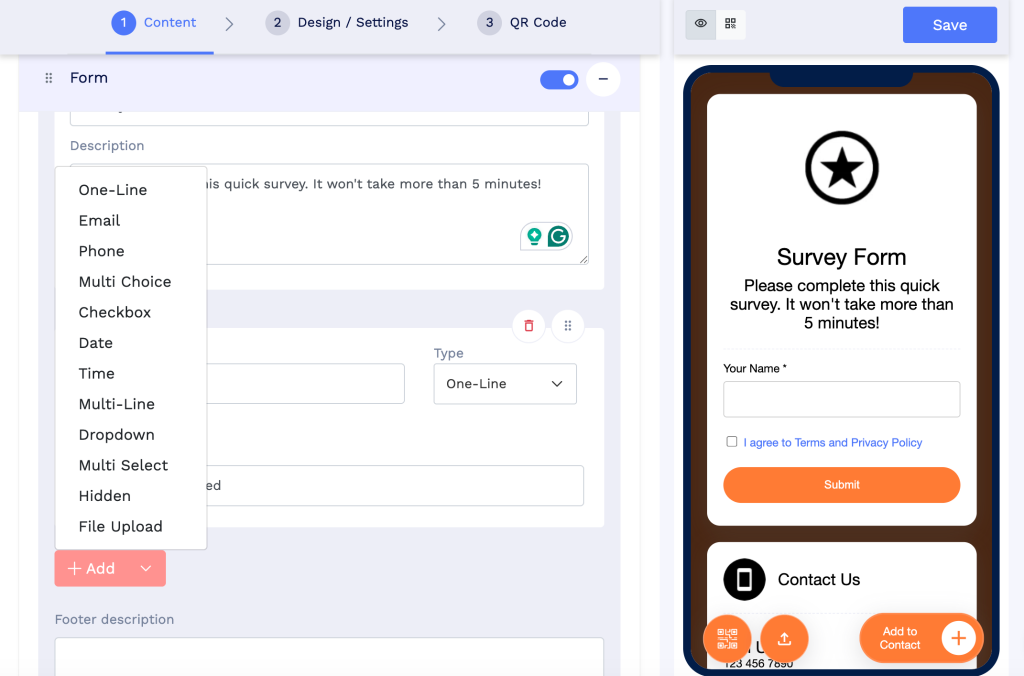
Creating a form from scratch is fairly simple. You can add fields such as single-line text, email, phone, multiple choice, checkboxes, dropdowns, multi-select, dates, times, file uploads, and more. You can also add a hidden field option for information you want to keep invisible to respondents.
If you create a form you expect to use again, you can save it as a template instead of rebuilding it next time.
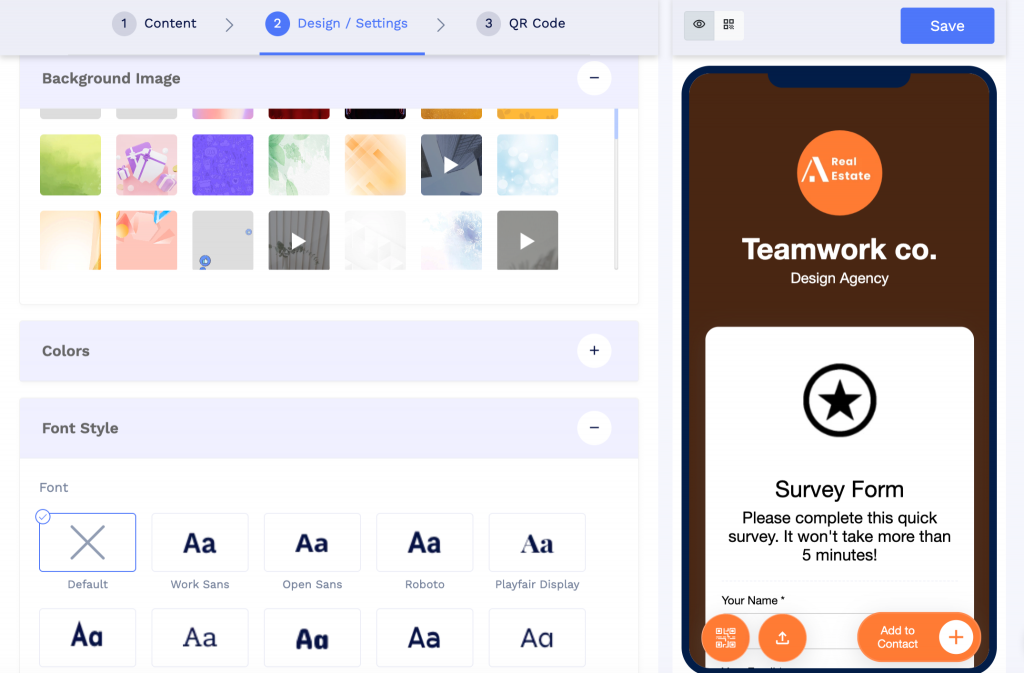
Once the content is ready, you can customize the page design, including colors and fonts.
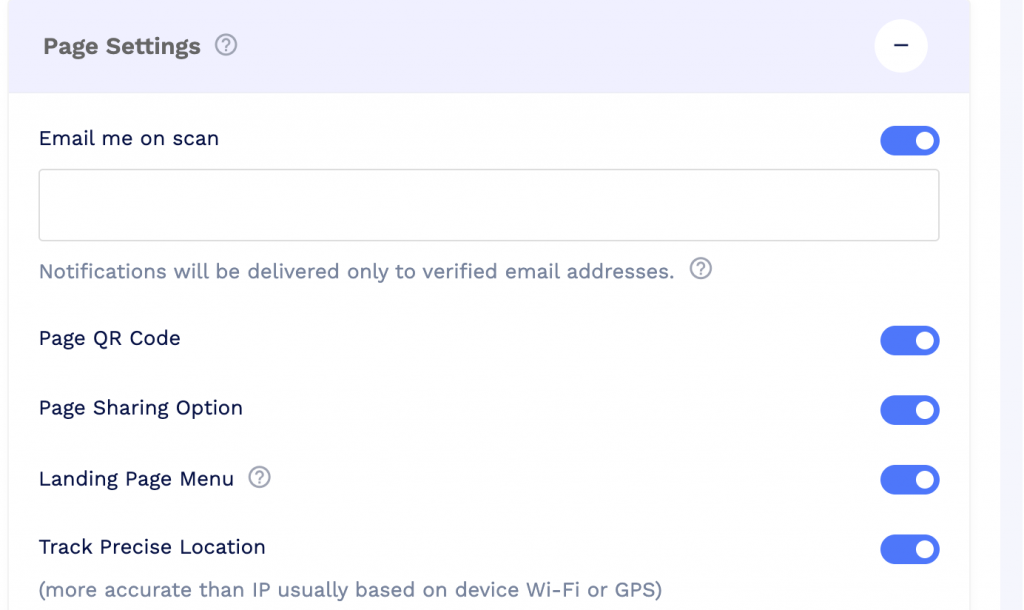
You can also configure additional settings such as email-on-scan notifications and precise location tracking where required.
The final step is designing the QR code itself. You can change its colors and shapes, add CTA frames, include your logo, and then save it for print or digital use.
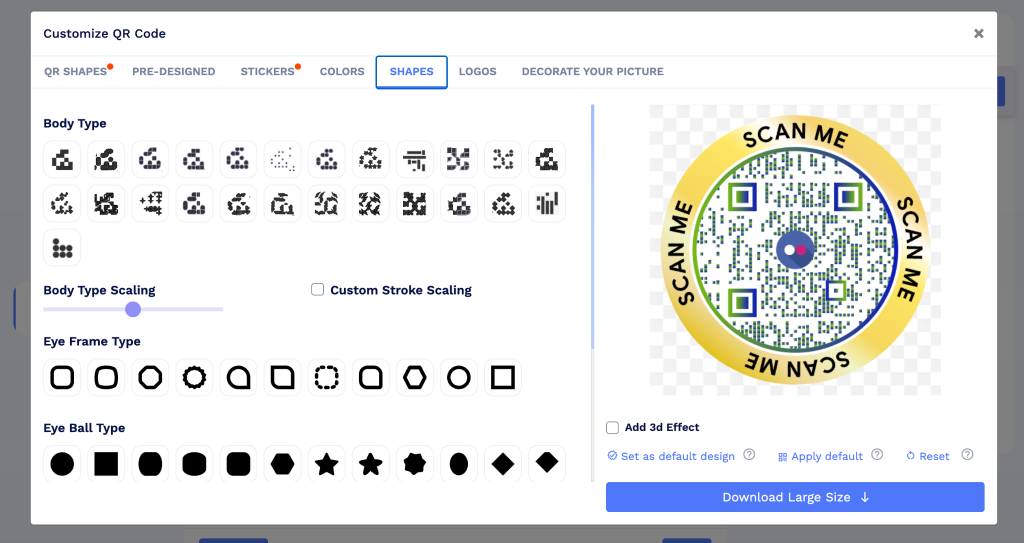
Your QR code survey is now ready to share.
When respondents submit the survey, their responses appear in the Form Responses section for you to review and manage.
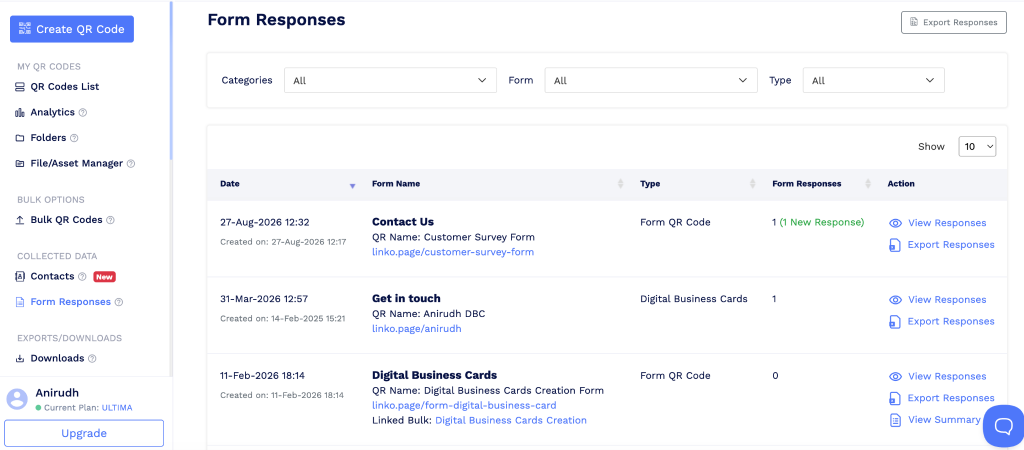
Click on View Responses, and you can see what each user submitted.
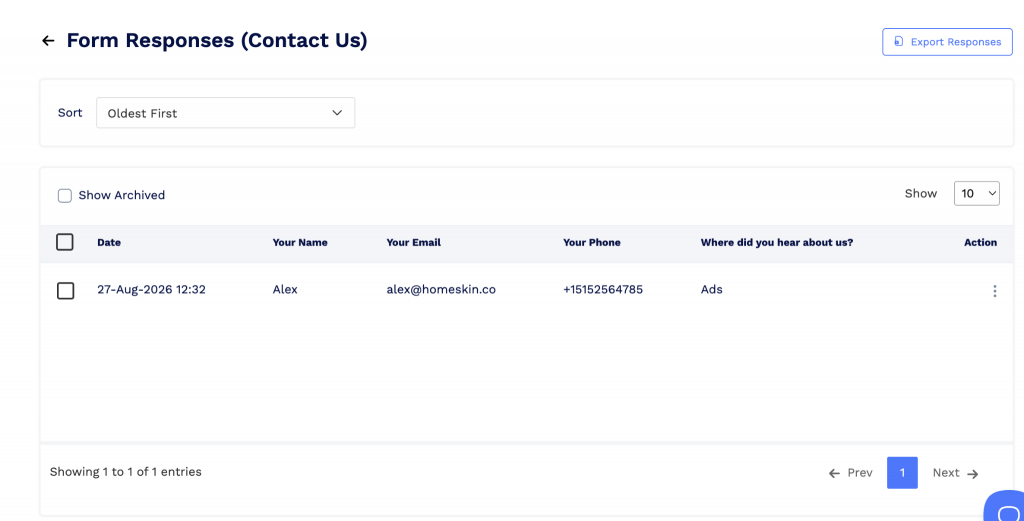
For larger teams, QRCodeChimp also brings in the controls you would expect from an enterprise QR code platform. You can manage access through subaccounts with role-based access control (RBAC). On the security side, QRCodeChimp supports SOC 2, GDPR, and strong data processing agreements, which is especially important when surveys collect customer or business data.
QRCodeChimp has a forever free plan that allows 10 forms for free, lifetime. The free plan allows you to access 5 form responses per month. Beyond 5, the responses are collected but hidden, and you can upgrade to a higher plan to see them.
The Pro plan at $13.99/month unlocks all the essential features, including hidden fields, file upload fields, API and SMS invocation, and an increased monthly form access limit of 150. Upgrade to the Ultima plan at $34.99/month and you unlock custom domains (white labeling) and a form response access limit of 450. Higher tiers and custom enterprise plans are also available.
Key features and capabilities
- Built-in survey builder with 20+ ready-to-use form templates.
- Custom form fields including multiple choice, dropdowns, uploads, and more.
- Inline and overlay forms with flexible display and trigger options.
- Branded survey pages with logos, colors, fonts, and custom domains.
- Customizable dynamic QR codes with shapes, frames, colors, and logos.
- Reusable form templates for surveys you need to create repeatedly.
- Centralized response management with tracking and additional scan settings.
- Enterprise features including team management using subaccounts with RBAC
- Enterprise security with SOC II certification, GDPR, data encryption, and strong DPA
Best for: Brands and enterprise teams that want an all-in-one QR survey platform with strong branding, customization, response management, and team controls.
2. Uniqode: Best for Uniqode customers that need QR code surveys
Uniqode offers a dedicated Forms solution that lets you create a survey, connect it to a QR code, collect responses, and manage everything from the same platform.
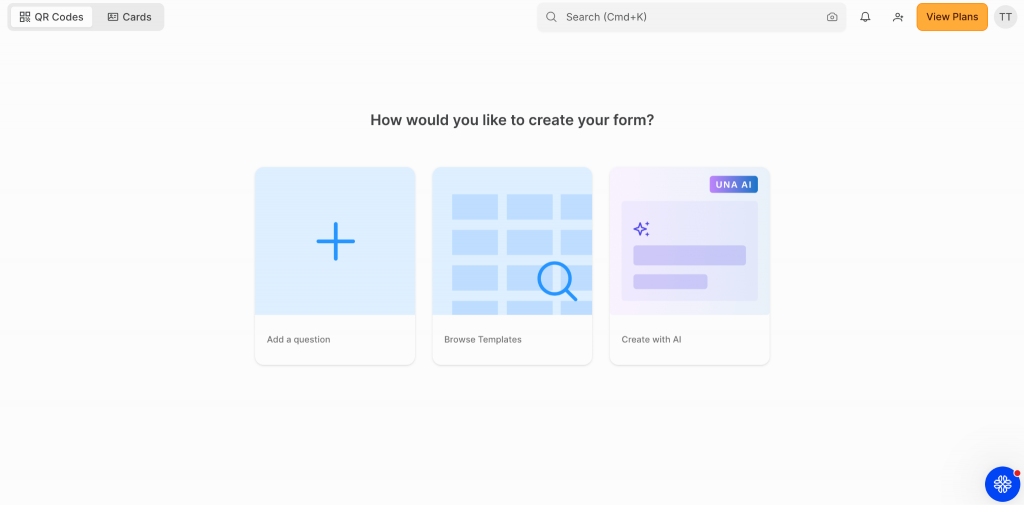
You can start with a blank form, use an existing template, or try the AI option.
We tested the AI feature in detail, and it is worth setting expectations here. Rather than building a completely custom form from your prompt, it mainly recommends an existing template based on what you ask for.
The actual form builder is straightforward.

You start with a blank canvas and add the fields you need, including short and long answers, numerical inputs, file uploads, signatures, email addresses, phone numbers, URLs, addresses, multiple choice questions, and opinion scales.
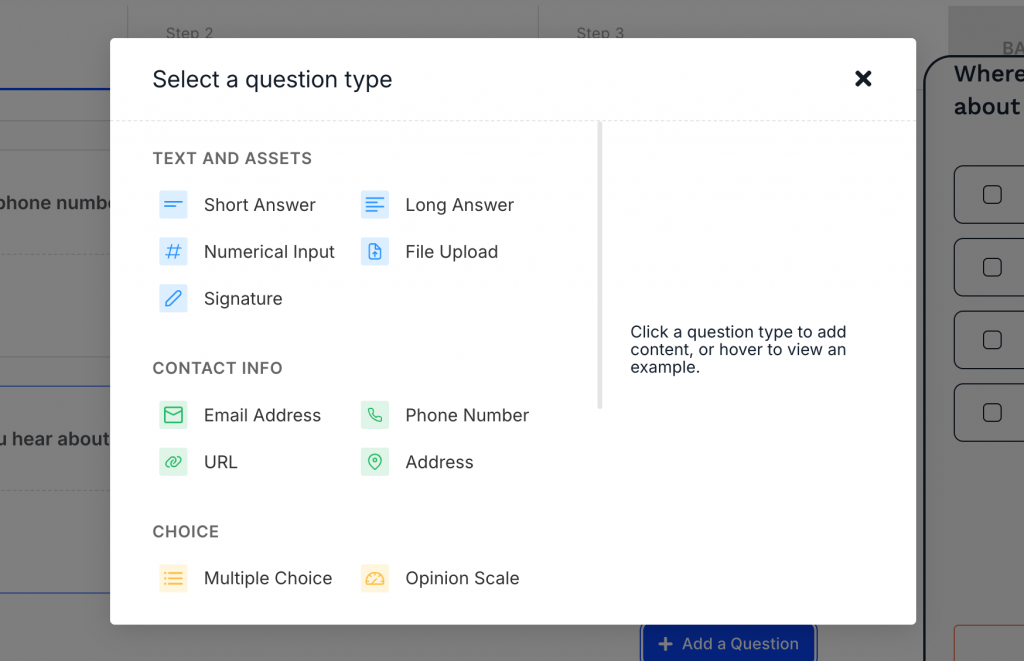
One issue we noticed during testing was the form preview. The preview window overlapped some of the navigation buttons, making parts of the interface harder to click. It is not a deal-breaker, but the form-building experience could use some interface polish.
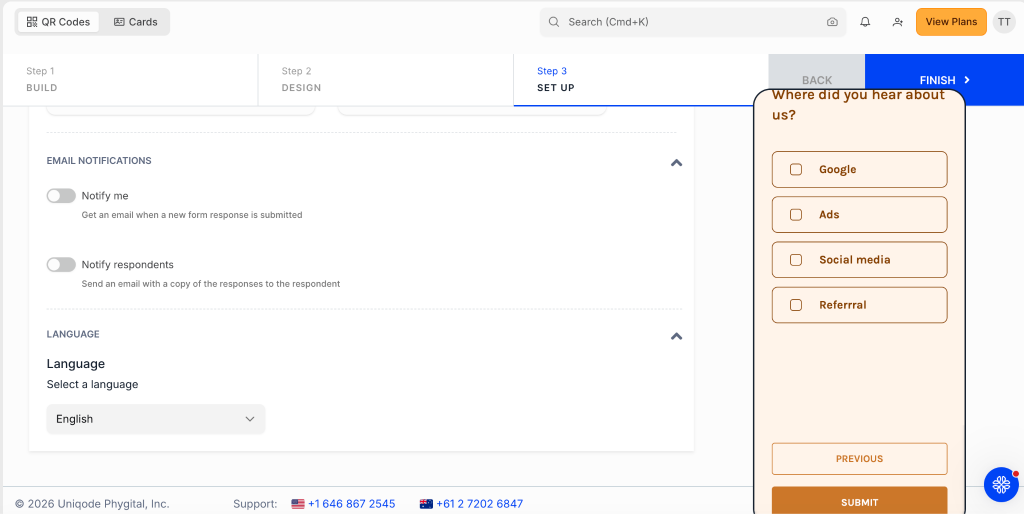
For design, you can choose from Uniqode’s public themes or customize the survey yourself.
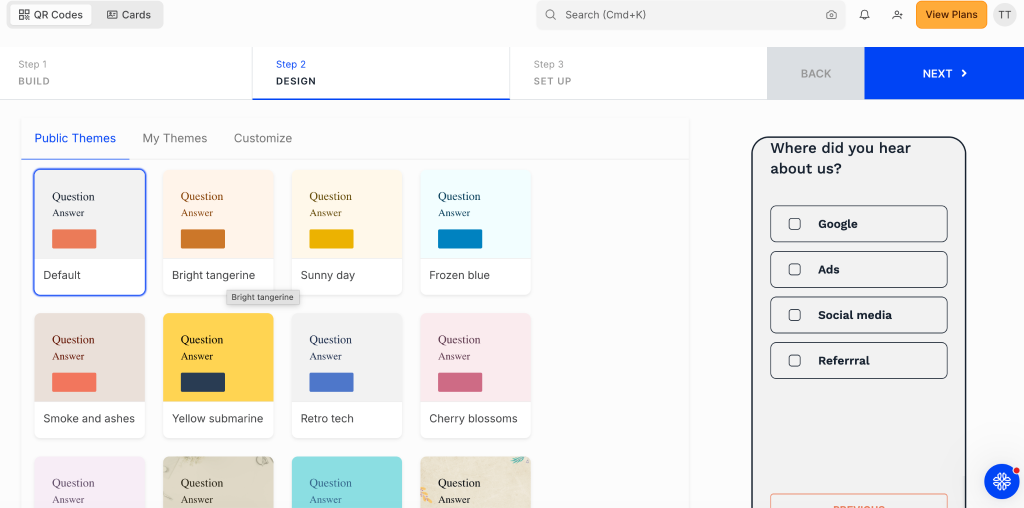
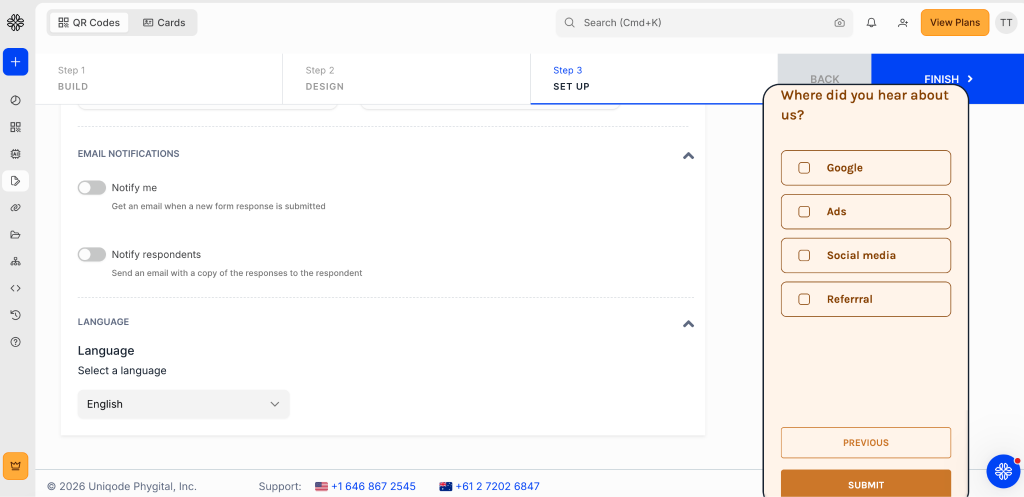
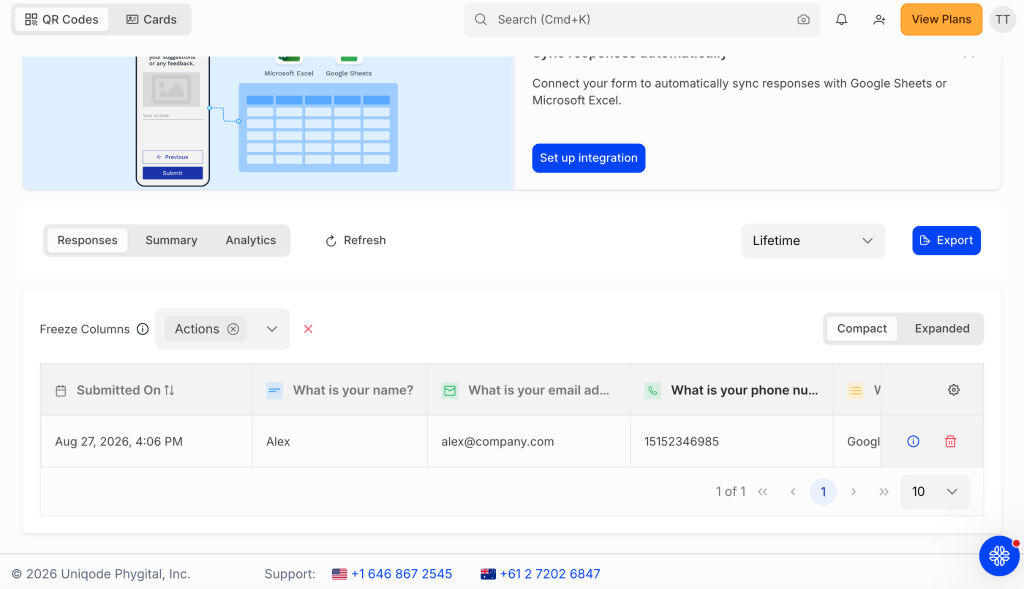
The Setup section lets you configure email notifications, change the form language, and connect responses to tools such as Google Sheets.
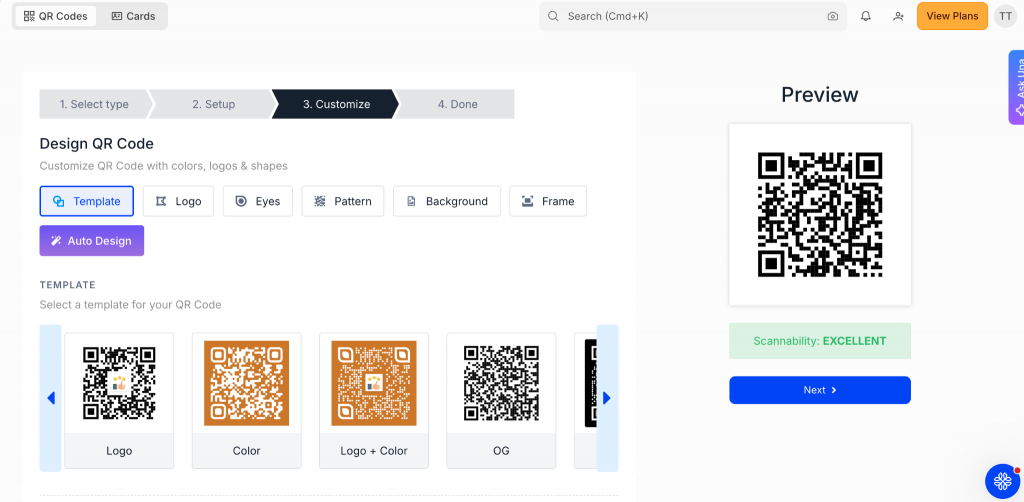
Once the form is saved, you can generate and customize its QR code.
Responses can then be viewed and exported from the Forms dashboard.
Uniqode also does well on enterprise features and security. It supports role-based access control, multiple users, SSO, and custom domains on eligible plans. On the security side, the platform supports SOC 2 Type II, GDPR, ISO 27001, 2FA, and other controls suited to business and enterprise deployments.
Pricing is where Uniqode becomes harder to recommend for survey-heavy use. There is no permanent free plan for Forms, although you can start with a 14-day free trial. Paid QR plans currently start at $9 per month, with higher tiers at $49, $99, and $399 per month.
More importantly, Uniqode currently includes only 100 form responses per year across its paid tiers (including the $399/month plan), with additional responses sold separately. RBAC is available from the $99 Plus plan, while custom domains are available as an add-on on Plus and on higher tiers. For businesses collecting surveys regularly, these limits can make the effective cost significantly higher than the headline subscription price.
Using Uniqode as a QR code survey platform can be feasible if you already use Uniqode and are subscribed to its higher plans. In that case, you can realise the product’s value.
Key features and capabilities
- Native form builder with templates, custom forms, and AI-assisted setup.
- 15+ question types with logic jumps and scoring options.
- Customizable survey design with themes and branding controls.
- Custom dynamic QR codes generated directly from your forms.
- Built-in response management with CSV, Google Sheets, and Excel export options.
- Strong enterprise controls including RBAC, SSO, multiple users, and custom domains.
- Enterprise-grade security with SOC 2 Type II, GDPR, ISO 27001, and 2FA.
Best for: Businesses that want a capable QR survey platform but do not expect to collect a high volume of survey responses.
3. Scanova: Best for businesses that want simple forms
Scanova offers a built-in form builder, but unlike QRCodeChimp and Uniqode, there are no ready-made templates. You need to create the survey from scratch.
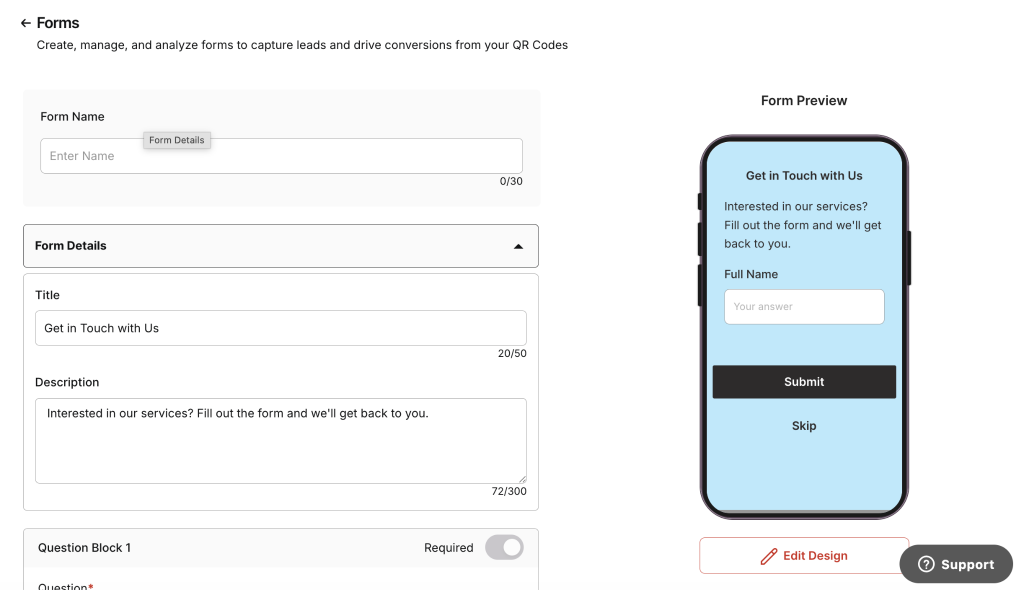
The form builder is fairly simple.
You can add a title and description, followed by question blocks such as short answer, paragraph, radio button, checkbox, dropdown, linear scale, date, time, email address, phone number, star rating, emoji rating, like/dislike, file upload, and signature.
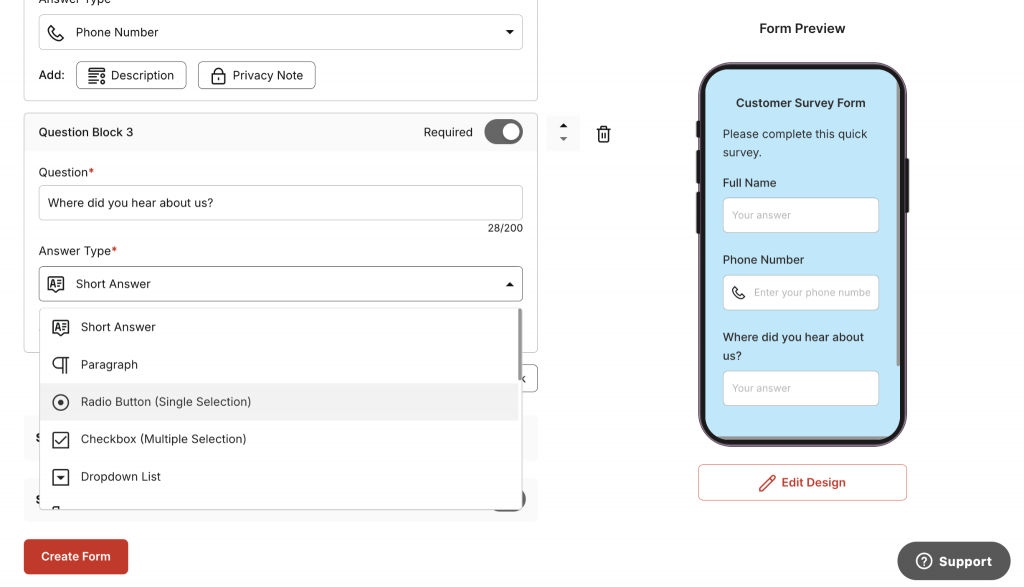
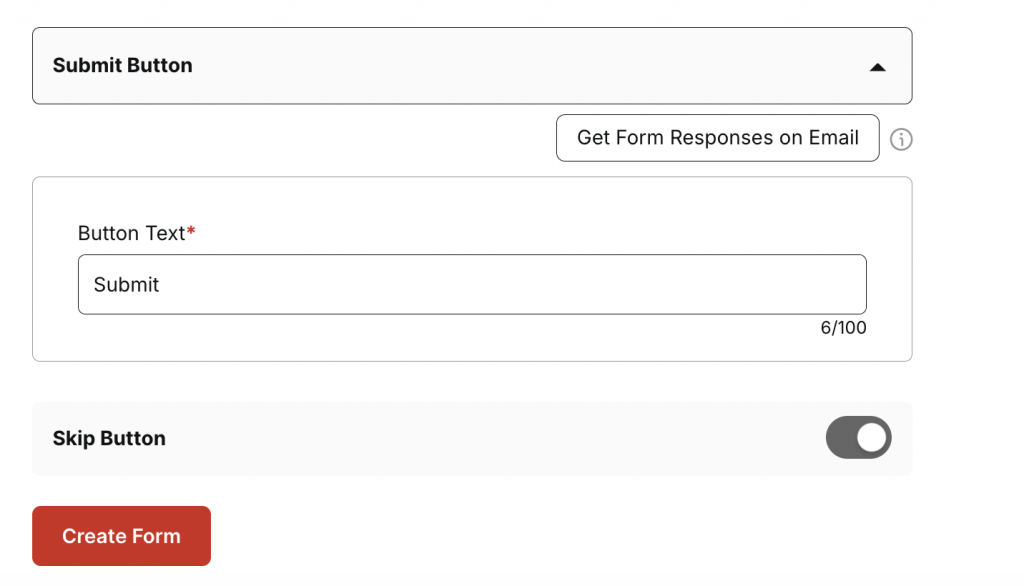
You can also customize the submit button, choose whether to enable the Skip button, and receive form responses by email.
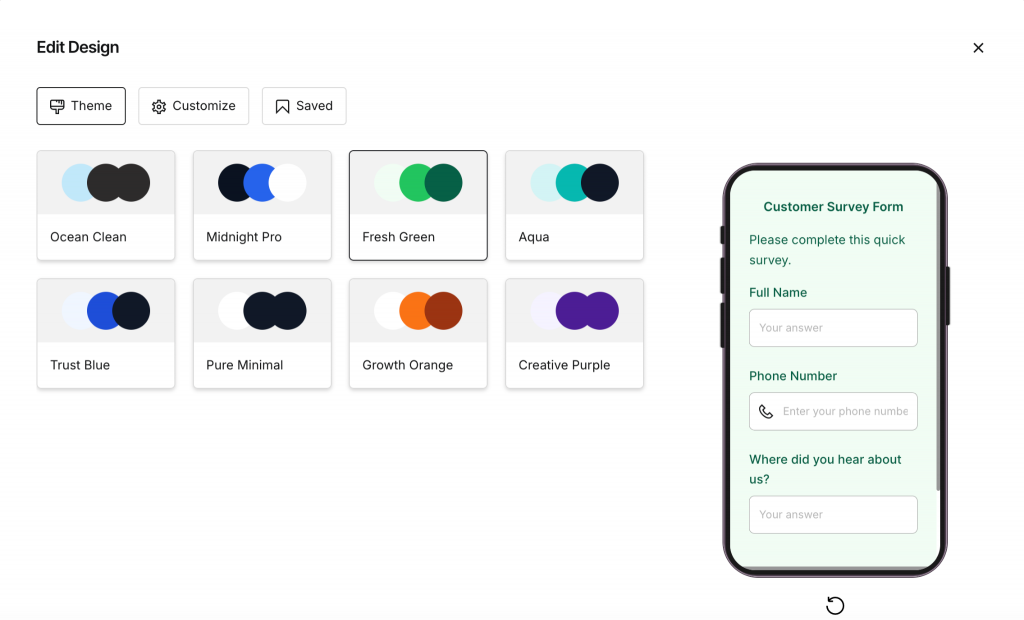
For design, you can select a theme or customize the form from scratch.
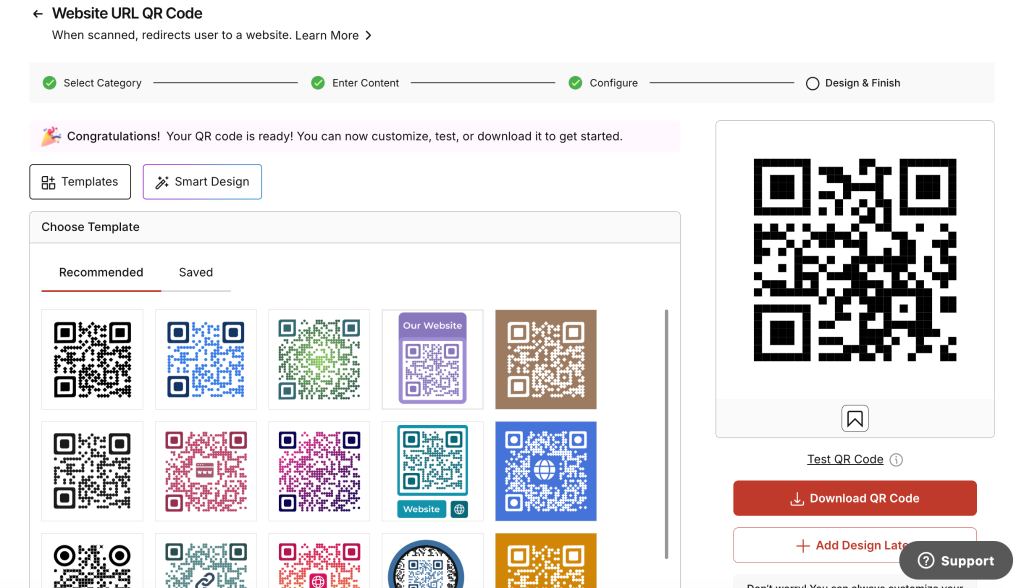
The main complication with Scanova is the QR code setup. You cannot create a standalone Form QR Code directly. Instead, you first create a QR code separately within Scanova and assign a destination to it.
You then return to the form and link that QR code to the survey.
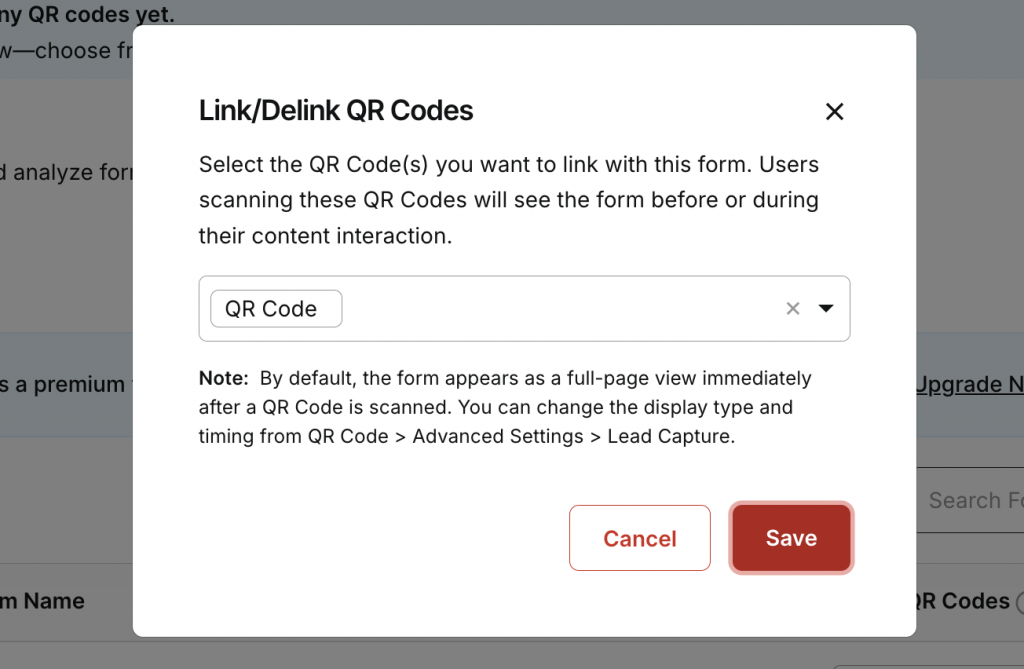
When someone scans the QR code, the survey opens first. After submitting it, the respondent is redirected to the destination you originally assigned to the QR code. For a survey campaign, a practical approach is to use a simple thank-you page as that destination.
Survey submissions can be viewed from the Form Responses section.
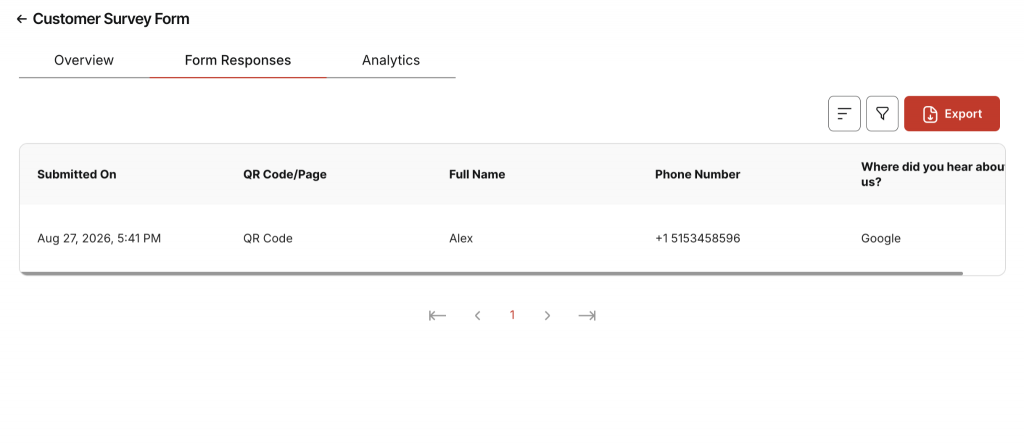
Scanova also covers the main enterprise requirements. It supports additional users with role-based access control and custom domains. On the security side, Scanova mentions SOC 2 and GDPR standards on its website.
There is no lifetime free plan. You get a 14-day free trial, after which your forms are disabled unless you subscribe. Forms are available from the $9/month plan, but Scanova does not clearly mention form response limits in its plans, and we could not find this information elsewhere. If response volume matters to you, confirm the limit with Scanova before subscribing.
Pricing also increases quickly if you need more branding and team features. Changing the URL path after scnv.io starts from the $35/month plan. Additional users become available from the $75/month plan at an extra $60 per user annually, while custom domains are available from the same plan at an additional $120 per domain annually.
Key features and capabilities
- Built-in form builder with a wide range of question types.
- Customizable survey design with themes and manual styling.
- Email notifications for new form responses.
- Form response management through the Form Responses section.
- Dynamic QR code support, although the QR code must be created and linked separately.
- Enterprise features including additional users, RBAC, and custom domains.
- Security support with SOC 2 and GDPR standards.
Best for: Businesses that want a flexible survey builder and do not mind the extra steps involved in linking forms to QR codes.
4. Tiger Form: Best for businesses that want an affordable solution
Tiger Form is QR TIGER’s dedicated form builder. You can either start with a template or build a form from scratch.
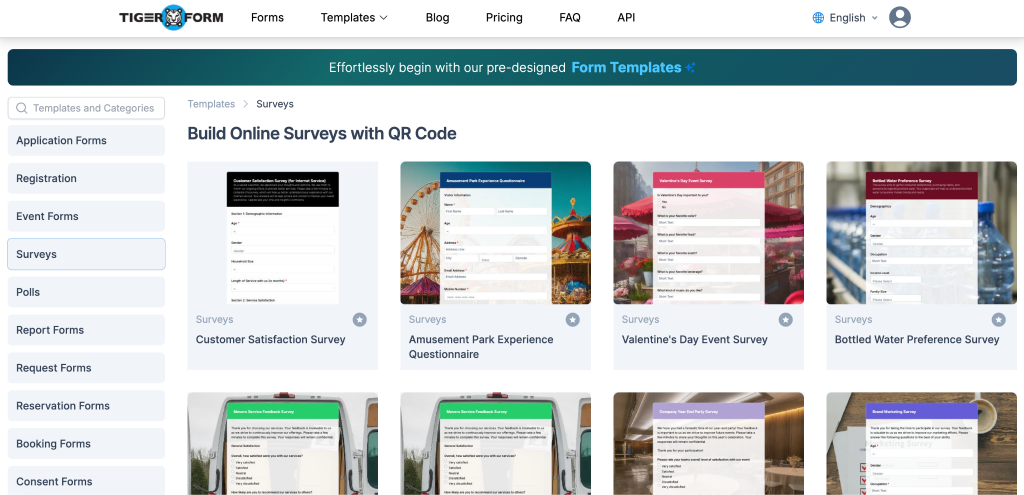
The interface looks a little dated and is not the most intuitive at first, but the actual form-building process is fairly easy. You can add a form header and description, then start adding the fields you need.
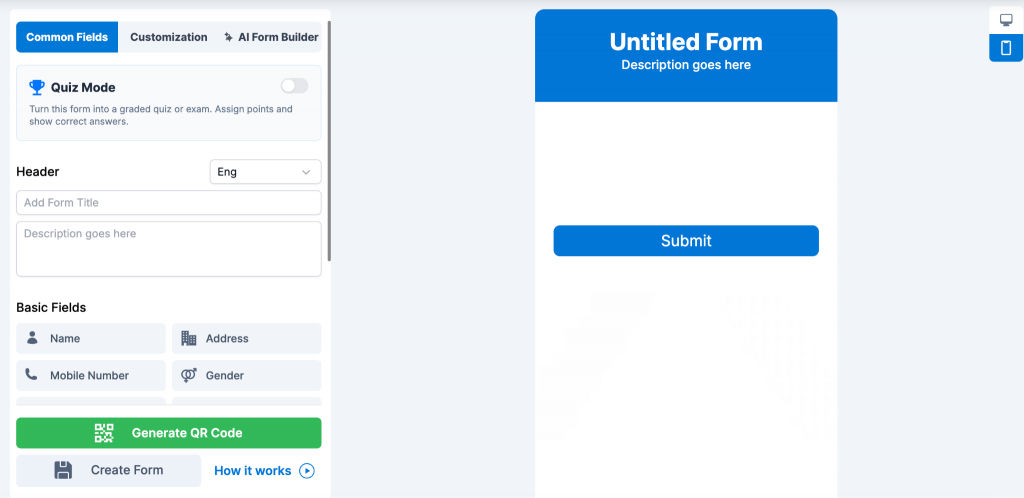
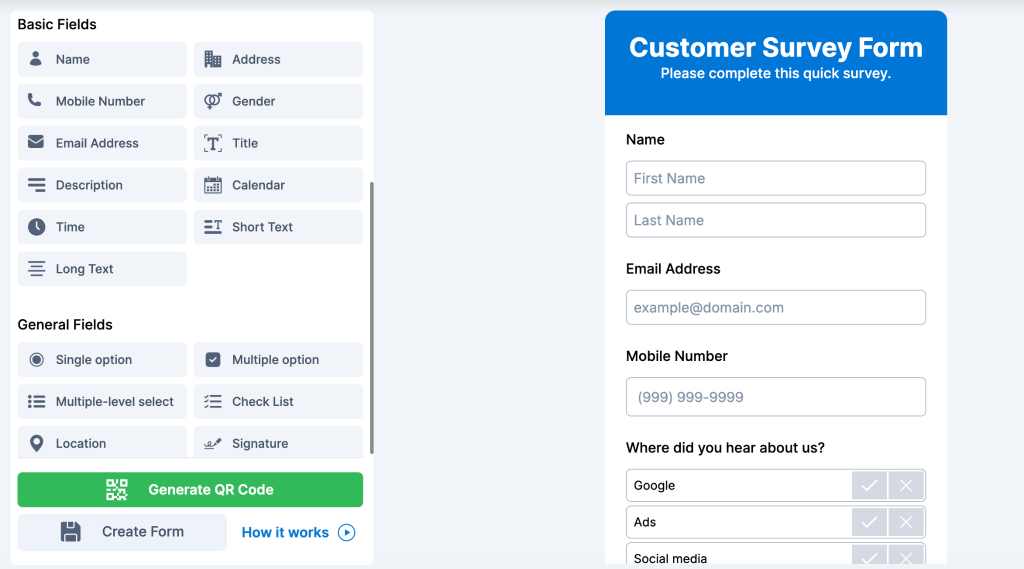
Tiger Form organizes fields into three categories. Basic fields cover information such as name, address, and phone number. General fields include single option, multiple options, multi-level select, checklists, location, and signatures. Multimedia fields let you collect audio, documents, pictures, and videos.
There is also an AI form builder. Similar to what we observed with Uniqode, it does not build a completely custom form from your prompt. Instead, it generates a suitable template that you can then work with.
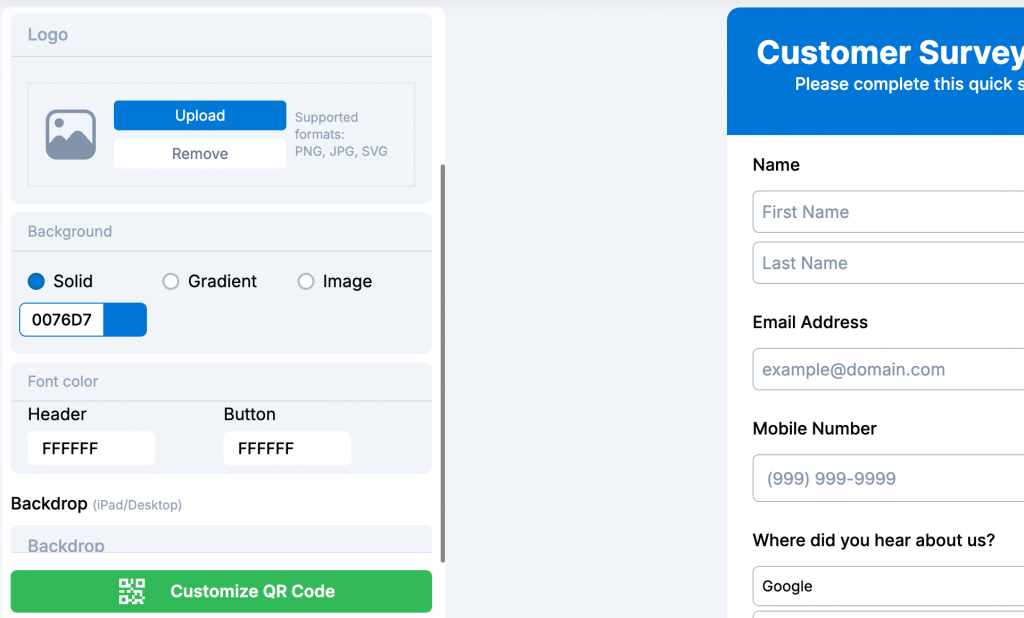
On the design side, the Customization section lets you change elements such as the header, description, and background colors.
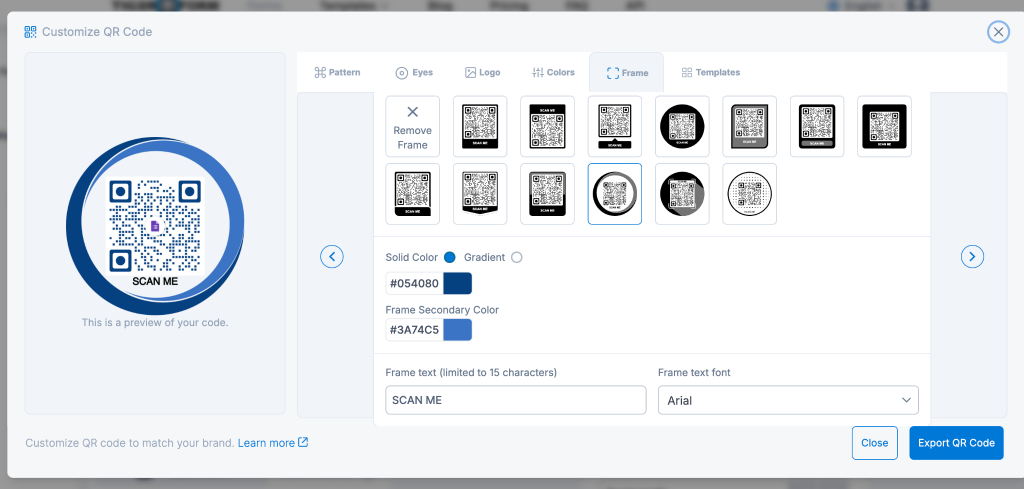
Once your form is ready, you can generate the QR code and customize its design. The QR code customization options are one of the stronger parts of the platform.
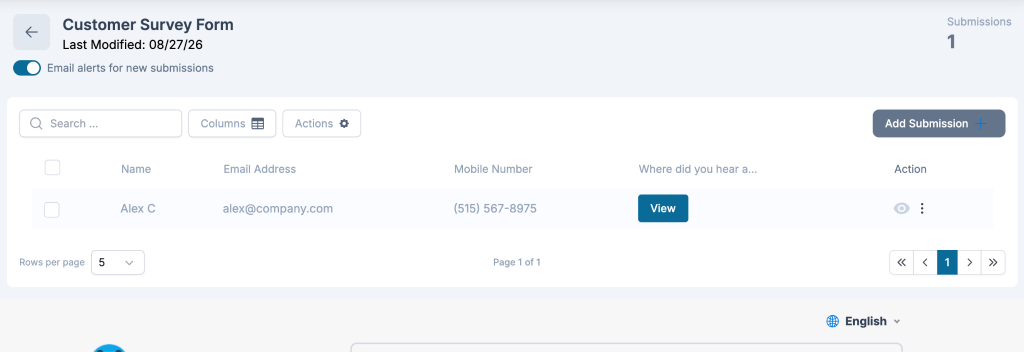
After saving the form, you can share the QR code with respondents. Submitted responses are available under Manage Forms > Submissions, where you can review the collected data.
Tiger Form is more limited in enterprise controls and security. There is no option to add users with role-based access control, although custom domains are available. We also could not find mentions of SOC 2, GDPR, or similar security standards.
Pricing is more accessible for smaller users. The lifetime free plan includes up to 5 forms and 100 monthly submissions. For a custom domain, you need the $113/month plan, which also includes 130 forms and 6,000 monthly submissions.
Key features and capabilities
- Template and scratch-based form creation depending on how you want to start.
- Wide range of form fields covering basic, general, and multimedia inputs.
- AI-assisted form creation that suggests a ready-made template.
- Form design customization for headers, descriptions, and backgrounds.
- Strong QR code customization after the form is created.
- Built-in submission management through the Manage Forms section.
- Lifetime free plan with 5 forms and 100 monthly submissions.
Best for: Small businesses that want an affordable QR form platform and don’t need advanced enterprise controls or security certifications.
5. Hovercode: Best for small businesses that want to try a new tool
Hovercode offers a dedicated Forms feature, with a simple setup that keeps the form and QR code workflow in the same platform.
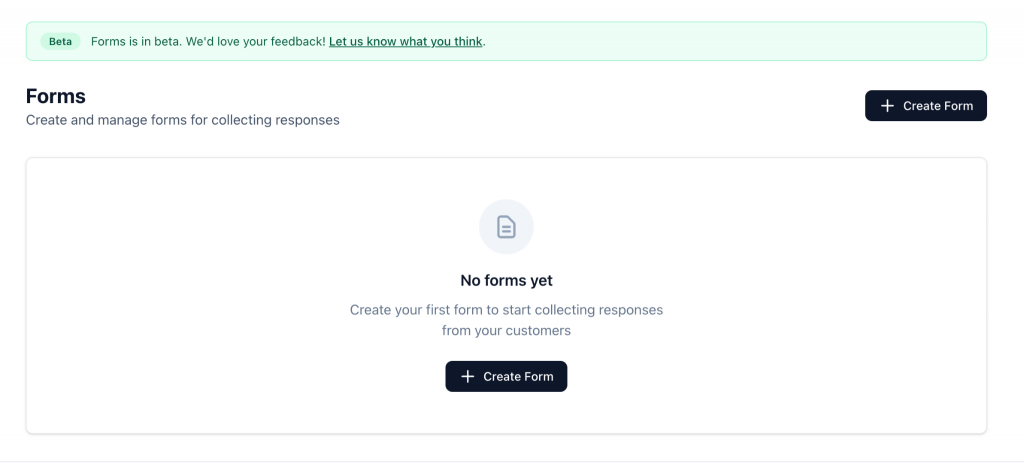
There are no ready-made form templates. You start by clicking Create Form, adding a heading and description, and then adding the fields you need.
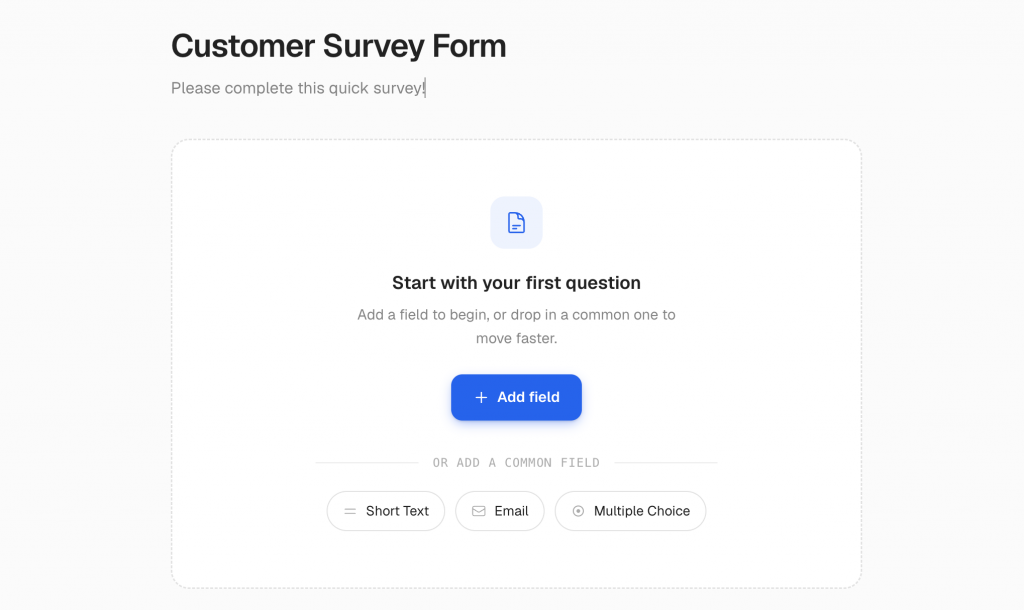
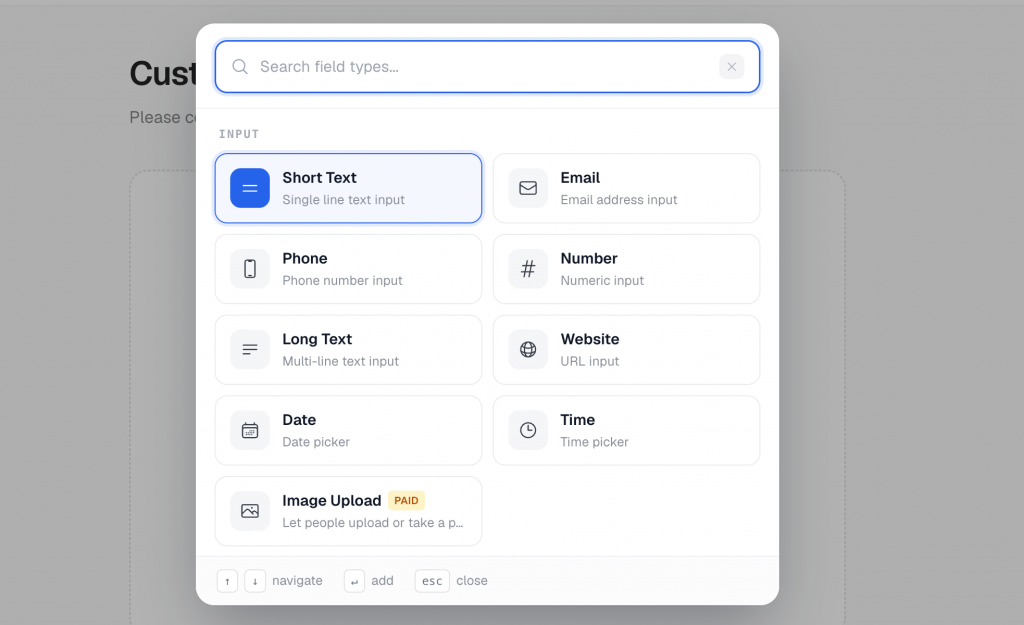
Available options include contact details, dropdowns, multiple choice, checkboxes, Yes/No, ratings, opinion scales, and other common form fields.
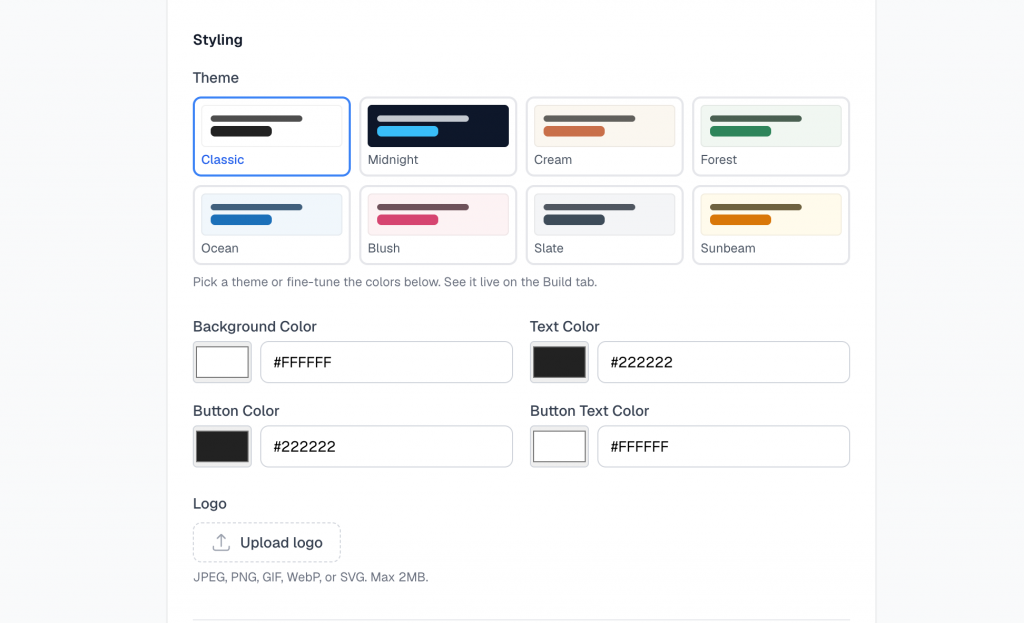
In the Settings tab, you can customize how the form looks. You can either use a default theme or design the page from scratch. You can also configure the thank-you page and set up email notifications for new responses.
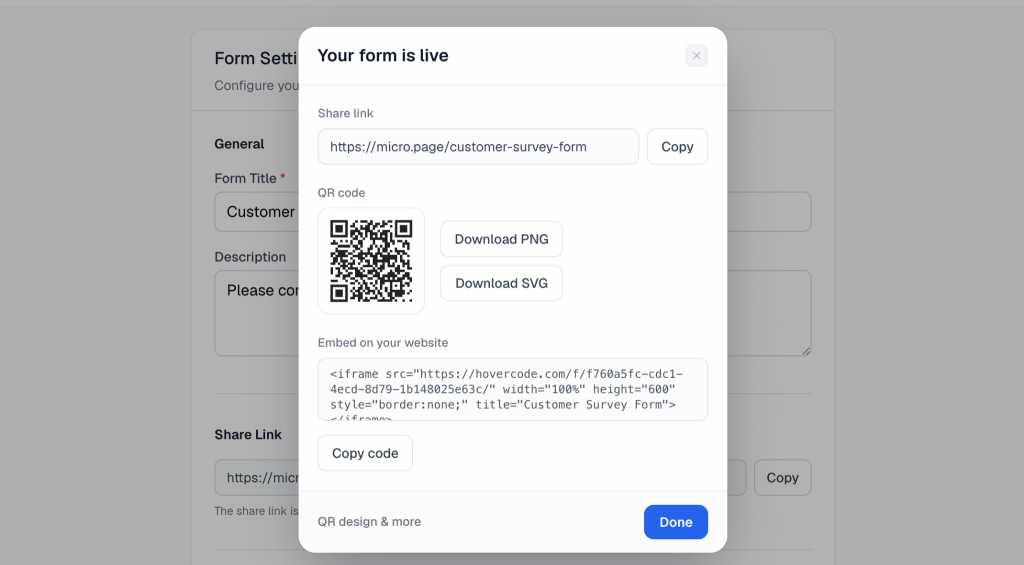
Once the form is ready, click Publish, edit the short URL if needed, and publish the form.
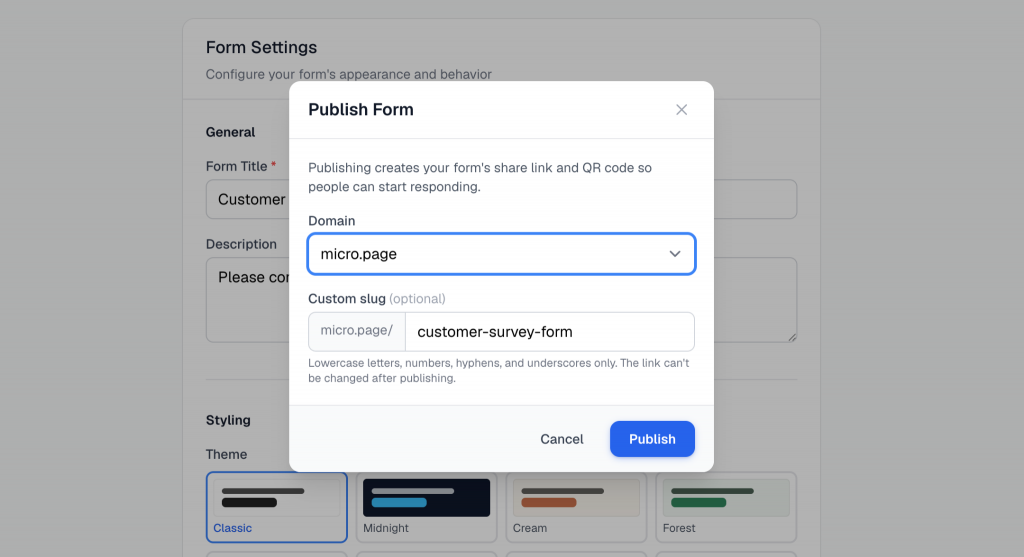
Hovercode automatically creates a QR code for the form, which you can then customize before sharing it with users.
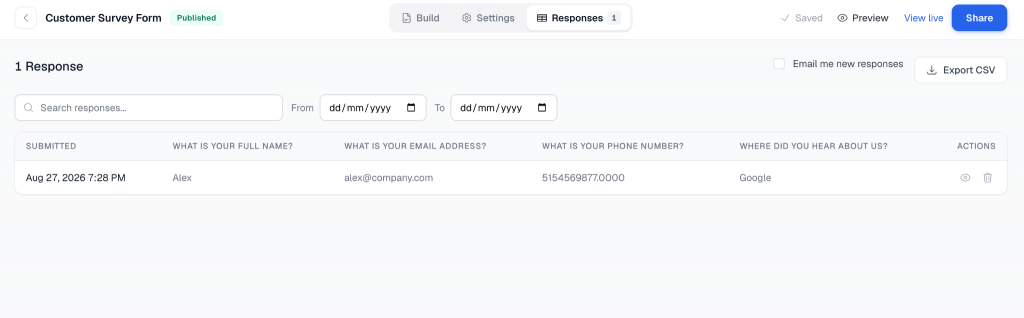
Submitted responses are available in the Responses section, so you can review the data directly from the platform.
Hovercode also offers some useful enterprise features. You can use custom domains and add users to the account. On the security side, Hovercode mentions SOC 2 and GDPR.
Pricing for Forms isn’t listed separately, so we are assuming it follows Hovercode’s dynamic QR code plans. The free plan includes 3 dynamic QR codes with Hovercode branding. The $12/month plan includes 100 codes and 1 custom domain, while the $99/month plan adds team management features.
On paper, Hovercode covers most of the capabilities you would expect from a QR survey platform. However, it is still a relatively new platform with limited age, market presence, and social proof. Larger brands and enterprises that place a high priority on vendor maturity, trust, and security may want to evaluate it carefully before adopting it at scale.
Key features and capabilities
- Built-in form builder with the most commonly used survey fields.
- Custom form styling with themes and manual design options.
- Automatic QR code creation once the form is published.
- Editable short URLs for published forms.
- Thank-you page and email notification settings for form submissions.
- Built-in response management through the Responses section.
- Custom domains and team management on eligible plans.
Best for: Small teams looking for an affordable QR survey platform and willing to try a newer tool with a more limited track record.
Conclusion: How to pick the best QR code survey tool
Choosing the right QR code survey platform comes down to what matters most for your use case.
If you want strong feature depth, enterprise controls, branding, and security, QRCodeChimp is the most complete option in this list. It covers the full survey workflow while also giving larger teams the controls they need to manage campaigns at scale.
Uniqode is a capable platform with good form and enterprise features, but its pricing and response limits make it harder to justify unless you are already using Uniqode for your QR code workflows.
Scanova has a flexible form builder and solid enterprise capabilities, but the separate QR code linking process makes setup less straightforward than it needs to be. Its pricing add-ons can also increase the overall cost.
Tiger Form is a good fit if affordability matters more than enterprise controls or security benchmarks. Its free plan and broad range of form fields make it practical for smaller businesses with simpler requirements.
Hovercode is another affordable option for small teams. The platform looks promising, but its relatively limited track record means businesses that prioritize vendor maturity and proven enterprise adoption may want to evaluate it carefully.
If you want to create branded QR code surveys, manage responses in one place, and retain the flexibility to scale from a simple campaign to enterprise-wide use, try QRCodeChimp’s Form QR Code solution and see how it fits your workflow.
Frequently asked questions
Can I use any survey tool to create a QR code survey?
Yes, but the experience may be fragmented. Many survey tools only give you a shareable URL, which means you still need a separate QR code generator. A dedicated QR code survey platform keeps form creation, QR code generation, customization, tracking, and response management in one place.
Should I use a dynamic QR code for surveys?
In most cases, yes. A dynamic QR code lets you update the survey or its destination without reprinting the code. It also gives you access to scan analytics, which is useful when the QR code appears on packaging, signage, receipts, or other physical materials.
What should businesses look for in a QR code survey platform?
Start with the basics: a flexible form builder, customizable dynamic QR codes, response management, and branding options. If multiple people or teams will manage surveys, also look for features such as role-based access control, subaccounts, custom domains, and established security standards.
Are free QR code survey platforms good enough for businesses?
They can be, especially for small or occasional surveys. The important thing is to check what the free plan actually limits, such as the number of forms, responses, dynamic QR codes, branding options, or analytics. A free plan that works for testing may not necessarily work for an ongoing customer feedback program.
Which QR code survey platform is best for enterprise use?
For enterprise use, prioritize more than just the form builder. Look for strong security, role-based access control, team management, white labeling, response management, and flexible QR customization. QRCodeChimp is particularly well suited to this use case because it combines these capabilities within the same QR code platform.
You may also like
Best Free Alternative to Linktree QR Codes: Meet QRCodeChimp
Frustrated with Linktree’s limits? QRCodeChimp gives you flexible multi-URL pages, advanced design options, and QR integrations made for growth and engagement.
QR Tiger Alternative: Why Are Teams and Brands Moving to QRCodeChimp
Compare QR Tiger and QRCodeChimp to find the better QR code platform. Discover key differences in features, pricing, analytics, and more to make the right choice.
QR Code Surveys: How to Get People to Scan and Respond
A QR code survey makes feedback easier to access, but the code alone doesn't generate responses. This guide explains how to create a QR code survey that earns the scan and keeps respondents moving to submission.
How To Create an RSVP QR Code for Any Event
Create an RSVP QR code using a customizable form, Event Ticket RSVP, Google Forms, or WhatsApp. Compare four methods and follow the steps.
Most Popular
Contact Sales
