Healthcare runs on information, but too much of it is still stuck on paper. Awareness leaflets pile up in waiting rooms, equipment manuals go missing in supply rooms, and printed guides are outdated the moment a protocol changes. PDF QR codes offer a simple fix: a single scan that turns any printed touchpoint into instant access to up-to-date digital documents.
These codes act as a bridge between traditional paper-based materials and the digital world, letting clinics and hospitals share public health information, distribute documents, and engage patients with a single scan. With 91% of US adults now owning a smartphone (Pew Research Center, 2025), the old “but can patients scan it?” objection has effectively disappeared, making QR codes a practical way to put information directly in people’s hands.
This guide walks through the real-world use cases for sharing public-facing health information with PDF QR codes, and how to create one, so you can put them to work in your clinic or hospital straight away.
Why PDF QR codes work so well in healthcare
A PDF QR code turns any shareable document (a health awareness leaflet, a medication guide, an equipment manual) into something a patient or staff member can open instantly on their own phone. No app, no extra steps, no hunting through a filing cabinet.
The benefits stack up quickly. Going digital is cheaper and greener because it cuts printing and paper waste. It is more hygienic, since no one has to handle a shared, well-thumbed manual. And it is more patient-centered: people get the information they need, in a format they can revisit at home, exactly when they need it. A code roughly 1.5 cm square can hold a link to a richly formatted document complete with infographics, videos, and step-by-step instructions.
Static vs. dynamic PDF QR codes: which to use
Choosing the right type keeps your public materials current and easy to manage.
A static PDF QR code points to a fixed file. It is simple and works well for content that rarely changes, like a general “understanding your condition” leaflet.
A dynamic PDF QR code is the better choice for most healthcare settings. It lets you update or replace the underlying document without ever reprinting the code. That means a code printed on a poster today can point to a revised version of the same health guide next month. Dynamic codes also give you full scan tracking, so you can see how often a resource is actually being used and which materials patients find most helpful.
For any public information that might be updated or refreshed over time, use a dynamic code.
💡 Need to update documents without reprinting? Learn how with Everything You Need to Know About Dynamic QR Codes
Use cases of PDF QR codes in healthcare
These use cases all center on one thing: sharing public-facing health information that is meant to reach a wide audience. They make information easy and instant to access while saving time, effort, and paper.
Sharing complex information simply
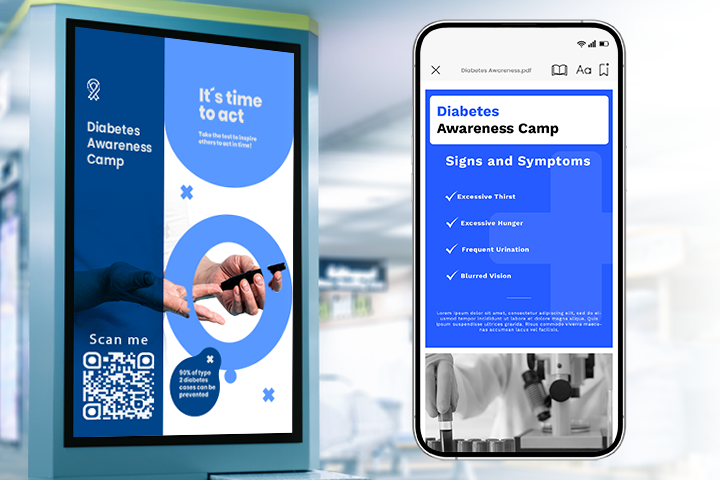
Instead of piles of printed brochures, a clinic can encode detailed health information into a single QR code placed on banners, leaflets, and posters. Picture a diabetes-management clinic: one code can lead to a comprehensive, well-designed PDF on managing the condition. It is cheaper, greener, and easy to share internally, since staff can simply save or email the code.
Practice and provider information
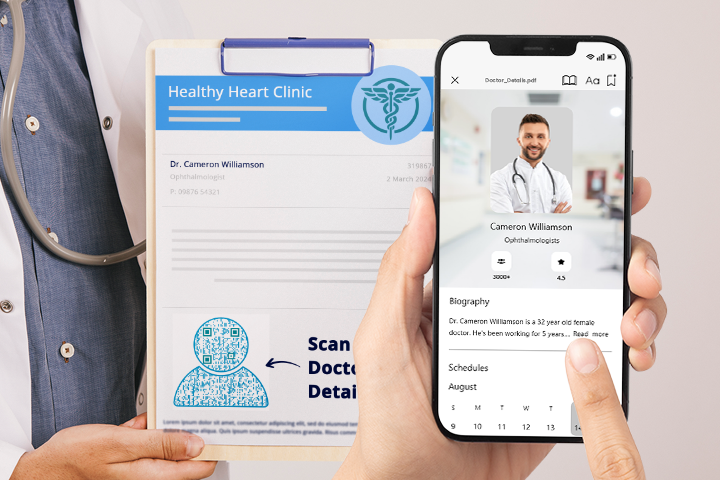
Adding a PDF QR code to general pamphlets, posters, and educational materials gives patients a shortcut to the essentials: the practice’s doctors and specialties, how to book an appointment, clinic hours, and how to leave feedback. It closes the gap between patients and providers and keeps people more engaged with the services available to them.
Contactless access to equipment manuals
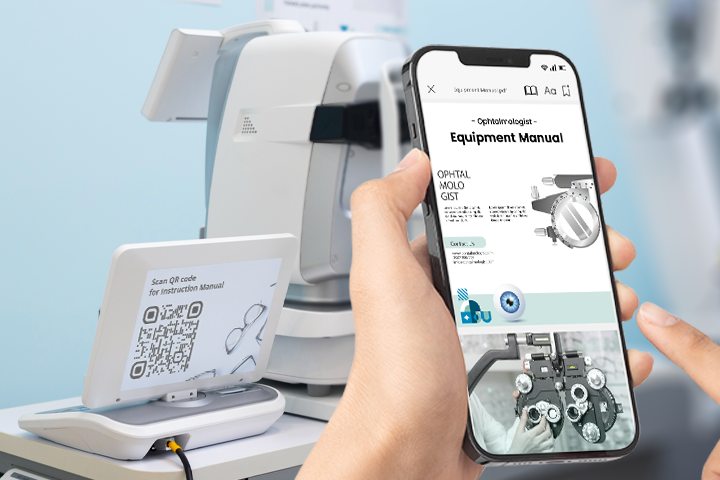
Much medical equipment now ships with a built-in QR code, but where it does not, hospital teams can convert the manual to a PDF and generate a code to attach to the device. Staff scan and read on their phone, with no shared, germ-prone booklet, and no lost or damaged manual. The digital version stays pristine and instantly accessible.
Patient education
PDF QR codes give patients direct access to articles, videos, and guides about common conditions, treatment options, and medications. For example, a general health pamphlet carrying a QR code can open a digital library covering how a class of medication works, common side effects to watch for, and self-care tips, helping patients make better-informed decisions and improving outcomes.
💡 Sharing several documents at once? See how to combine them in a single QR Code for PDF Gallery
Dietary guidance
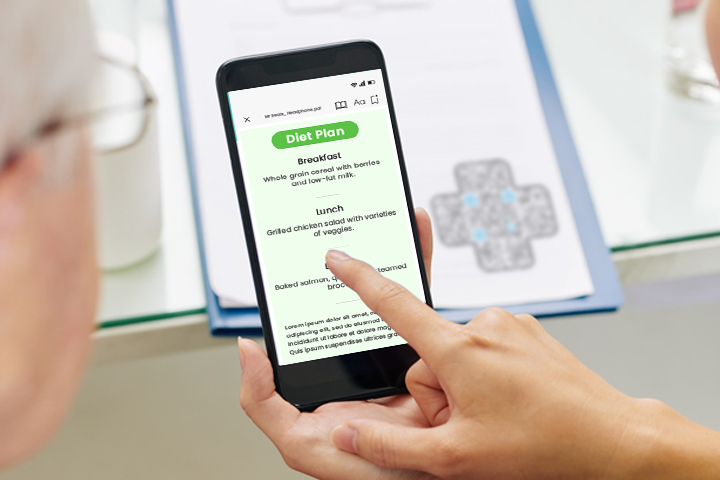
Rather than a paper diet sheet that is easily misplaced, clinics can link general and condition-specific eating guides to a QR code. Displayed on a poster or handed out in a leaflet, it lets patients scan and access sample meal plans and nutrition advice any time, supporting better habits and a smoother recovery at home.
💡 Want your codes to scan every time? Follow these Best Practices for a PDF to QR Code
Post-procedure instructions
After a procedure, clear general aftercare guidance is valuable. Leaflets and posters carrying a QR code let patients scan for standard recovery instructions and contact details for follow-up questions, so they feel more confident managing recovery, like keeping a piece of the hospital’s guidance in their pocket.
How to create a PDF QR code for healthcare
- Choose a generator. Open the PDF QR Code Generator and select the PDF option.
- Upload your document. Add the manual, health guide, education leaflet, or aftercare PDF you want to share publicly.
- Pick dynamic if you may need to update it. A dynamic QR code lets you swap or refresh the linked file later without reprinting, and gives you scan analytics.
- Customize and brand it. Add your clinic’s logo, colors, and a frame with a clear “Scan me” call to action so patients know what to do.
- Test, then deploy. Scan the finished code on more than one device, then add it to your leaflet, banner, discharge form, or equipment label.
Tips for getting the most out of healthcare PDF QR codes
A few practical habits make the difference between a code that gets scanned and one that gets ignored:
- Always test before you print. Scan the code on both Android and iOS to confirm it opens the right document. A code that leads to an error page or the wrong file undermines trust instantly.
- Print at high quality and an adequate size. Download as PNG or SVG rather than JPG for sharper results, and keep the code large enough to scan easily from a comfortable distance. See these best practices for PDF to QR codes and this guide to printing QR codes correctly.
- Add a clear call to action. A short prompt like “Scan for your aftercare guide” tells patients exactly what they will get and meaningfully lifts scan rates.
- Use dynamic codes for anything that changes. When a guideline or guide is revised, update the linked PDF and the same printed code keeps working, no reprinting required.
- Group related documents in one code. If you want to share several resources at once, a PDF Gallery QR code lets patients access multiple PDFs from a single scan, ideal for a set of condition guides or post-visit materials.
- Brand it to build trust. Adding your clinic’s logo and colors helps patients recognize the code as legitimate, which matters in a healthcare setting where people are cautious about scanning unknown codes.
Conclusion
PDF QR codes in healthcare streamline how organizations share public information, boost patient engagement, and cut reliance on printed materials, saving money and reducing waste in the process. Used for the right content, they are a low-risk, high-impact upgrade to how clinics and hospitals get useful information into patients’ hands.
Start with public-facing materials like education guides, equipment manuals, and general health advice, and choose dynamic codes for anything you may need to update later.
Frequently asked questions
Should I use a static or dynamic PDF QR code?
Use dynamic for any public document you may want to update or refresh over time. Static is fine for fixed, general-information PDFs that will not change.
What are the best healthcare use cases for PDF QR codes?
Public-facing materials work best: health education guides, equipment manuals, general diet and nutrition advice, standard aftercare instructions, and practice information are all strong starting points.
Can patients access a PDF QR code without an app?
Yes. Modern smartphones scan QR codes directly from the camera, so patients simply point and tap the link that appears.
Disclaimer: All information entered for QR code landing pages will be publicly available to anyone who accesses the QR code or its URL. Please do not add any patient-specific information, such as electronic medical records, prescription information, personally identifiable information, or any other sensitive or confidential information that should not be made public. Our solutions are not HIPAA compliant, and we strongly discourage you from using them for any information that requires HIPAA compliance. Use our solutions only if you agree that we are not liable for any loss or damages, directly or indirectly, arising from any information you enter or from using the solutions, and that you fully indemnify us from any lawsuit or dispute that may arise from your use of any of our solutions.
You may also like
Airbnb QR Codes: Share Useful Information and Enhance Guest Experience
Discover practical ways Airbnb hosts can use QR codes to share WiFi, guides, directions, and property information while improving the guest experience.
QR Code Surveys: How to Get People to Scan and Respond
A QR code survey makes feedback easier to access, but the code alone doesn't generate responses. This guide explains how to create a QR code survey that earns the scan and keeps respondents moving to submission.
How Retail Stores Can Collect Customer Feedback Without Staff Prompts
Set up a feedback QR code for retail stores to collect customer feedback without relying on staff prompts. Learn where to place it and improve responses.
Can You Convert a UPC Barcode Into a GS1 QR Code?
Can you convert a UPC barcode to GS1 QR code? See how GTINs become GS1 Digital Link codes, and why UPC barcodes will not disappear immediately.
Most Popular
Contact Sales
