Making a QR code is easy. Managing hundreds of QR codes across teams, campaigns, and products is a different story.
QRLynx generates dynamic QR codes, tracks scans, and manages campaigns. But what happens when your sales team needs leads in HubSpot, HR needs digital business cards for 500 employees, or your packaging team needs GS1 QR codes for an entire product catalog?
That’s where QRCodeChimp stands apart.
QRCodeChimp goes beyond QR code creation with native CRM integrations, centralized contact management, team access controls, and bulk creation. You also get enterprise digital business cards, GS1 QR codes with hosted product pages, white labeling, and SOC 2-audited security.
The advantage isn’t just the individual features. It’s having them together, so you don’t need a different tool for every new requirement.
Here’s how QRCodeChimp compares with QRLynx and why it’s the stronger choice for businesses.
Key Takeaways:
- QRCodeChimp offers better team access controls than QRLynx.
- QRLynx doesn’t list native HubSpot or Salesforce integrations.
- QRCodeChimp is better for managing employee digital business cards at scale.
- QRCodeChimp offers more tools for bulk GS1 QR code management.
- QRCodeChimp leads in white labeling and enterprise security.
QRCodeChimp vs. QRLynx: Head-to-head comparison
Here’s how the two platforms compare across important business capabilities.
| Feature | QRCodeChimp | QRLynx |
|---|---|---|
| Team management | Sub-accounts with Full and Personal access controls | Team access with Owner, Admin, Editor, and Viewer roles |
| Multi-factor authentication | Yes, available for main accounts and sub-accounts | Not available |
| CRM integrations | Native HubSpot and Salesforce integrations, plus Zapier, Make, and webhooks | Public API; no native integrations |
| Contact management | Centralized contacts from card exchanges, forms, and AI card reader | Lead forms available; no contact manager |
| Digital business cards | Bulk creation, directory integration, field locking, and centralized management | Hosted digital business cards; no enterprise management features |
| Bulk creation | Dynamic QR codes, Digital business cards, Multi-URL pages, GS1 codes, and other solutions | Bulk dynamic URL QR codes |
| GS1 QR codes | GS1 Digital Link, custom Application Identifiers, bulk creation, hosted content, and combined barcode printing | GS1 Digital Link with static and dynamic options |
| File manager | Library for logos, images, PDFs, and other files | Not available in the dashboard |
| Analytics and marketing | QR and folder analytics, GA4, Google Ads, Meta Pixel, and campaign tracking | Scan analytics, campaign tracking, and reporting |
| White-label domain | Yes, from the Ultima plan (starting at $49.99/month) | From Enterprise at $99/month |
| Branded notifications | Send supported emails through your own email server | Not available |
| White-label merchandise | Resell branded QR and NFC products | Not available |
| Security and compliance | SOC Type II, encryption, GDPR measures, and Data Processing Agreement | No notable security credentials |
| Support | Priority email and virtual meeting support on eligible plans | Email support, with priority for paid users |
When more than one person manages your QR codes
One person managing ten QR codes doesn’t need much structure. But when several departments or clients are involved, managing access gets harder.
Someone edits the wrong QR code. Another person can’t find a campaign, and nobody knows who made the last change.
QRCodeChimp helps you avoid these problems with sub-accounts and role-based access controls.
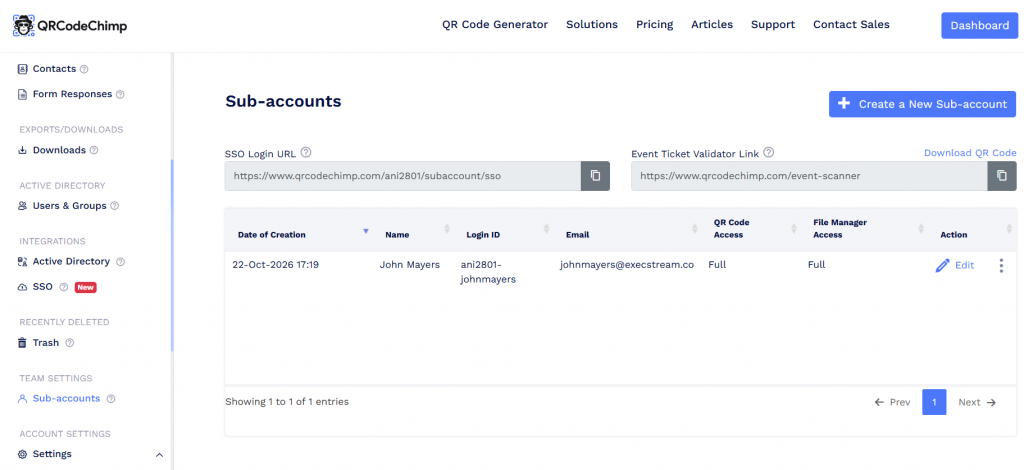
You can create sub-accounts under one main account and set two levels of access:
- Full access: Users can view and manage QR codes and files across the main account.
- Personal access: Users can access the QR codes and files they’ve created or that have been shared with them.
You can use “Share Access” to let users edit and update individual QR codes. For broader account-level access, you can create subaccounts and assign role-based permissions. QRCodeChimp also records who created a code and who last updated it. You can share individual QR codes and bulk batches with sub-accounts when needed.
Sub-accounts start on Pro, which includes one. Ultima includes three, while higher plans support more.
QRLynx offers team roles on Business and Enterprise. However, its features focus on shared team access rather than the same personalized controls for QR codes and files.
For agencies and businesses managing multiple teams, QRCodeChimp gives you greater control over who can access and change your QR codes.
Digital business cards for the whole company
Creating one digital business card takes minutes. Creating 500 and keeping them updated is another matter.
Employees join, change roles, and leave. Their cards need to stay accurate without losing the company’s branding.
QRCodeChimp’s enterprise digital business card solution makes that easier.
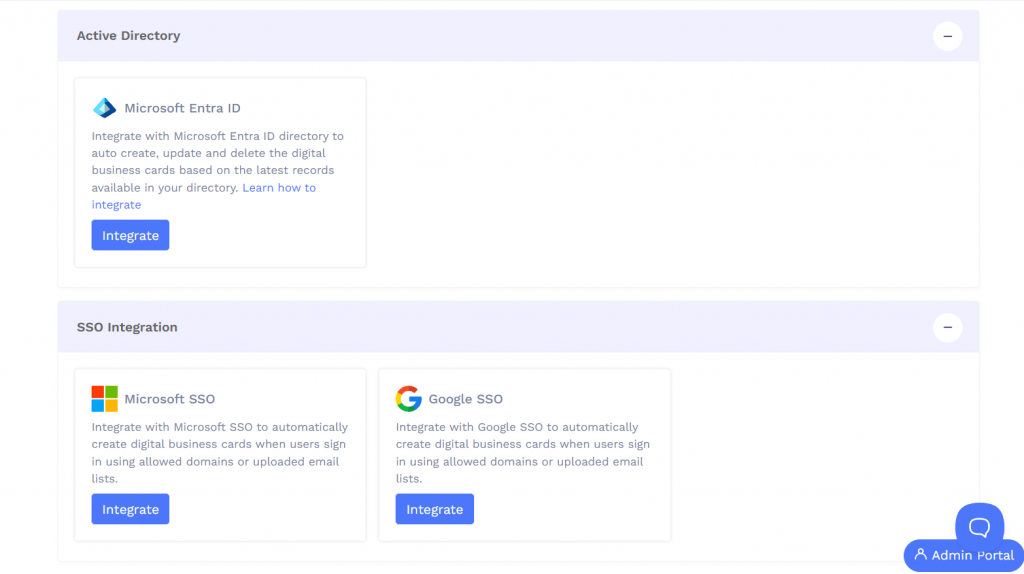
You can create cards in bulk using a spreadsheet. For larger organizations, integrations with Microsoft Entra ID and Google Workspace help manage employee cards through the company’s existing directory. Administrators can also update or deactivate cards centrally.
With field locking, you can protect details such as the company logo and name while allowing employees to manage approved fields.
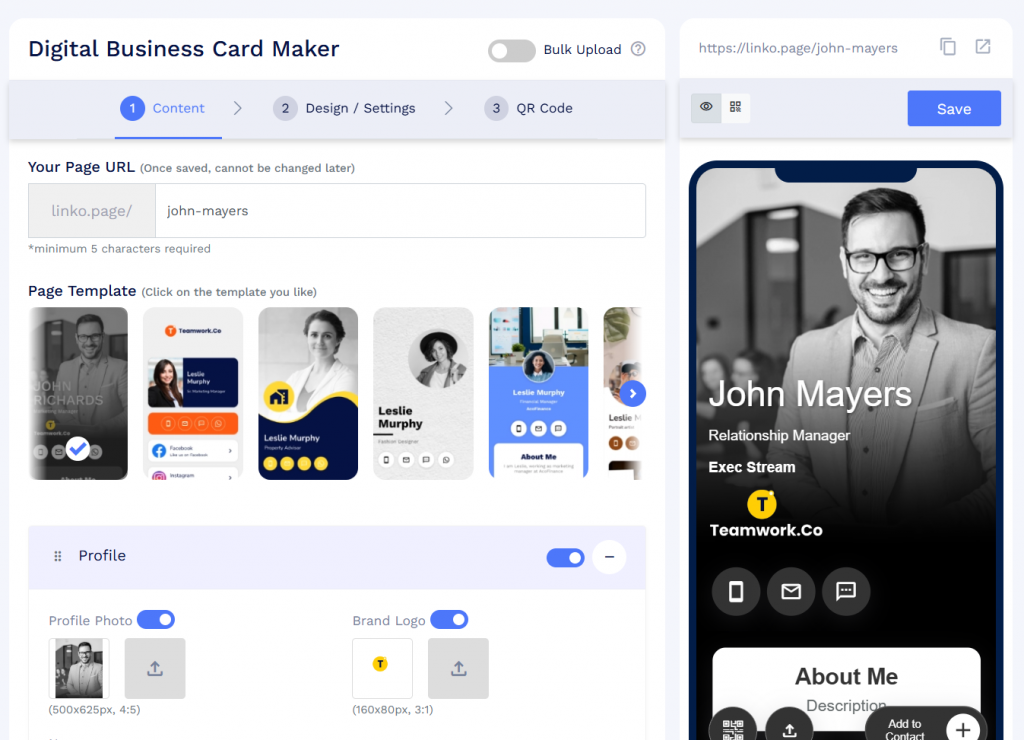
The cards also support QR code, NFC, link, and wallet sharing. Contact exchange forms help capture leads, while the AI business card reader turns printed cards into saved contacts.
QRLynx offers digital business cards too. However, its published features don’t list comparable bulk employee provisioning, directory integration, or centralized field locking.
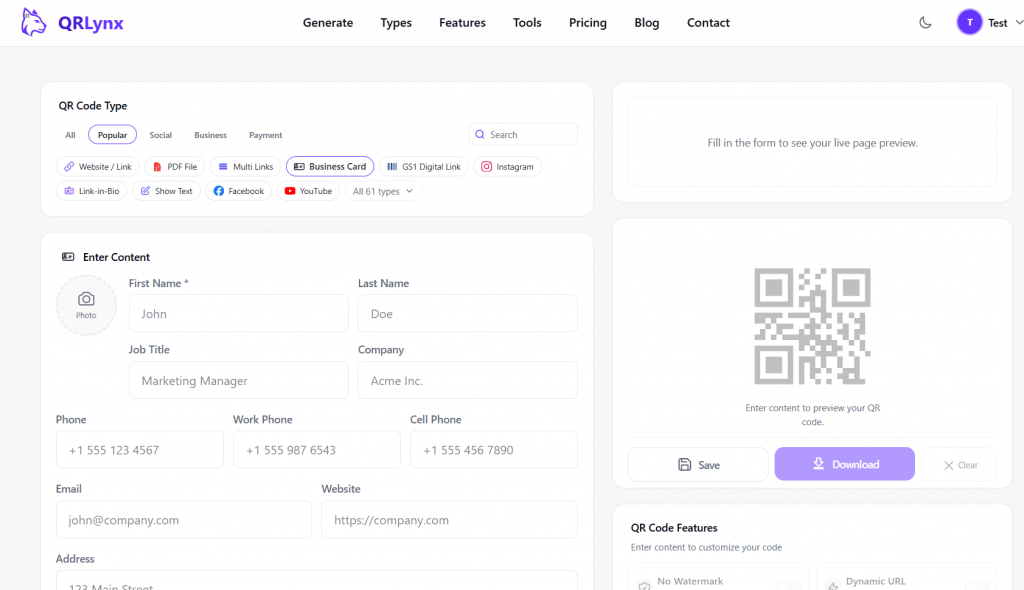
QRCodeChimp makes it practical to roll out digital business cards across an organization without managing every card individually.
Get leads into your CRM without extra work
A lead sitting in a QR code dashboard isn’t doing much for your business. Someone still needs to follow up.
If your team has to download form submissions and upload them into a CRM, you’re adding unnecessary work and delaying that follow-up.
QRCodeChimp solves this with native HubSpot and Salesforce integrations.
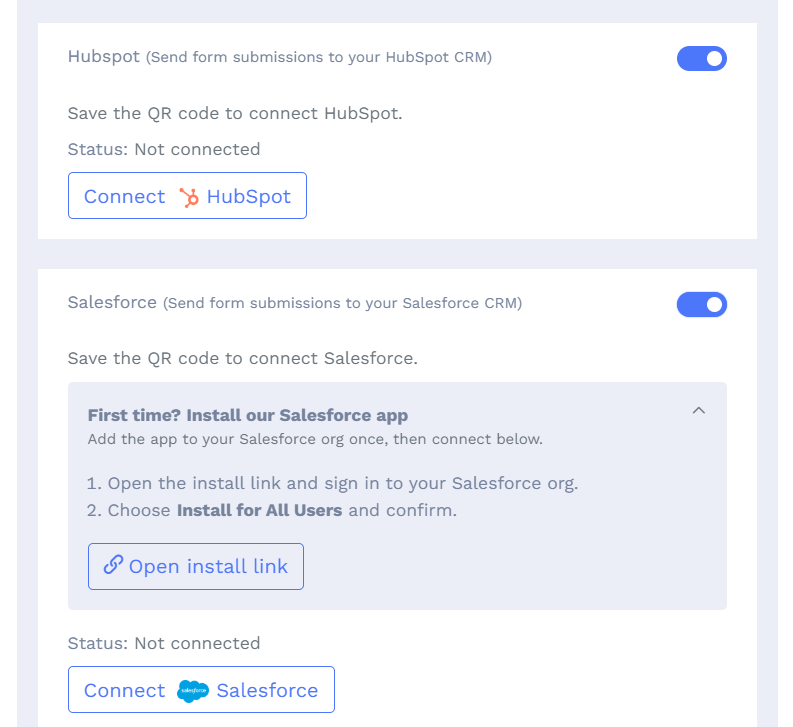
Connect your CRM, map the form fields, and choose where the collected information should go. When someone submits a form, QRCodeChimp sends the information to the connected CRM.
HubSpot supports mapping submissions to contacts, companies, deals, and tickets. Salesforce supports field mapping to relevant objects and provides logs to check whether submissions went through.
Since these integrations are native, you don’t need a separate Zapier subscription to connect either CRM.
QRCodeChimp also supports Zapier, Make, and webhooks for connecting other applications.
QRLynx offers API access, but native HubSpot and Salesforce integrations aren’t available.
With QRCodeChimp, leads move from your forms into the tools your sales team already uses. Less manual work, faster follow-ups.
Keep every contact in one place
Imagine returning from a trade show with 200 new contacts. Some people exchanged digital business cards, others filled out forms, and a few handed over printed cards.
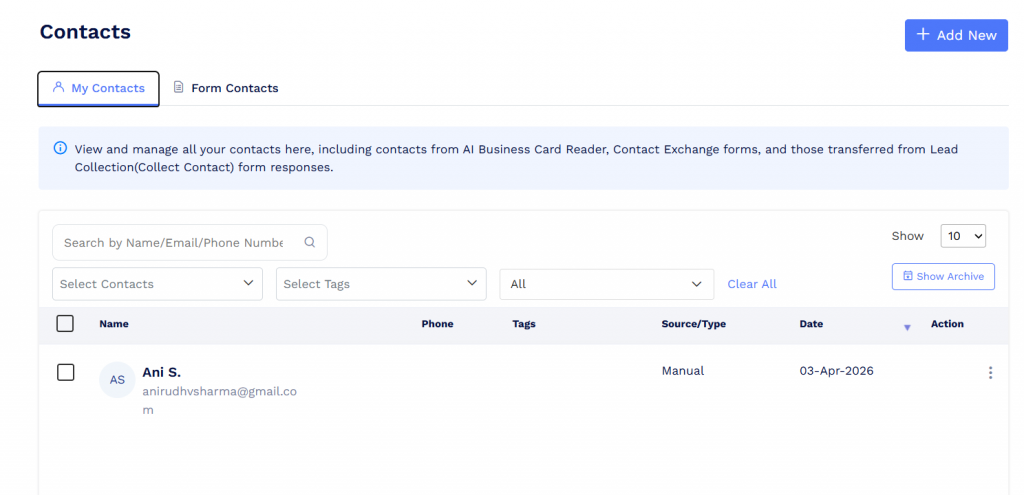
Now someone has to bring all those contacts together.
QRCodeChimp does much of that work for you.
Its centralized contact manager brings together contacts collected through digital business card exchanges, lead forms, and the AI business card reader.
You can search, tag, and archive contacts without maintaining separate lists.
Form responses are organized too. You can filter submissions by form or QR solution, check connected CRM integrations, and export the information when needed.
QRLynx offers lead forms on Business, but its published features don’t describe an equivalent contacts manager covering these different sources.
QRCodeChimp keeps your collected contacts organized and ready for follow-up.
Bulk creation that does more than generate links
Both QRCodeChimp and QRLynx support bulk QR code creation. The difference is what you can create.
QRLynx’s bulk tool focuses on dynamic URL QR codes. You upload a CSV file to generate codes with individual destinations and a shared base design.
QRCodeChimp supports bulk creation across a wider range of QR solutions.
You can generate digital business cards for employees, create Multi-URL pages for campaigns, or produce GS1 QR codes for an entire product catalog.
Suppose a manufacturer has 2,000 products. Instead of creating each code individually, the team can prepare product data in a spreadsheet and generate supported QR codes in bulk.
QRCodeChimp also lets you organize batches into folders, edit supported details, and share them with sub-accounts.
For printing, you can arrange QR codes into print-ready pages using your required layout.
QRLynx supports bulk dynamic URL codes, but its published workflow doesn’t cover the same range of hosted QR solutions.
If you’re creating QR codes for employees, products, or campaigns at scale, QRCodeChimp gives you more options from one platform.
GS1 QR codes for product packaging
If you’re preparing product packaging for GS1 Sunrise 2027, an ordinary QR code isn’t enough.
You need a GS1 Digital Link QR code that carries standardized product identifiers and can connect customers to useful digital information.
Both QRCodeChimp and QRLynx support GS1 Digital Link. The difference is how QRCodeChimp supports the broader packaging workflow.
QRCodeChimp’s GS1 QR code generator supports GTIN, key qualifiers, data attributes, and custom Application Identifiers.
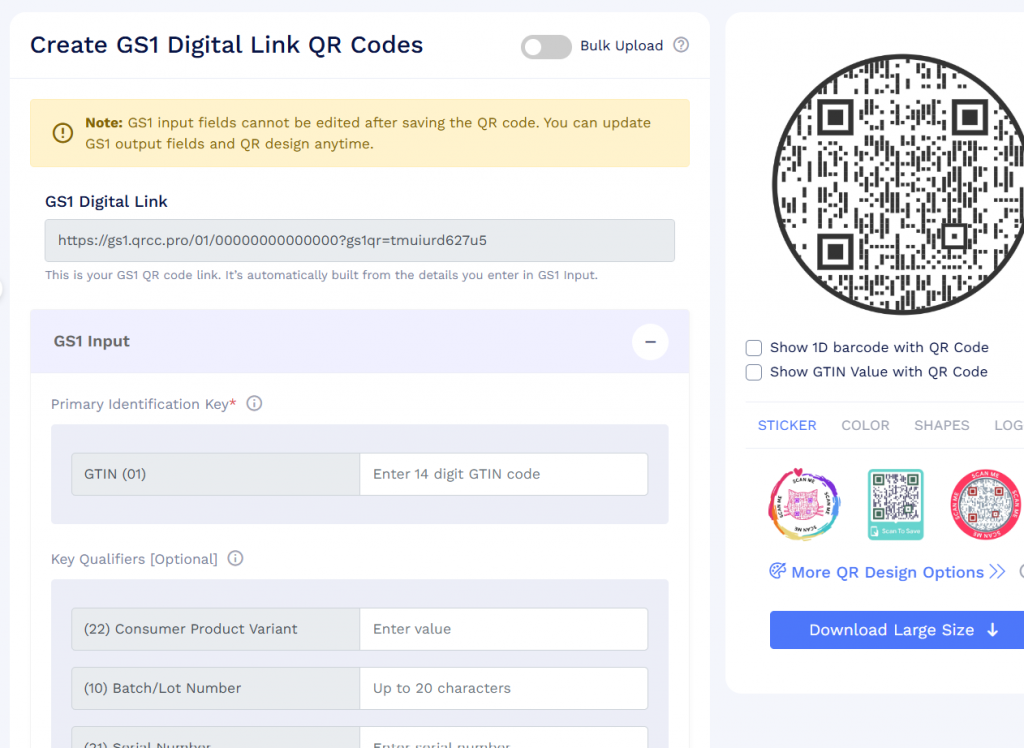
You can include details such as batch numbers, serial numbers, and expiration dates when needed.
For larger catalogs, bulk creation lets you generate GS1 QR codes for multiple products and variants without creating each one individually.
The codes can also connect to hosted product pages, PDFs, or existing URLs. With a dynamic setup, you can update linked content without changing the product identifiers encoded in the printed QR code.
Another useful feature is the ability to display a traditional 1D barcode and GTIN alongside the GS1 QR code. This helps brands prepare packaging while retailers move toward wider 2D barcode adoption.
QRLynx also supports static and dynamic GS1 QR codes. QRCodeChimp adds a dedicated bulk workflow, hosted product experiences, and combined barcode printing options.
For brands managing large product catalogs, QRCodeChimp makes creating and managing GS1 QR codes more practical.
A QR code should open something worth seeing
A QR code is only the starting point. What happens after the scan is what makes it useful.
QRCodeChimp lets you create complete digital experiences without building a separate website for every use case.
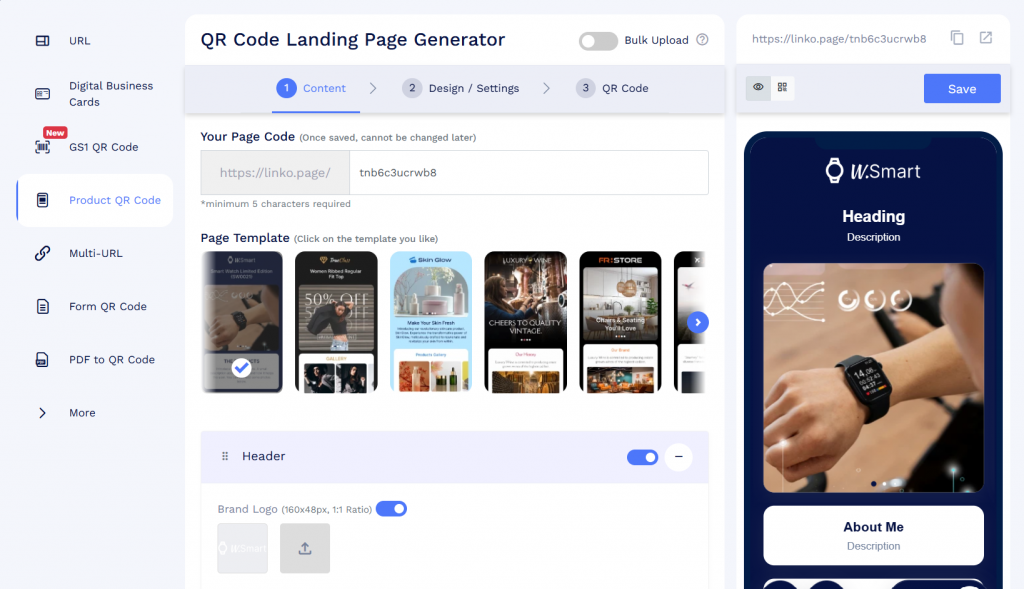
You can create product pages, restaurant menus, coupons, feedback forms, event pages, PDF galleries, digital business cards, and more.
Smart QR codes can also direct users to different destinations based on their device or the time of day.
Take lead collection. You can add forms to supported landing pages and digital business cards, even on the Free plan, subject to response limits.
Or consider events. QRCodeChimp lets you issue ticket QR codes, email them to attendees on eligible plans, and validate them at the entrance.
Staff can use a separate validation link without accessing your main account.
QRLynx offers event-related QR types, but its published features don’t describe a comparable ticket-issuing and check-in workflow.
QRCodeChimp helps you turn QR scans into useful actions, from collecting leads to managing event entry.
A file manager that saves repeated work
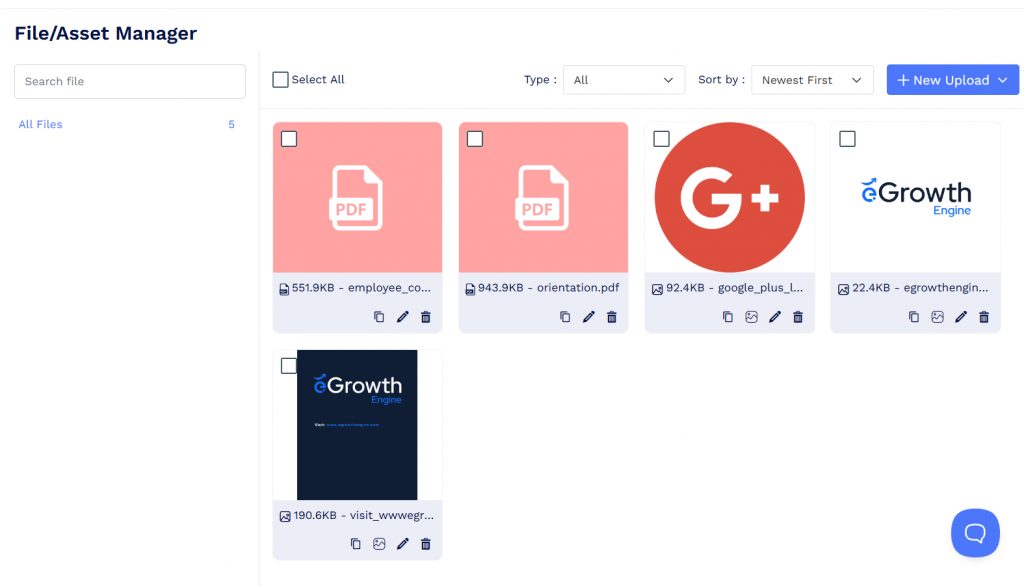
Suppose you’re creating digital business cards for 200 employees. Every card needs the company logo, while some need individual photos and PDF attachments.
Uploading the same files repeatedly is unnecessary work.
QRCodeChimp’s built-in file manager lets you store logos, photos, PDFs, and other supported files in one place.
You can then reuse those files across QR codes, landing pages, and bulk uploads. It’s easier to keep branding consistent and spend less time managing assets.
QRLynx’s published features don’t describe a comparable centralized file library.
For businesses creating large amounts of branded QR content, a reusable file manager saves time and effort.
Analytics that help you make decisions
A scan count tells you how often people interact with your QR code. But it doesn’t tell the whole story.
QRCodeChimp lets you track scan activity, top-performing codes, visitor devices, browsers, and locations. Folder-level analytics help you measure campaigns or clients separately.
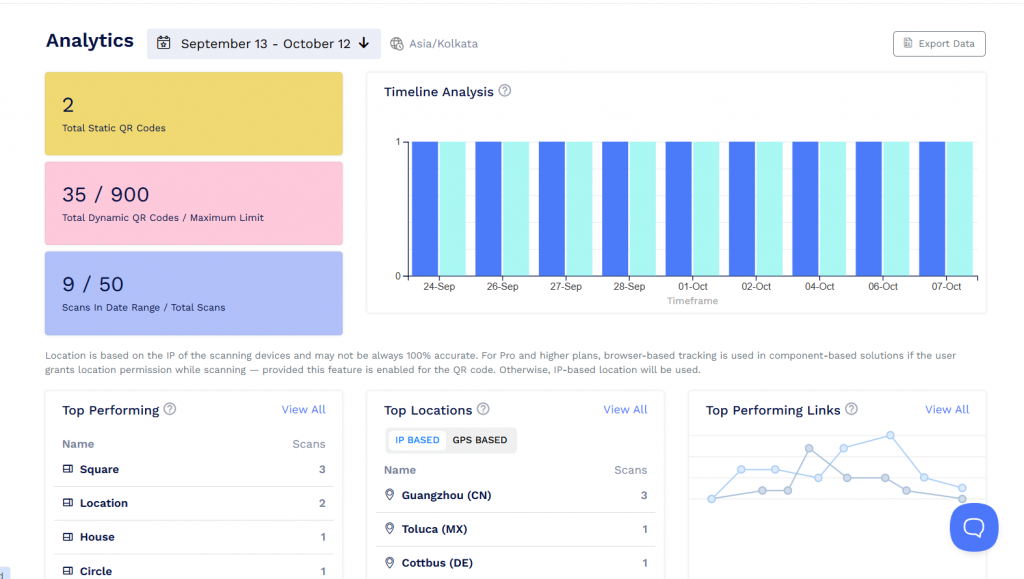
For digital business cards, you can also review engagement by employee, team, or region.
Eligible plans provide scheduled analytics emails, downloadable reports, and activity notifications.
QRCodeChimp also connects with GA4, Google Ads, and Meta Pixel, so QR activity can be included in your wider marketing reports. An agency managing five clients, for example, can organize each client’s QR codes into folders and review their results separately.
QRLynx also offers useful analytics, but most of the analytics are paywalled.
QRCodeChimp gives you the information needed to see which campaigns are working and where to focus next.
White labeling: Your brand, not just your QR code
Putting your logo on a QR code is easy. Keeping your brand visible throughout the experience takes more work.
QRCodeChimp lets you use your own domain for QR code URLs and hosted landing pages, including digital business cards.
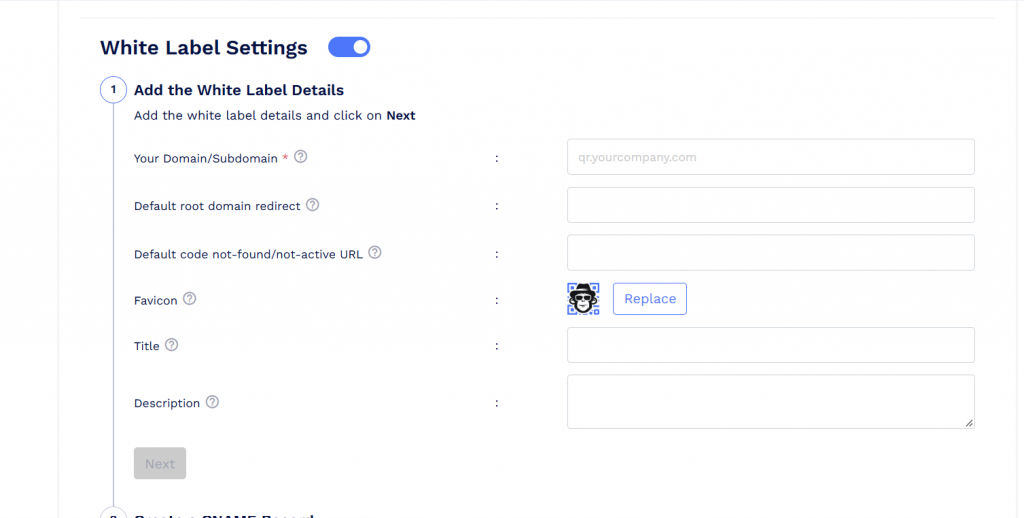
White labeling starts with Ultima at $49.99/month, or $34.99/month when billed annually.
QRLynx offers custom domains on Enterprise at $99/month, or $82.50/month when billed annually.
The difference goes beyond price.
QRLynx’s published documentation states that its custom domain applies to dynamic QR redirects. Its hosted business card pages remain on QRLynx’s domain.
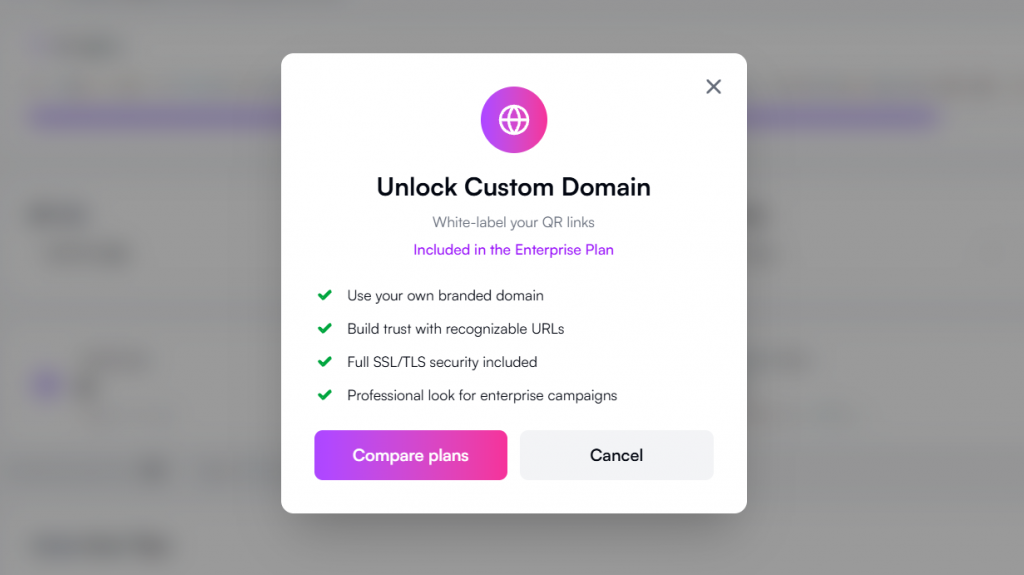
QRCodeChimp extends white labeling to hosted landing pages, giving businesses greater control over what customers see.
You can brand supported notification emails too. On eligible plans, custom SMTP settings let you send emails through your business’s own email server.
For agencies and resellers, QRCodeChimp goes further with its white-label merchandise program.
You can sell branded QR and NFC products, including digital business cards, Google review cards, and pet ID tags. You set your prices while QRCodeChimp provides the underlying technology.
QRLynx doesn’t publicly list a comparable merchandise reseller program.
With QRCodeChimp, your brand can extend from QR links and landing pages to emails and physical products.
QRCodeChimp vs. QRLynx: What does it actually cost?
The cheapest subscription isn’t always the best deal.
A plan might cost less but leave out something your business needs. You then have to use another tool or find a workaround.
A better comparison is what you can accomplish for the price.
| Business requirement | QRCodeChimp | QRLynx |
|---|---|---|
| Agency managing multiple clients: Branded domain and controlled client access | Ultima: $419.88/year. White labeling and 3 sub-accounts | Enterprise: $990/year. Custom redirect domain and team access; comparable client-specific controls not publicly listed |
| Company with up to 90 employees: Bulk digital business cards and centralized management | Ultima: $419.88/year. Up to 90 cards with eligible enterprise features | Comparable bulk employee provisioning and directory integration not publicly listed |
| Sales team of up to 30 employees: Digital business cards and lead forms | Pro: $167.88/year. Up to 30 digital business cards | Business: $290/year. Lead forms included; comparable bulk employee card management not publicly listed |
Take the agency example. QRCodeChimp Ultima includes a white-label domain and three sub-accounts for $419.88 a year.
QRLynx Enterprise costs $990 a year and includes a custom redirect domain with shared team access. Its published features don’t describe the same personalized sub-account controls.
The point isn’t simply which plan is cheaper. It’s how much of the job you can get done for your money.
Check the latest options on the QRCodeChimp pricing page.
Security that helps you get through company approvals
When a company adopts new software, IT and procurement teams will have security questions.
How is data protected? Who can access it? Can the vendor provide independent audit documentation?
QRCodeChimp is built to address these requirements.
Its security measures include SOC 2 Type II audited controls, encryption in transit and at rest, multi-factor authentication, and single sign-on support.
QRCodeChimp also provides GDPR-related measures and a Data Processing Agreement. For sensitive QR content, passcode protection adds another layer of access control.
These capabilities are useful when managing employee information, customer details, or company-wide QR operations.
QRLynx’s trust documentation describes encryption and checks for unsafe QR destinations. However, its public security information doesn’t list a SOC 2 Type II report or comparable independent audit.
For businesses with strict security requirements, QRCodeChimp offers stronger documented assurance.
Conclusion: Why QRCodeChimp is the better choice
If all you need is to create and track dynamic QR codes, QRLynx can get the job done. But when QR codes become part of your daily business operations, you need a platform that can do more.
That’s where QRCodeChimp stands out. Whether you’re managing QR codes across teams, sending leads to your CRM, creating employee digital business cards, or rolling out GS1 QR codes for product packaging, QRCodeChimp brings everything together. You also get advanced analytics, white labeling, centralized contact management, and enterprise-grade security.
Instead of juggling different tools as your needs grow, you can manage everything from one platform. That’s what makes QRCodeChimp the better long-term choice for businesses.
Frequently asked questions
Is QRCodeChimp better than QRLynx for businesses?
QRCodeChimp is the stronger choice for businesses that need team access controls, native CRM integrations, enterprise digital business cards, GS1 QR codes, white labeling, and security assurance. It brings these capabilities together in one platform.
Can I manage QR codes for multiple teams or clients?
Yes. QRCodeChimp supports sub-accounts with Full and Personal access levels. You can control which QR codes and files each sub-account can access. Sub-accounts start on Pro.
Can QRCodeChimp create digital business cards for an entire company?
Yes. You can create cards in bulk using a spreadsheet. Eligible plans also support Microsoft Entra ID, Google Workspace integration, SSO, and centralized card management.
Does QRCodeChimp integrate directly with HubSpot and Salesforce?
Yes. QRCodeChimp has native integrations with both platforms. You can connect forms, map fields, and send submissions directly to your CRM without a separate automation tool.
Which platform is better for GS1 QR codes?
Both support GS1 Digital Link. QRCodeChimp offers bulk GS1 creation, custom Application Identifiers, hosted product content, and options to display a traditional 1D barcode alongside the QR code.
Which platform offers better white labeling?
QRCodeChimp offers custom domains for QR links and hosted landing pages. It also supports custom SMTP, allowing businesses to send emails to users from their own branded/company email domain. Additionally, QRCodeChimp offers white-label merchandise. QRLynx’s published custom-domain offering focuses on dynamic QR redirects.
Can I update QR code content after printing?
Yes. QRCodeChimp’s dynamic QR codes let you update supported destinations and linked content without reprinting. For GS1 QR codes, the encoded product identifiers remain fixed while linked content can be updated through a dynamic setup.
Is QRCodeChimp suitable for enterprises?
Yes. QRCodeChimp offers centralized management, directory integration, SSO, multi-factor authentication, and SOC 2 Type II audited security controls.
You may also like
Best Free Alternative to Linktree QR Codes: Meet QRCodeChimp
Frustrated with Linktree’s limits? QRCodeChimp gives you flexible multi-URL pages, advanced design options, and QR integrations made for growth and engagement.
QR Tiger Alternative: Why Are Teams and Brands Moving to QRCodeChimp
Compare QR Tiger and QRCodeChimp to find the better QR code platform. Discover key differences in features, pricing, analytics, and more to make the right choice.
Top 5 Best QR Code Survey Tools to Collect Feedback and First-Party Data
Let’s look at the top 5 QR code survey platforms that let you create a survey form, generate a QR code for it, and manage responses, all within a single platform.
QRCodeChimp Delivers a Better Digital Business Card Experience Than POPL
Discover why thousands choose QRCodeChimp over POPL. More design control, better security, flexible pricing, and a friction-free digital business card experience.
Most Popular
Contact Sales
