If you work in nutrition or fitness, the hardest part of a great plan is often getting clients to actually use it. Printed sheets get lost, emailed PDFs get buried, and a plan nobody opens helps nobody.
A PDF QR code for diet and workout plans solves that. You turn any personalized meal plan, workout routine, or progress guide into a single scannable code. Your client points their phone at it and the plan opens instantly, ready to follow at the gym, in the kitchen, or on the go. This guide shows dietitians and trainers exactly how to use PDF QR codes to deliver personalized diet and workout plans that clients can access anytime.
- Why use a PDF QR code for diet and workout plans
- Ways dietitians and trainers can use PDF QR codes
- How dietitians can share personalized diet plans
- How trainers can share personalized workout plans
- Smart QR codes: one code, different plan each day
- Where to print your PDF QR code
- How to create a PDF QR code for diet and workout plans
- Tips for getting more scans
- Conclusion
- Frequently asked questions
Why use a PDF QR code for diet and workout plans
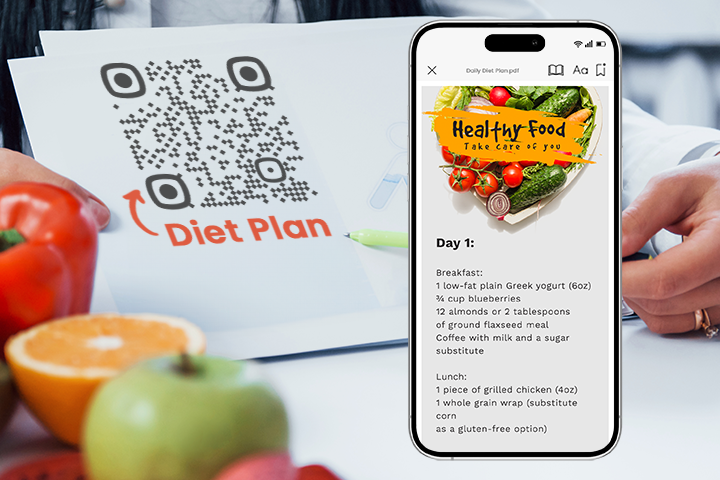
Demand for personalized diet and workout plans has grown as more people look for guidance tailored to their own goals rather than generic, one-size-fits-all advice. A PDF QR code is a simple way to deliver that personalized guidance in a format clients will actually open and use.
Here is why it works so well for fitness and nutrition professionals:
- Everything in one place. The linked PDF can hold text, images, and clickable links, so a meal plan, shopping list, and exercise demos all live in a single document.
- Easy to update. With a dynamic QR code, you can revise the plan and the same code keeps working, no need to resend anything or reprint a card.
- Works on any device. Clients scan with their phone’s camera and the plan opens, no app to download.
- Perfect for printed materials. Add the code to a printed plan card, welcome packet, gym poster, or handout, and clients scan it to open the full digital plan, no typing out long links.
- Paperless and shareable. Skip the printing. Clients can save the plan, revisit it anytime, and you can share the same code with many people at once.
Ways dietitians and trainers can use PDF QR codes
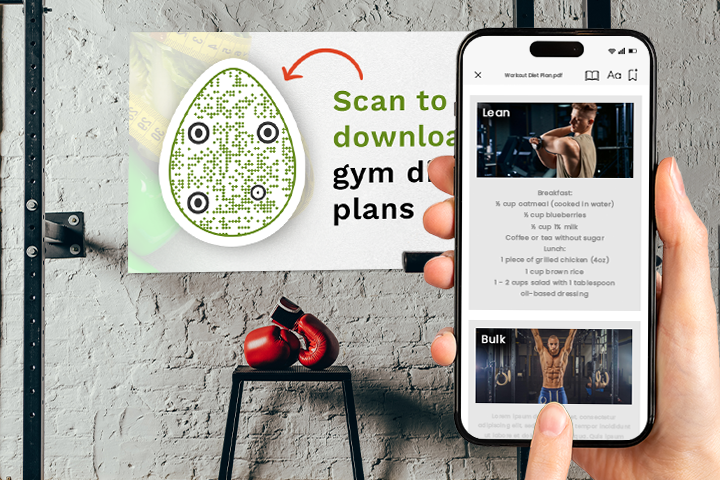
When you build a PDF for a diet or workout plan, focus on clear, personalized information that is easy to follow on any device. A single QR code can link to:
- Detailed diet plans with meal schedules, portion sizes, and nutritional breakdowns. You can also point clients to related reading like tips for creating the best diet to lose weight.
- Recipe collections and meal-prep guides with cooking instructions and storage tips.
- Workout routines specifying exercises, sets, and reps, plus links to videos that demonstrate correct form.
- Progress trackers, fitness challenges, and goal-setting worksheets that help clients monitor their results.
- Success stories that show the outcomes of your training and motivate current clients.
- Dos and don’ts for diet and exercise, giving clients quick access to key safety guidelines.
💡 Useful tip: Add video links and interactive elements to your PDF so it works for different learning styles and keeps clients engaged.
How dietitians can share personalized diet plans
A PDF QR code lets you pack a lot of value into one scan. Embed recipes and nutritional information directly in the plan, then link out to ingredient lists and detailed dietary notes so clients get your full guidance the moment they scan.
You can also link meal-prep guides to printable shopping lists and visual portion-control aids, turning the plan into a practical grocery-and-cooking companion. Add QR codes next to meals that offer alternative options based on dietary restrictions or preferences, giving clients flexibility without losing the structure of the plan. To deepen engagement, link to articles, videos, or short quizzes that build nutrition knowledge beyond the plan itself.
How trainers can share personalized workout plans
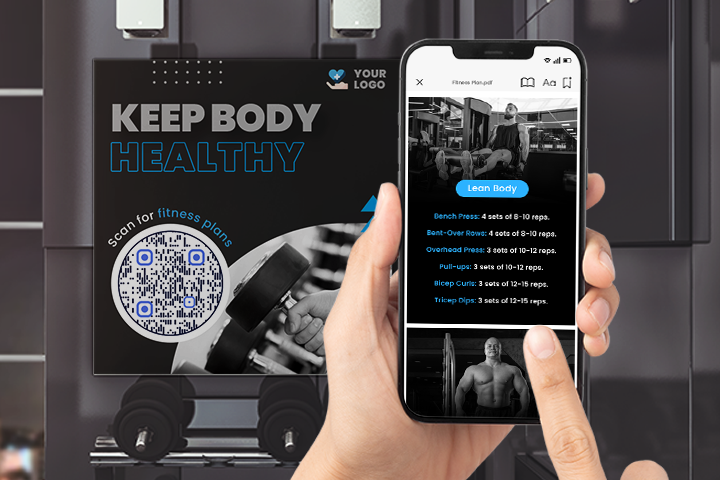
For trainers, a PDF QR code can make a workout plan feel as dynamic as the client. Link to routines that adjust as clients hit their targets, or add “bonus” exercises they unlock by reaching specific milestones.
Make every movement clear by linking to videos or GIFs that show correct form and technique, along with notes on the muscles each exercise targets and how to vary it. You can also take a more holistic approach by linking to resources on mindfulness, sleep, meditation, or recovery, so the plan supports the client’s whole fitness journey, not just their time in the gym.
Smart QR codes: one code, different plan each day
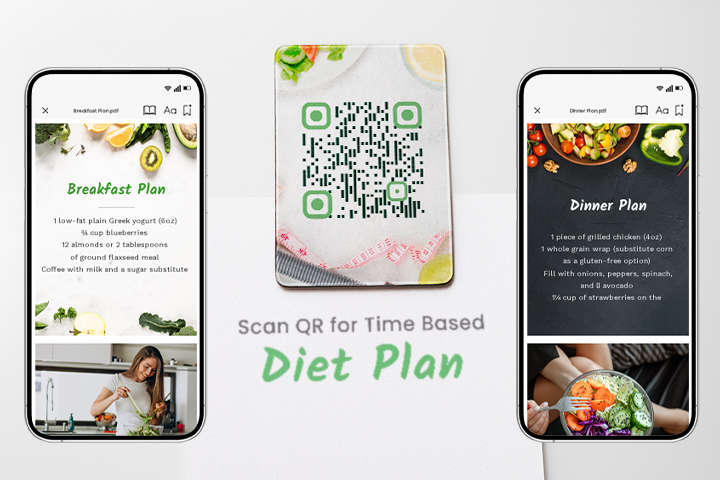
Imagine giving a client one QR code to stick on their fridge that shows a different diet plan depending on the day and time. That is exactly what a Smart QR code makes possible.
By loading day-specific or hourly PDFs into a single code, dietitians and trainers can deliver highly personalized guidance that changes automatically, without the client ever needing a new code. It is a simple way to keep clients on track across an entire week or program while managing everything from one place. Learn how Smart QR codes deliver different content from the same code.
💡 Useful tip: Smart QR codes take a little more setup and content planning, but they make your service feel premium and boost client trust.
Where to print your PDF QR code
A printed QR code is where this really shines, since there is no link to click on paper. Place your code anywhere a client will see it as part of their routine:
- Plan cards and handouts clients keep in their gym bag or wallet.
- Fridge magnets or kitchen cards so the day’s diet plan is always one scan away.
- Welcome packets and onboarding folders given to new clients.
- Gym posters, wall charts, and equipment signage in your studio or training space.
- Business cards and flyers that link to a sample plan or your services.
- Water bottles, T-shirts, or branded merch for a memorable touch.
- Printed program booklets where each week or phase has its own code.
The goal is to put the code where clients naturally look, so opening their plan becomes effortless.
How to create a PDF QR code for diet and workout plans
- Open the generator. Go to the PDF QR Code Generator and select the PDF option.
- Upload your plan. Add the diet plan, workout routine, or guide you have prepared as a PDF.
- Choose dynamic. A dynamic QR code lets you update the plan later without reprinting, and gives you scan analytics.
- Customize and brand it. Add your logo, colors, and a relevant sticker so clients know what to do.
- Test and share. Scan it on a couple of devices, then share it the way that fits. For printed materials like plan cards, handouts, or posters, the QR code lets clients scan and open the plan instantly. When you share digitally, you can use the same code or simply send the direct link, whichever is easier for your client.
Tips for getting more scans
A few simple habits make the difference between a code clients use and one they ignore:
- Always test before sharing. Scan on both Android and iOS to confirm the right plan opens.
- Print at high quality. Download as PNG or SVG rather than JPG, and keep the code large enough to scan easily. See these best practices for PDF to QR codes.
- Add a clear call to action. A short prompt like “Scan for your week 1 workout” tells clients exactly what they will get.
- Use dynamic codes for plans that change. Update the linked PDF as the client progresses and the same code keeps working.
- Show a different plan each day with a Smart QR code. Create multiple PDFs, one per day, and a Smart QR code will display the right plan based on the day of the scan. One printed code can guide a client through a full week of workouts.
- Brand the code. Your logo and colors build recognition and trust, so clients feel confident scanning.
Conclusion
A PDF QR code for diet and workout plans gives dietitians and trainers a simple, professional way to put personalized guidance directly in their clients’ hands. Plans are easier to access, easier to update, and far more likely to be used, which means better results for your clients and a smoother experience for you.
Frequently asked questions
How do I turn a diet or workout plan into a QR code?
Save your plan as a PDF, upload it to a PDF QR Code Generator, choose a dynamic code so you can edit it later, then download and share the code. Clients scan it to open the plan.
Can clients open the plan without an app?
Yes. Modern smartphones scan QR codes straight from the camera, so clients just point and tap the link that appears.
Can I update a plan after sharing the QR code?
Yes, if you use a dynamic QR code. You can swap or revise the linked PDF anytime and the same code keeps pointing to the latest version.
Where should I put the QR code so clients can scan it?
Printed materials work best, like a plan card clients keep, a handout, a welcome packet, or a gym poster. On printed items there is no link to click, so a QR code is the quickest way for clients to open the plan. When you share a plan digitally, a direct link is usually easier for the client to tap.
Can one QR code show different plans on different days?
Yes. A Smart QR code can serve a different PDF based on the day or time, so a single code can deliver a full week of meals or workouts.
You may also like
How to Send QRCodeChimp Form Responses to HubSpot
Learn how to connect QRCodeChimp Forms with HubSpot, map form fields, send responses directly to your CRM, and verify successful data transfers.
How to Prepare Your GS1 QR Codes for Targeted Product Recalls
Learn how GS1 QR Codes can support batch-level and item-level product recalls, and use a 7-step mock recall to test whether your systems are ready.
Top 10 Free QR Code Generators to Help You Market in 2026
The most important aspect of using QR codes for your business is selecting the right QR code generator. Here are ten free QR code generators to help you get started.
How to Create and Manage White Label Merchandise?
Learn the step-by-step process to create and manage customized white label merchandise like digital business cards, pet tags, and medical alerts using QRCodeChimp.
Most Popular
Contact Sales
