QR codes turn physical touchpoints into digital actions. A package opens a user guide. A business card saves a contact. A receipt collects a review. A flyer sends someone to a landing page.
That is why QR codes are used across retail, restaurants, real estate, healthcare, education, events, and everyday business operations. This guide covers 25 practical use cases with clear placement guidance and tips you can act on immediately.
What are QR code use cases?
QR code use cases are the specific ways businesses and individuals use QR codes to connect people with digital content or actions.
Common examples include sharing website links, PDFs, digital business cards, menus, app download links, Google Maps locations, feedback forms, payment links, WiFi credentials, and product information.
The right use case depends on one thing: what you want the person to do after they scan.
Match Your Goal to the Right QR Code
| Goal | QR code type | Where to use it |
|---|---|---|
| Drive traffic | URL or landing page | Flyers, posters, packaging, ads |
| Share contact details | Digital business card | Business cards, badges, email signatures |
| Share documents | PDF QR code | Brochures, catalogs, manuals |
| Help people find you | Google Maps | Storefronts, flyers, property boards |
| Collect responses | Feedback or form | Receipts, counters, events, packaging |
| Share offers | Coupon | Product labels, bills, store displays |
| Simplify access | WiFi | Hotels, cafes, offices, clinics |
| Accept payments | Payment | Billing counters, invoices, delivery slips |
| Share product details | Product QR code | Product packaging, retail labels |
| Connect product to traceability and digital content | GS1 QR code | Product packaging, retail labels |
A QR code works best when the scan leads to one clear action. Avoid sending users to a page where they need to search again.
25 practical QR code use cases
1. Drive traffic to your website or landing page
A URL QR code sends people from any printed surface directly to your website, campaign page, product page, booking form, or signup.
Works on flyers, posters, packaging, direct mail, outdoor ads, and business cards. A gym can send a flyer scan to a free trial page. A retailer can point a window poster to seasonal offers.
💡Quick tip: Use a dynamic QR code for campaigns so you can update the destination without reprinting.
2. Share digital business cards

A digital business card QR code lets people save your contact details instantly without typing anything. Name, phone, email, website, social links, and calendar all in one scan.
Print it on business cards, event badges, brochures, and email signatures. Sales reps, recruiters, consultants, and realtors use this to turn every in-person interaction into a saved contact.
💡Quick tip: For teams, use bulk creation, Active Directory integrations, or SSO-based card creation to create employee cards faster and keep details easier to manage at scale.
3. Share PDFs, brochures, and catalogs
A PDF QR code lets you share full documents without printing multiple pages or asking people to type a long URL.
Use it for product brochures, service catalogs, menus, floor plans, event schedules, reports, and manuals. When your print space is limited, a QR code replaces the need to crowd a flyer or label with text.
💡Quick tip: Make sure the linked file is mobile-friendly and easy to read on smaller screens before printing the QR code.
4. Deliver product manuals and how-to guides
A QR code on packaging or an insert card can take customers to setup instructions, safety guidelines, care instructions, troubleshooting steps, or video tutorials.
Useful for electronics, appliances, cosmetics, food products, furniture, tools, and healthcare products. It also removes the cost of reprinting manuals when instructions change.
💡Quick tip: Place the QR code near the relevant section, such as “Setup,” “How to use,” or “Care instructions,” not buried at the bottom of the packaging.
5. Share business information
A business page QR code puts your name, description, phone number, email, address, hours, photos, and social links in one place.
Useful for local stores, clinics, salons, gyms, agencies, and repair services. Place it on storefronts, reception desks, invoices, flyers, and packaging so customers get what they need without calling.
6. Share Google Maps locations
A Google Maps QR code opens navigation directly to your location. No manual searching, no address typing.
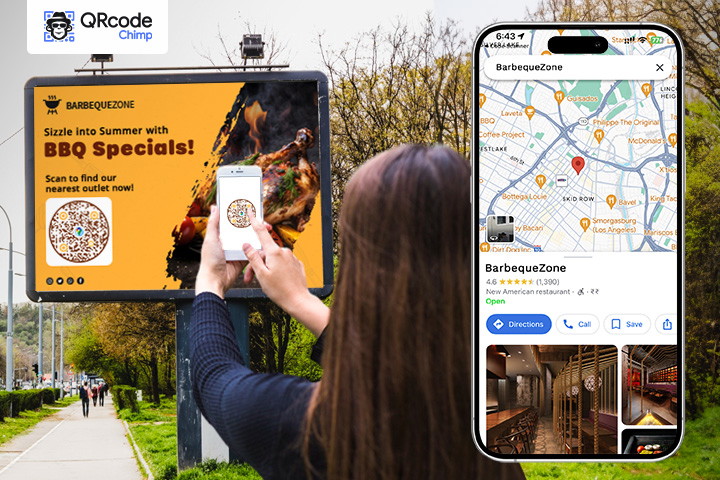
Use it for stores, offices, hotels, event venues, clinics, and pop-up locations. Particularly useful when your address is hard to find, your entrance is inside a larger building, or visitors frequently get lost.
💡Quick tip: Test the pin location before printing. It should open exactly where you want visitors to arrive, not the nearest road or a nearby landmark.
7. Display restaurant menus
Restaurants, cafes, food trucks, hotels, and bars use menu QR codes to replace or supplement physical menus.
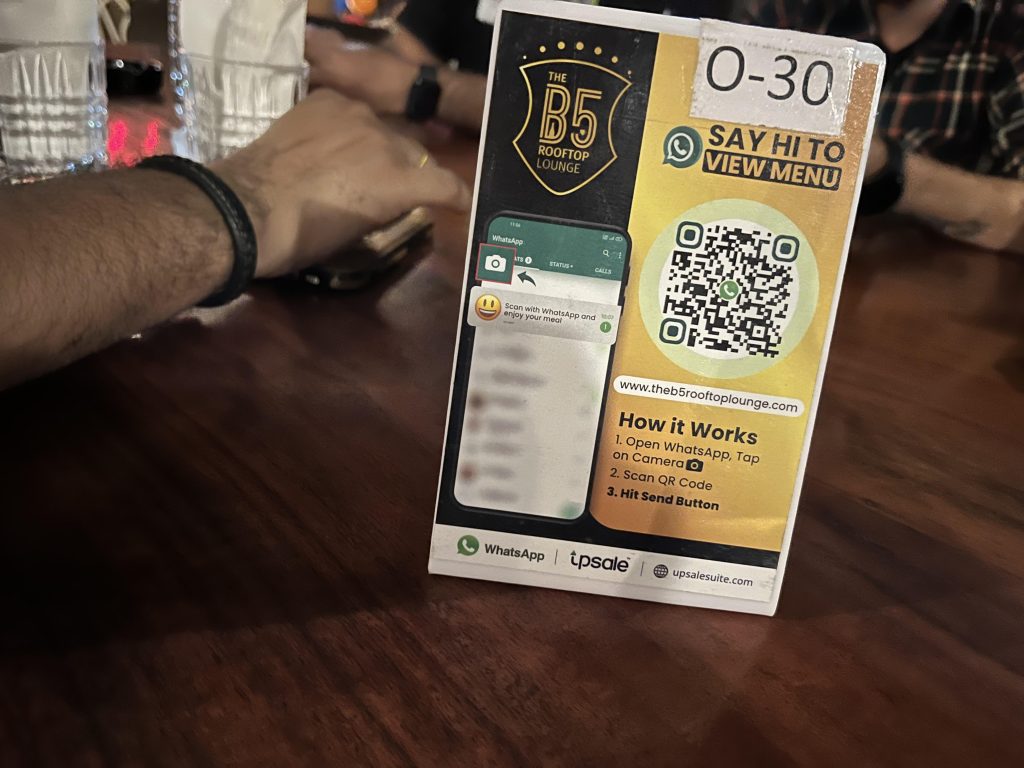
Place them on tables, counters, takeaway packaging, and room service cards. Guests scan and view the menu on their phone. When prices change or items are unavailable, you update the digital menu without reprinting anything.
💡Quick tip: Keep the menu easy to browse on mobile. A heavy PDF that requires zooming and scrolling creates a poor experience.
8. Increase app downloads
An app download QR code sends users to the right app store based on their device. One code covers both iOS and Android.

Place it on outdoor ads, packaging, receipts, in-store posters, and product inserts. Works well for loyalty apps, ordering apps, banking apps, fitness apps, and any product tied to a mobile experience.
💡Quick tip: Add a clear benefit near the QR code. “Scan to manage your account” works better than “Scan to download.”
9. Promote social media profiles
A social media QR code takes people directly to your profiles without them searching manually.
Place it on store displays, packaging, flyers, business cards, event booths, and receipts. Use a profile hub to share multiple platforms, Instagram, LinkedIn, YouTube, Facebook, and TikTok, from a single scan.
10. Share product information from packaging
A product QR code lets brands share product details without crowding the label.
Link it to ingredients, usage instructions, videos, warranty details, care instructions, certifications, authenticity checks, sustainability information, or support pages. Useful for food and beverage, cosmetics, electronics, apparel, healthcare products, and consumer goods.
Place on packaging, labels, hang tags, inserts, cartons, bottles, jars, and user manuals.
💡Quick tip: Tell people why to scan. “Scan for product details,” “Scan for usage guide,” or “Scan to verify authenticity” works. A plain QR code with no label gets ignored.
11. Use GS1 QR codes for retail product data
GS1 QR codes are useful for brands that want to connect product packaging with structured product information based on GS1 standards.
A GS1 QR code can share product identity, batch or lot details, expiry information, usage and safety data, sustainability details, and other product-related information depending on the use case and implementation.
Relevant for consumer goods, food and beverage, apparel, healthcare products, retail packaging, and manufacturers preparing for GS1 Sunrise 2027 and the global shift to 2D barcodes at point of sale.
💡Quick tip: Use a GS1 QR code when product identification, traceability, retail readiness, or structured product data matters. For general product videos, guides, brochures, or support links, a regular product QR code is enough.
12. Share coupons and discounts
A coupon QR code lets customers view or claim an offer from any printed material without carrying a paper coupon.
Place on flyers, product labels, shopping bags, bills, receipts, counter displays, and store windows. Mention the offer clearly near the QR code so people know what they are scanning for.
13. Collect feedback and reviews
Feedback QR codes collect responses at the right moment, while the experience is still fresh.
Restaurants place them on bills. Hotels place them at reception. Retail stores place them near checkout. Product brands place them on packaging. A receipt or table tent will consistently outperform a follow-up email sent hours later.
💡Quick tip: Link to a short form, not a long survey. The faster the process, the higher the completion rate.
14. Collect inquiries and form submissions
Form QR codes capture leads, registrations, applications, and inquiries from physical locations.
A real estate agent places a QR code on a property board to collect buyer inquiries. A school places one on a notice for event registrations. A service provider uses one at reception for intake forms.
💡Quick tip: Fewer fields means more completions. Ask only for what you actually need.
15. Connect through SMS, email, or WhatsApp
QR codes reduce the friction of getting someone to contact you.
An SMS QR code opens the messaging app with your number and a pre-written message. An email QR code opens a draft with the recipient and subject filled in. A WhatsApp QR code opens a chat ready to send.
Useful for support desks, clinics, delivery teams, and service businesses. Note: the message is not sent automatically. The user reviews it and taps send.
16. Share meeting links and calendar events
A meeting QR code lets attendees join a session or save event details with one scan.
Use on invitations, training materials, conference badges, and event handouts. A company adds a QR code to a training poster so employees can open the meeting link directly. An event organizer adds one to printed invites so attendees can confirm event details instantly.
Quick tip: Label the QR code with the date or session name so users know what they are joining.
17. Enable digital payments
Payment QR codes let customers pay without cash or card terminals.
Works for restaurants, retail stores, salons, market stalls, delivery businesses, and donation counters. Place near billing counters, on invoices, table tents, and delivery slips.
💡Quick tip: Keep payment QR codes visible and secure. Avoid placements where they can be easily covered or replaced.
18. Share WiFi access
A WiFi QR code connects guests to your network without them typing the password.
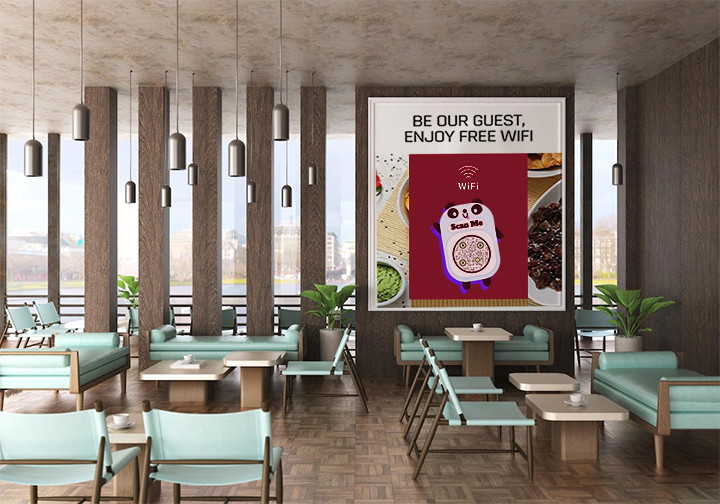
Useful for hotels, cafes, coworking spaces, clinics, offices, and salons. Place at reception, tables, meeting rooms, and waiting areas.
💡Quick tip: Use a separate guest network. Sharing your main business network through a public QR code is a security risk.
19. Create pet ID tags
A QR code pet tag on a pet collar lets anyone who finds a lost pet contact the owner immediately.
Useful for pet owners, pet stores, accessory brands, animal shelters, and veterinary clinics. The owner controls what information is shown on the profile page.
20. Support event registration and check-ins
QR codes simplify the full event cycle from registration to exit.
Use separate codes for registration forms, ticket verification, session access, venue maps, and post-event feedback. Works for conferences, workshops, trade shows, school events, and product launches. QRCodeChimp’s event QR code solution covers the full event workflow.
💡Quick tip: One QR code per action. A single code that does everything creates confusion at the point of scan.
21. Add QR codes to ID badges and visitor passes
Badge QR codes can link to digital business cards, professional profiles, event information, or verification pages.
Useful for conferences, offices, hospitals, campuses, and warehouses. For employees, this doubles as a networking tool.
💡Quick tip: Only surface information the scanner is meant to see. Do not link badges to pages with sensitive internal content.
22. Share real estate property details
Real estate professionals use QR codes to share property brochures, floor plans, price sheets, location maps, and inquiry forms from boards, ads, and open house signage.
A buyer scans the board outside a property and gets everything without waiting for printed copies or calling the agent.
💡Quick tip: Use a separate QR code per property so you can track interest and update details independently.
23. Share educational material and notices
Schools, colleges, and training centers use QR codes to share notes, assignments, schedules, forms, and resource links on notice boards, ID cards, handouts, and admission brochures.
Useful when information changes frequently or printed space is limited.
24. Share healthcare information
Clinics, hospitals, and pharmacies use QR codes to share appointment links, patient instructions, health guides, service details, and feedback forms.
Place on appointment cards, prescription envelopes, waiting room posters, and pharmacy bags.
💡Quick tip: Never link to pages that expose private patient information without proper access controls.
25. Make print and offline campaigns measurable
Dynamic QR codes with analytics turn every piece of print material into a measurable channel.
Use different QR codes for different placements, flyer versus poster versus packaging versus direct mail. Scan data tells you which offline touchpoint is actually driving engagement, so you can spend print budgets more accurately.
A retail brand running the same promotion across three cities can use unique QR codes per location. Four weeks of scan data shows which market responded and by how much.
Static vs. dynamic QR codes
| Static | Dynamic | |
|---|---|---|
| Destination editable after print | No | Yes |
| Scan analytics | No | Yes |
| Best for | Fixed content: WiFi, text, permanent locations | Campaigns, packaging, documents, feedback, marketing |
| Risk if link changes | Must reprint | Update in dashboard, no reprint needed |
| Scan tracking by date, location, device | No | Yes |
For most business use cases, dynamic QR codes are the practical choice. Static codes make sense only when the content is permanent and you have no need to measure performance.
Where to place QR codes
Match the placement to the action.
| Placement | Best use cases |
|---|---|
| Product packaging | Manuals, ingredients, certifications, feedback, authenticity, GS1 traceability |
| Business cards and badges | Digital business cards, social profiles, meeting links |
| Receipts and invoices | Feedback, reviews, payment, coupons, app downloads |
| Restaurant tables and menus | Menu, WiFi, feedback, payment |
| Flyers and posters | Website, landing pages, maps, social media, offers |
| Event materials | Registration, check-in, session links, feedback |
| Storefronts and counters | Business info, maps, WiFi, payment, social profiles |
| Real estate boards | Property brochures, floor plans, inquiry forms |
How to use QR codes effectively
Always tell people what they will get. “Scan to view menu” outperforms “Scan me” every time.
Test on multiple devices and lighting conditions before printing. A QR code that fails to scan in low light or on a curved surface is wasted print spend.
Keep enough white space around the QR code. Crowding it with text or design elements increases scan failure rates.
Use high contrast. Dark code on a light background is the most reliable combination.
For campaigns, use dynamic QR codes and track scan data. Otherwise you have no way to know if the placement is working.
Need help building a QR code strategy from scratch? Read our QR code strategy guide.
Common mistakes to avoid
- Sending every QR code to the homepage instead of the most relevant page or action.
- Using vague labels like “Scan me” with no context.
- Printing QR codes too small to scan reliably.
- Linking to slow-loading pages, restricted files, or outdated URLs.
- Creating one QR code for multiple unrelated actions.
- Placing QR codes where scanning is physically awkward or unsafe.
How QRCodeChimp helps
QRCodeChimp supports over 40 QR code types covering every use case in this guide, including URL, PDF, digital business cards, menus, Google Maps, feedback forms, coupons, app downloads, social media, WiFi, SMS, email, WhatsApp, events, and payments.
For brands managing product data at scale, QRCodeChimp also supports GS1 QR codes and product QR codes with bulk creation, Digital Link compliance, and updatable destinations, so the same printed code stays relevant as your product information evolves.
Dynamic QR codes let you update destinations after printing, track scans by date, device, and location, and compare performance across campaigns. Bulk creation tools let teams generate and manage QR codes at scale. Custom branding options keep every code consistent with your visual identity.
Frequently asked questions
What are the most common QR code use cases?
Website links, digital business cards, restaurant menus, PDF sharing, Google Maps locations, app downloads, social media profiles, feedback forms, coupons, payments, and WiFi access.
How can businesses use QR codes?
On packaging, flyers, business cards, receipts, posters, storefronts, invoices, and event materials. QR codes help customers access information or take action without typing a URL. See our QR code solutions for a full list of options.
What are QR codes used for in marketing?
Connecting offline materials to campaign pages, product pages, coupons, app downloads, social profiles, forms, and event registrations. Dynamic QR codes also let you track scan activity to measure offline campaign performance.
Are dynamic QR codes better for business?
For most business use cases, yes. You can update the destination after printing, view scan analytics, and adjust campaigns without reprinting. Read more in our dynamic QR code guide. Static codes are only better when the content is permanent and tracking is not needed.
What is a GS1 QR code and who needs it?
A GS1 QR code is a standards-compliant 2D barcode built on the GS1 Digital Link standard. It encodes product identifiers like GTIN along with a live URL, allowing the same code to work at retail checkout and deliver consumer-facing product information. It is relevant for food and beverage, pharma, and CPG brands preparing for GS1 Sunrise 2027.
Can QR codes be used on product packaging?
Yes. QR codes on packaging can share product details, manuals, ingredients, certifications, authenticity checks, warranty forms, support links, and feedback forms.
What should I write next to a QR code?
A clear instruction that tells users what they get. “Scan to view menu,” “Scan to download brochure,” “Scan to get directions,” or “Scan to share feedback” all work better than “Scan me” or no label at all.
You may also like
Bulk QR Codes for Business: Use Cases and Benefits
Discover how bulk QR codes for business can streamline product packaging, employee cards, events, multi-location campaigns, inventory, and more
How to Send QRCodeChimp Form Responses to HubSpot
Learn how to connect QRCodeChimp Forms with HubSpot, map form fields, send responses directly to your CRM, and verify successful data transfers.
How Retail Stores Can Collect Customer Feedback Without Staff Prompts
Set up a feedback QR code for retail stores to collect customer feedback without relying on staff prompts. Learn where to place it and improve responses.
QR Code Ideas for Restaurants: 9 Practical Uses
Explore practical QR code ideas for restaurants, including menus, online ordering, feedback, reservations, offers, events, and customer engagement.
Most Popular
Contact Sales
