You hand someone your business card. They say thanks, slide it into a pocket, and by the time they’re back at their desk, it’s buried under receipts, never once making it into their phone.
One commonly cited estimate says 88% of business cards get thrown away within a week, and even the ones that survive still need someone to type your details in by hand, which is where errors creep in, and follow-ups quietly die.
That’s not a networking problem. It’s a format problem. And it’s exactly what a digital business card is built to fix.
This guide covers what a digital business card is, how it works, what to include, how to share it, and how to get real results.
Key Takeaways:
- Paper cards get tossed fast; digital ones save contacts instantly.
- One QR code, always current, no reprinting when details change.
- It’s a mini profile page, not just a name and number.
- Teams get bulk creation, approval workflows, and shared edit access.
- Built-in scan analytics show what’s actually driving connections.
- What is a digital business card?
- How does a digital business card work?
- How to create a digital business card?
- Create and manage cards across a team
- What to include on a digital business card
- How to share your digital business card
- Benefits of using digital business cards
- Best practices for virtual business cards
- Create a digital business card people actually save
- Frequently asked questions
What is a digital business card?
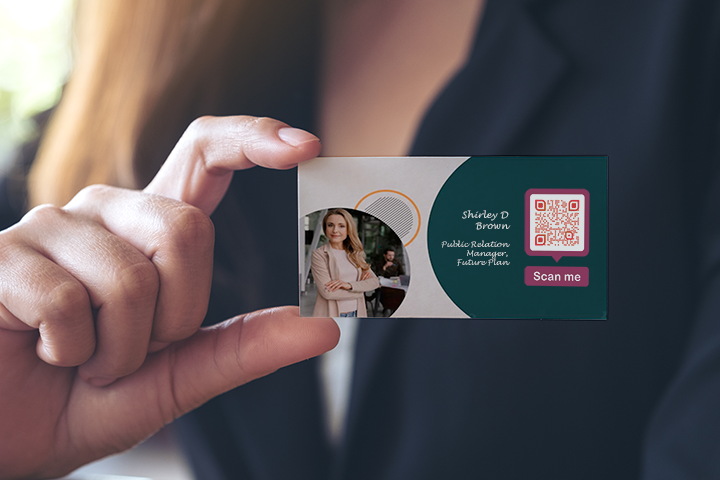
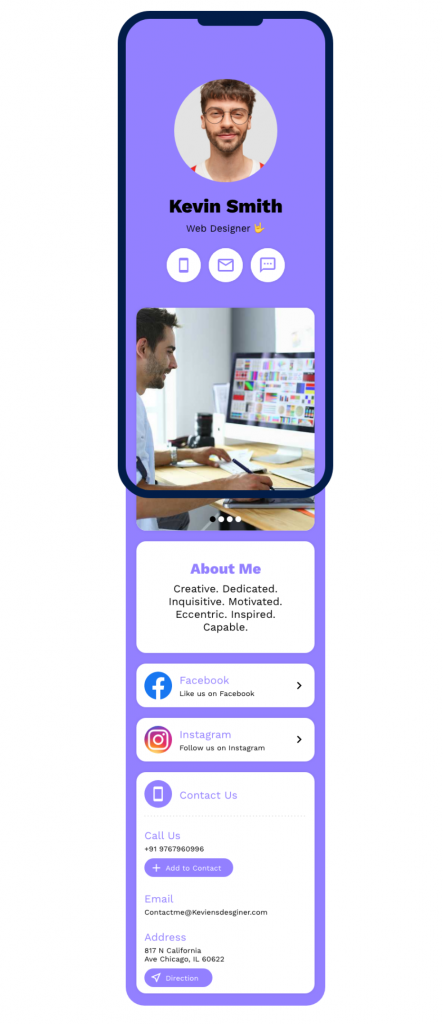
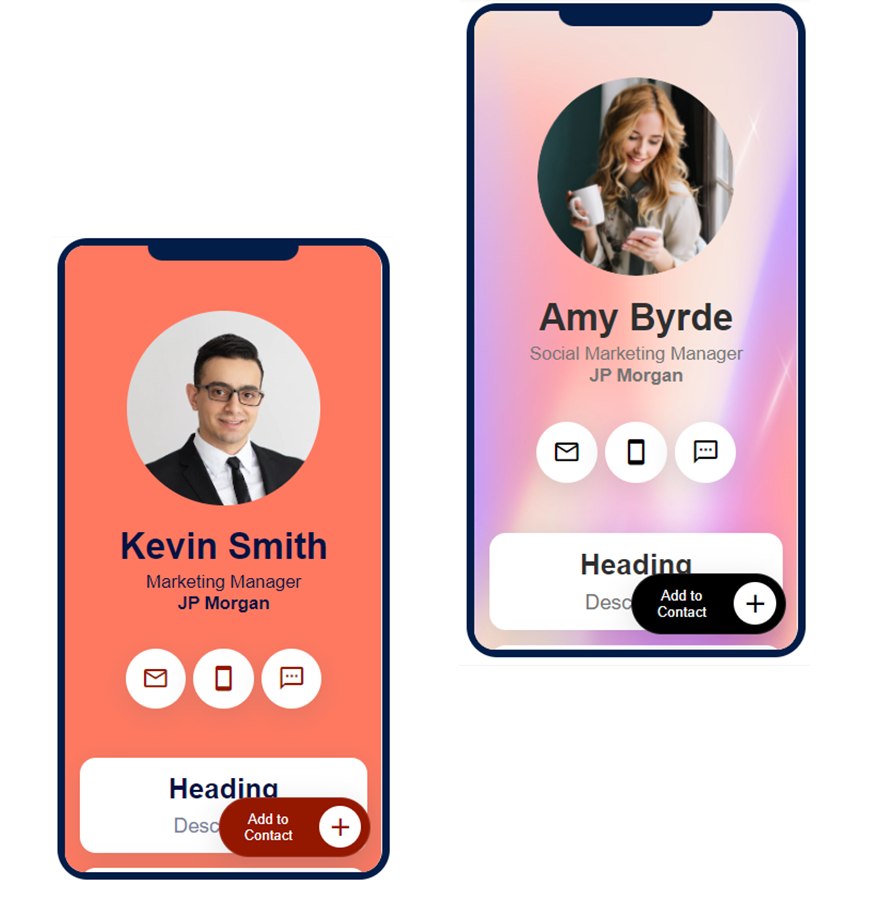
A digital business card is a mobile-friendly web page, shared via QR code, link, or NFC tap, that includes your contact details, social links, website links, images, and video, with one-tap buttons for the other person to save or share your contact details.
Think of it as a live profile page for your professional identity: instead of handing over only a printed card, you share a link or QR code, and the other person can save your details directly to their phone, with nothing to reprint when your information changes.
Here is how digital and paper business cards compare:
| Functionality | Paper business card | Digital business card |
|---|---|---|
| Sharing | Hand over a physical card | Scan, tap, or send a link |
| Saving a contact | Manual typing | One tap to save |
| Updates | Reprint required | Edit anytime with the same QR code |
| Information | Limited to basic details | Full profile, links, media, and actions |
| Follow-up | No tracking | Scan analytics and lead capture |
How does a digital business card work?
You can share a digital business card through a QR code, a direct link, or NFC. When someone opens it on their phone, they can see your profile, save your details, call or email you, visit your links, or add your card to Apple Wallet or Google Wallet.
Because the card is dynamic, the QR code and link do not change. If you update your title, phone number, profile photo, or links, everyone who scans the same QR code sees the latest version. That is the key difference from paper: your card stays editable after it has been printed and shared.
When access needs to be controlled, cards can also be passcode-protected. For a closer look at data handling, see how safe digital business cards are.
How to create a digital business card?
You can build a digital business card in a few minutes using the digital business card solution, with no design or technical skill needed.
Here is the basic flow:
- Pick a template from the design library.
- Add your profile photo, logo, name, job title, and company details.
- Add your contact details, social links, website links, and other important information.
- Turn on Save to Contacts so people can save your details in one tap.
- Enable Collect Contacts to capture leads from people who scan your card.
- Match the design and QR code to your brand, then save and download.
For a detailed guide to create digital business cards, check: How to make a digital business card?
Create and manage cards across a team
For an individual, one card is enough. For a team, the bigger challenge is creating and updating many cards without losing brand consistency. QRCodeChimp helps businesses manage this with bulk creation, approval workflows, Share Access, lead capture, and analytics.
- Bulk creation: Design one master card and generate digital business cards for the whole team from a spreadsheet. See the step-by-step bulk process.
- Approval-based forms: Let employees submit their details through a form, and allow HR or admins to approve the information before a card is created. Here is the approval-based workflow.
- Share Access: Give employees or team members access to assigned cards without sharing the full account login. Learn more about sharing access for digital business cards.
- Lead capture: Add a contact form so scans become leads you can follow up on, not just one-way contact sharing.
- Analytics: Track scans and engagement to see which cards, teams, and touchpoints are working. The QR code analytics guide covers this in depth.
You can also add a scheduling link, such as Calendly or Acuity, so contacts can book time directly from your card.
The business value is practical: fewer reprints, consistent branding across every card, faster employee updates, and contact data you can measure and act on.
What to include on a digital business card
Keep the essentials easy to find: your name, job title, company name, contact details, and key social or website links. Add a professional photo and any media that helps people understand who you are and what you do.
Beyond the basics, include only what supports your goal. That could be a booking link, portfolio, product page, payment link, lead form, location, brochure, or customer review link. A focused card is easier to scan, easier to act on, and more likely to be saved.
For a field-by-field breakdown, see what to include on a digital business card.
How to share your digital business card
There are two main ways to share a digital business card:
- Send the card link directly by message, email, chat, or email signature.
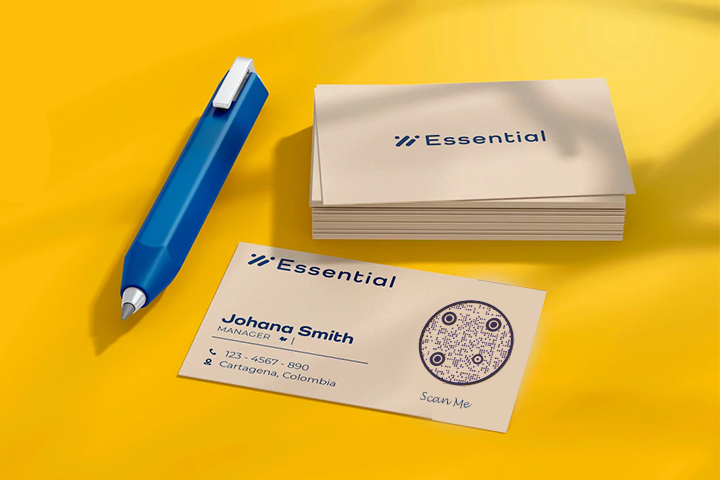
- Print the QR code on your physical business card, badge, brochure, packaging, signage, or event materials so people can scan and save your details instantly.
Printing the QR code on a physical card is especially effective because it connects the familiarity of a paper card with the actionability of a digital profile. Instead of manually typing your details, the recipient can scan, view, and save your information on the spot.
You can also carry your card on your phone using a wallet pass, home-screen shortcut, QR wallpaper, or NFC card. For the full playbook, including how to handle cards you receive, see the best practices for sharing and receiving digital business cards, as well as ways to use your phone as a business card.
QRCodeChimp digital business cards support two-way contact exchange.
Learn more: They Saved Your Contact. Did Your Contact Exchange Form Capture Theirs?
Benefits of using digital business cards
Digital business cards do more than replace paper. They turn a static contact card into an interactive, trackable, and editable networking tool.
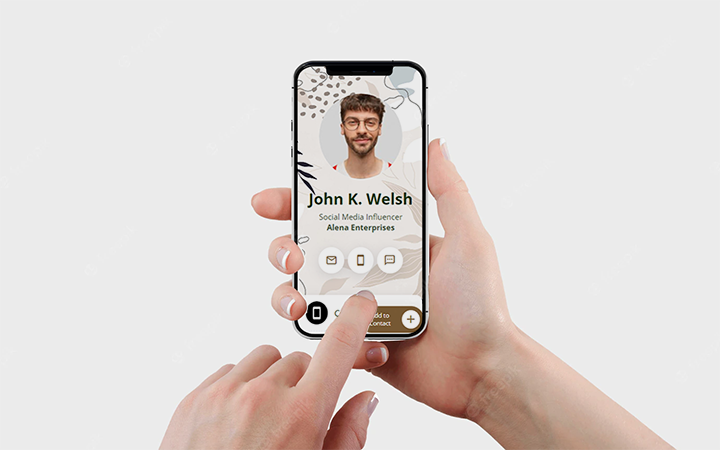
- Instant, accurate contact sharing: One scan lets people save your details without typing, which reduces errors and lost contacts.
- Everything in one place: A digital card can hold your contact details, social links, website, portfolio, videos, forms, and booking links.
- Updates without reprinting: Change your phone number, title, company details, or links anytime. The same QR code continues to work.
- A modern, trackable touchpoint: Scan analytics help you understand how often your card is viewed and which touchpoints are working.
- Lead capture, not just contact sharing: Add a form so people who scan your card can share their details with you. This is especially useful for sales teams, event booths, consultants, and customer-facing teams.
- Better team control: Businesses can create cards in bulk, maintain consistent branding, manage employee access, and measure engagement across teams.
Best practices for virtual business cards
A few simple choices can make the difference between a card people ignore and a card they save.
- Use a professional photo: A clear, well-lit photo builds recognition and trust. Avoid cropped group photos, low-resolution images, or casual selfies unless they fit your brand.
- Keep the design on brand and easy to scan: Use your brand colors, logo, and a clean layout. Make sure the QR code has enough contrast and space around it. For more guidance, see how to design a digital business card.
- Keep your information current: The biggest advantage of a digital card is that it is editable. Update details as they change so prospects and contacts never encounter outdated information.
- Check every detail before sharing: A mistyped phone number, a broken link, or an incorrect title can cost you a conversation. Review the card on mobile before printing or sending it.
- Add a QR code to printed materials: A printed card, brochure, badge, or flyer without a QR code misses the fastest way for people to save your contact.
- Use lead capture when follow-up matters: If you meet prospects at events, sales meetings, or consultations, add a contact collection form so your card supports two-way networking.
- Review analytics regularly: Scan data helps you understand where your card is being used and which offline touchpoints are driving engagement.
Create a digital business card people actually save
A digital business card helps you share more than a name and number. It gives people a simple way to save your contact, view your links, take action, and stay connected after the first meeting.
Frequently asked questions
Are digital business cards free?
Are digital business cards free? Yes. You can create a digital business card for free on the digital business card generator. You can upgrade when you need advanced features such as analytics, bulk creation, lead capture, team management, or additional customization.
Do digital business cards need an app?
No. A digital business card opens in any phone browser when someone scans the QR code, taps an NFC card, or clicks the link. Recipients do not need to install an app to view or save your card.
Can I update a digital business card after sharing it?
Yes. Digital business cards are dynamic, so you can edit the content anytime. The QR code and link stay the same, so you do not need to reshare the card or reprint your materials.
What happens when someone saves my digital business card?
Their phone saves your contact information, such as your name, phone number, email, company, title, address, and links, to their contacts. They can also add the card to Apple Wallet or Google Wallet if you have enabled those options.
Are digital business cards better than paper business cards?
For most professionals and teams, yes. Digital business cards share more information, save instantly, update without reprinting, and can capture leads. Paper can still be useful when combined with a QR code that opens your digital card. See why digital business cards are the future.
Can businesses create digital business cards for employees?
Yes. Businesses can create digital business cards in bulk, maintain consistent branding, manage employee access, and track engagement across teams. This is useful for HR teams, sales teams, agencies, real estate teams, consultants, and customer-facing organizations.
You may also like
How to Create One QR Code for Multiple Links
Learn how to create one QR code for multiple links. Add websites, social profiles, videos, PDFs, and more, then update links without reprinting.
Digital Business Card Statistics in 2026: Usage, Applications, Adoption, and Top Players
Discover some important statistics for digital business cards, including the market size of digital business cards, along with their key drivers, how people use them, and much more.
How to Choose the Right QR Code Generator for Your Restaurant
Compare menu updates, branding, analytics, scan limits, and multi-location features to choose the right QR code generator for your restaurant.
Dynamic QR Codes: How They Work and When to Use Them
A dynamic QR code lets you change where a printed code points, without reprinting it. Here is how dynamic QR codes work, what they track, and when to use one.
Most Popular
Contact Sales
